SuperClock
A personal smart clock. Body design, circular interactions, and a working design system.
SuperClock is my personal smart-clock project: an ambient object that becomes a timer, a weather display, or a small window into the day. I work across the physical form, circular interactions, and the software that brings them together.
Start with the object.
The display sets the geometry. The components set the depth. The enclosure has to reconcile both while still feeling like something that belongs on a shelf.
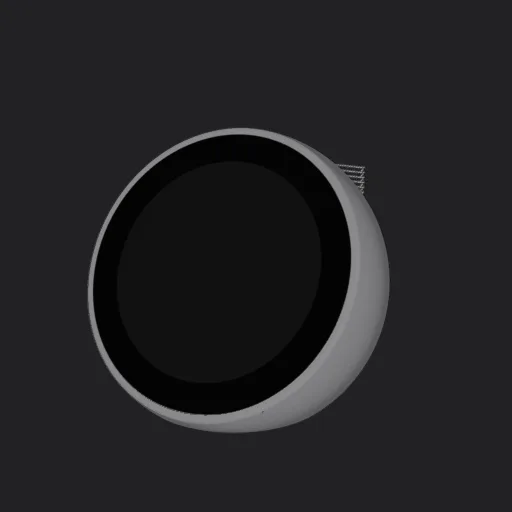
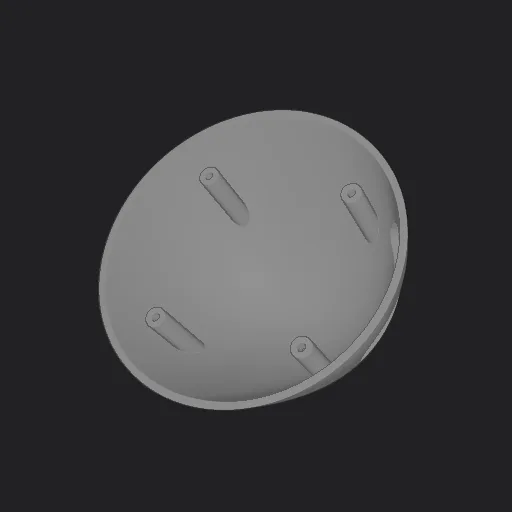
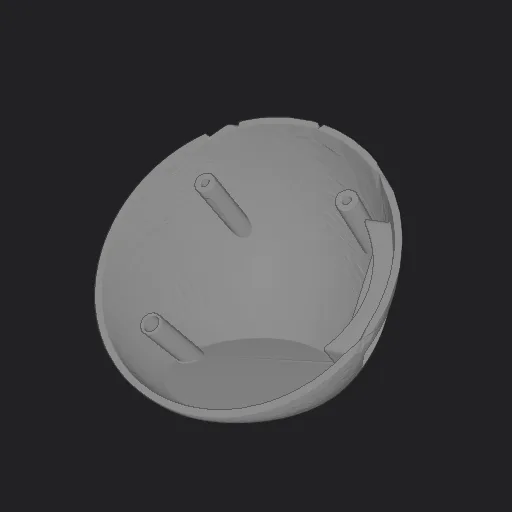
Designing around what has to fit.
The early assembly brings the screen, computer, power board, speaker, and shell into one model. Separating the parts makes the packaging decisions visible: what sits behind the display, what sets the volume, and what needs room to be assembled.
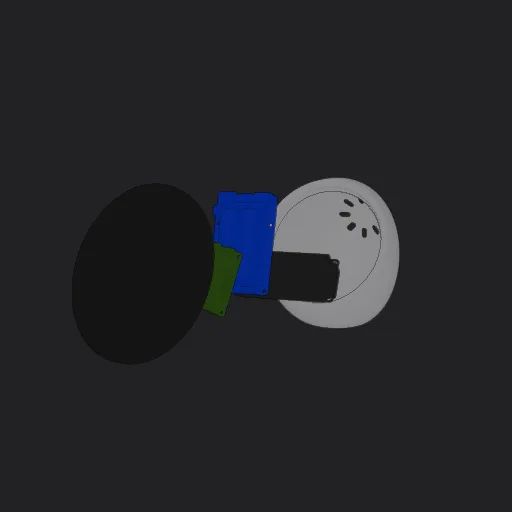
Making the body editable.
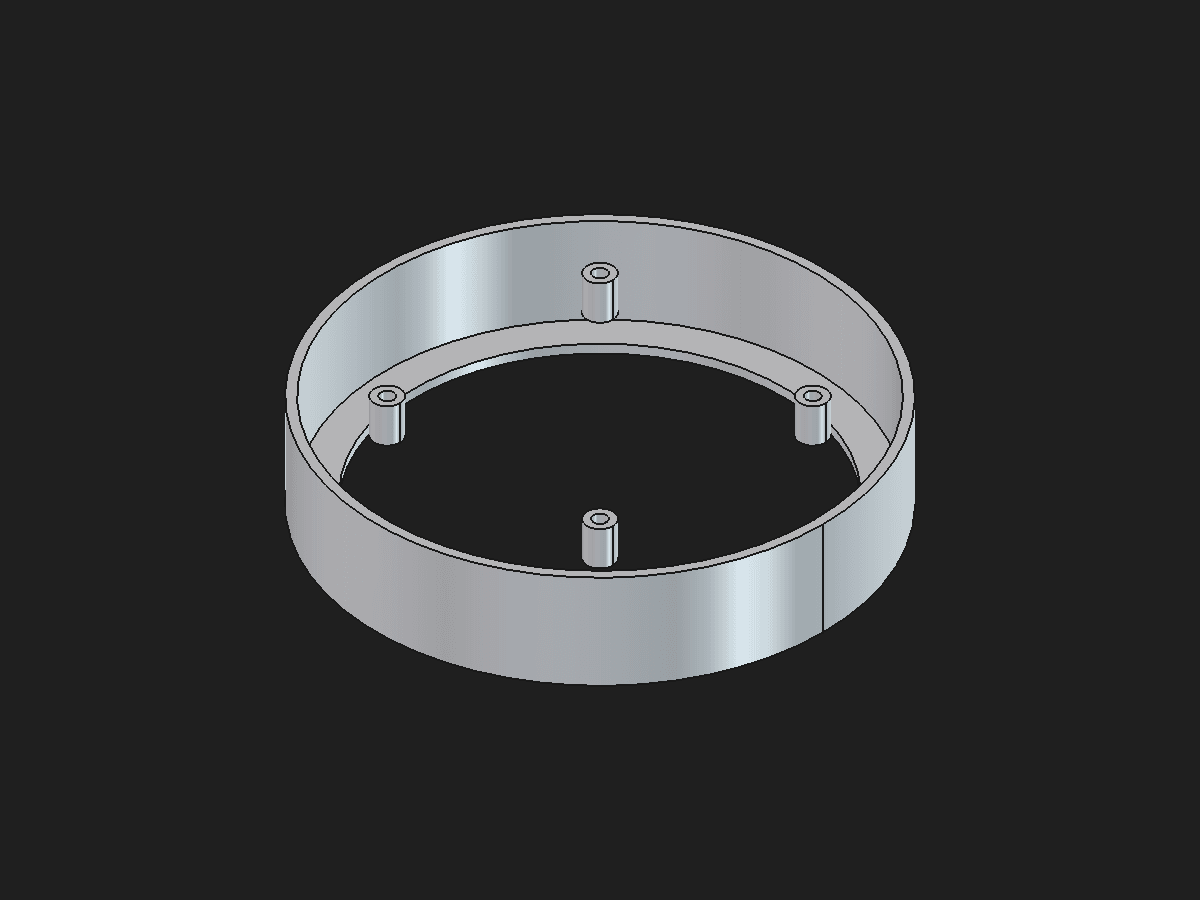
A later FreeCAD study turns the shell into explicit dimensions and mounting geometry. The opening, wall, and mounting bosses remain editable as the hardware changes.
- 157 mm
- 33 mm
- 130 mm
- 4 bosses
Give the edge a job.
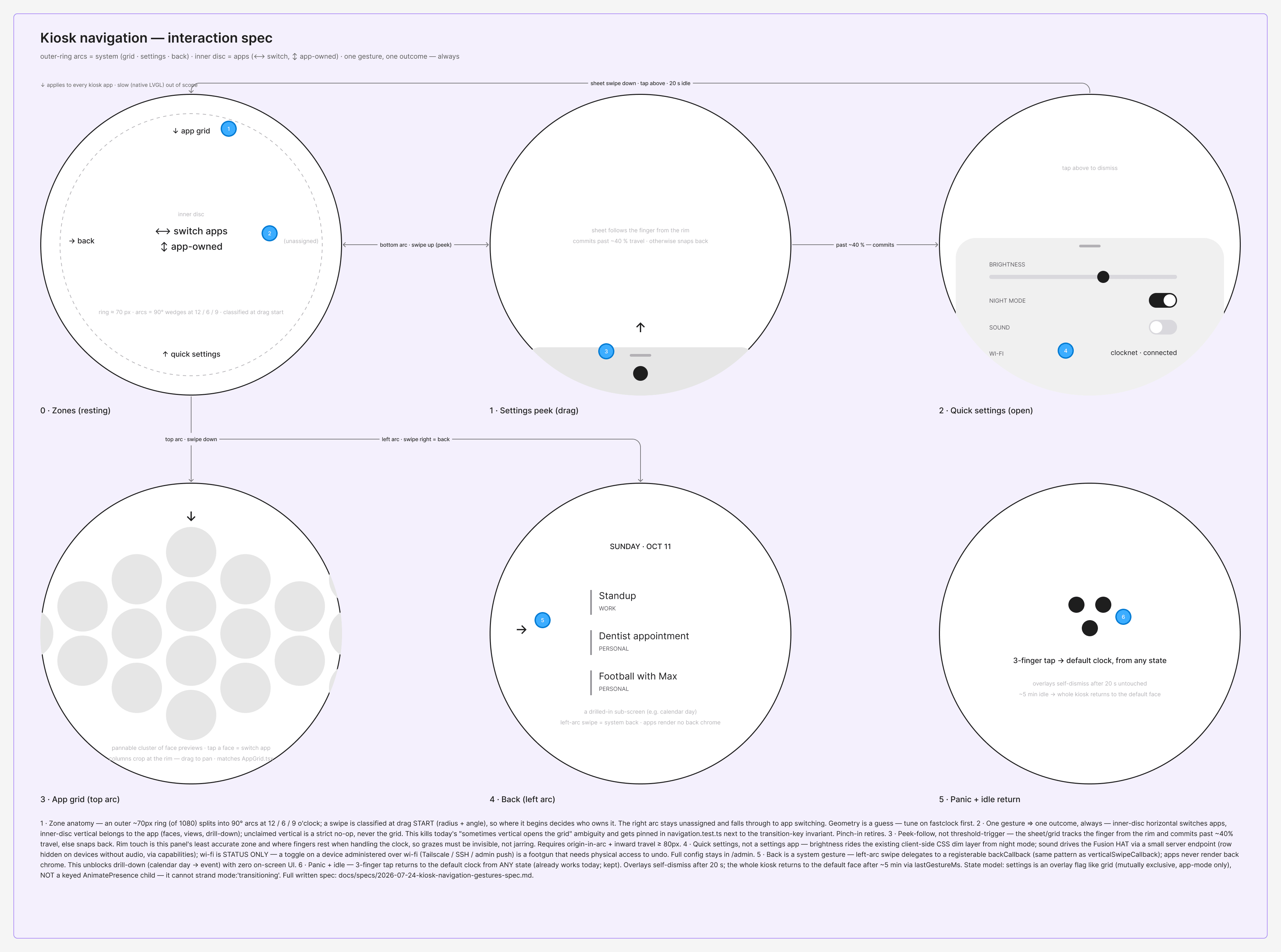
A circular screen has very little room for permanent navigation. I use the rim for system actions, leaving the center available for the app. Where a gesture begins determines who owns it.
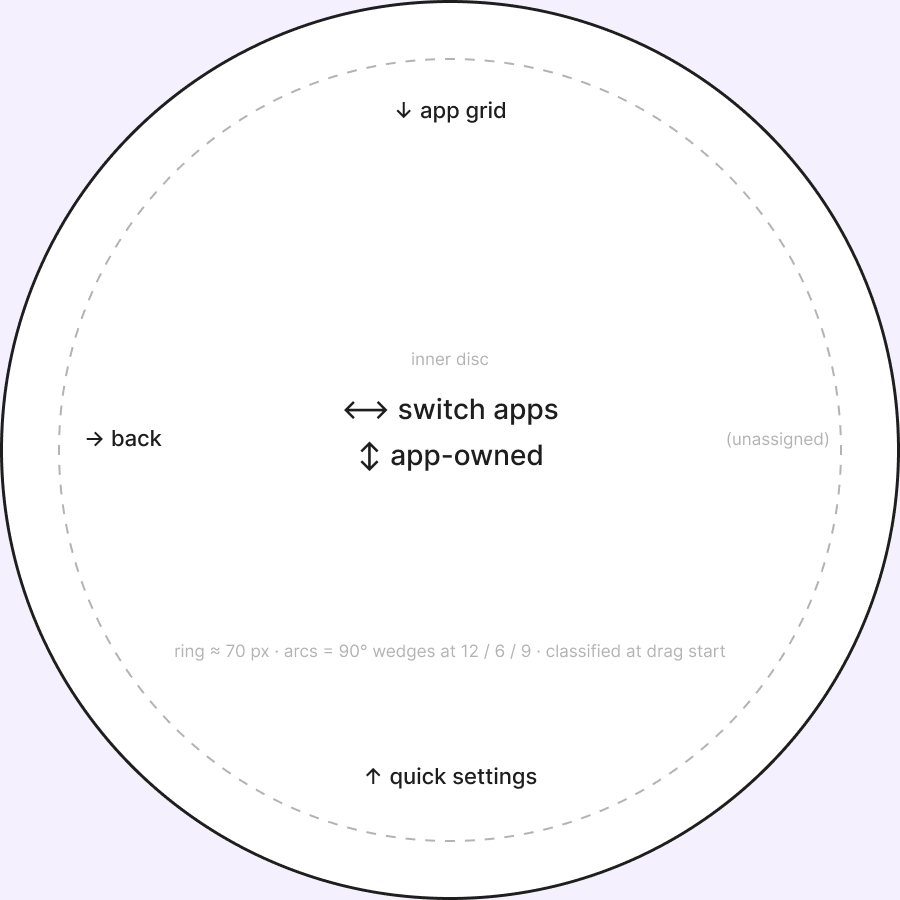
Navigation lives at the rim.
Pull from the top for apps, from the bottom for settings, and from the left to go back.
The center stays expressive.
Apps keep their own vertical gestures. Controls such as the timer dial can claim a drag before navigation handles it.
One gesture, one outcome.
A short rim drag snaps back. It cannot accidentally become an app action when it fails the system threshold.
One interface, several clocks.
SuperClock runs on a small fleet of Raspberry Pi clocks with different screens. The interface is laid out for a 1080 px round display and scales to the others, so each device has to work with the same apps and faces.
Fast
5-inch 1080 × 1080 touch display
Small
3.4-inch 800 × 800 touch display
Square
5-inch 800 × 480 touch display
Slow
A native LVGL clock instead of a browser
Configure on a familiar surface.
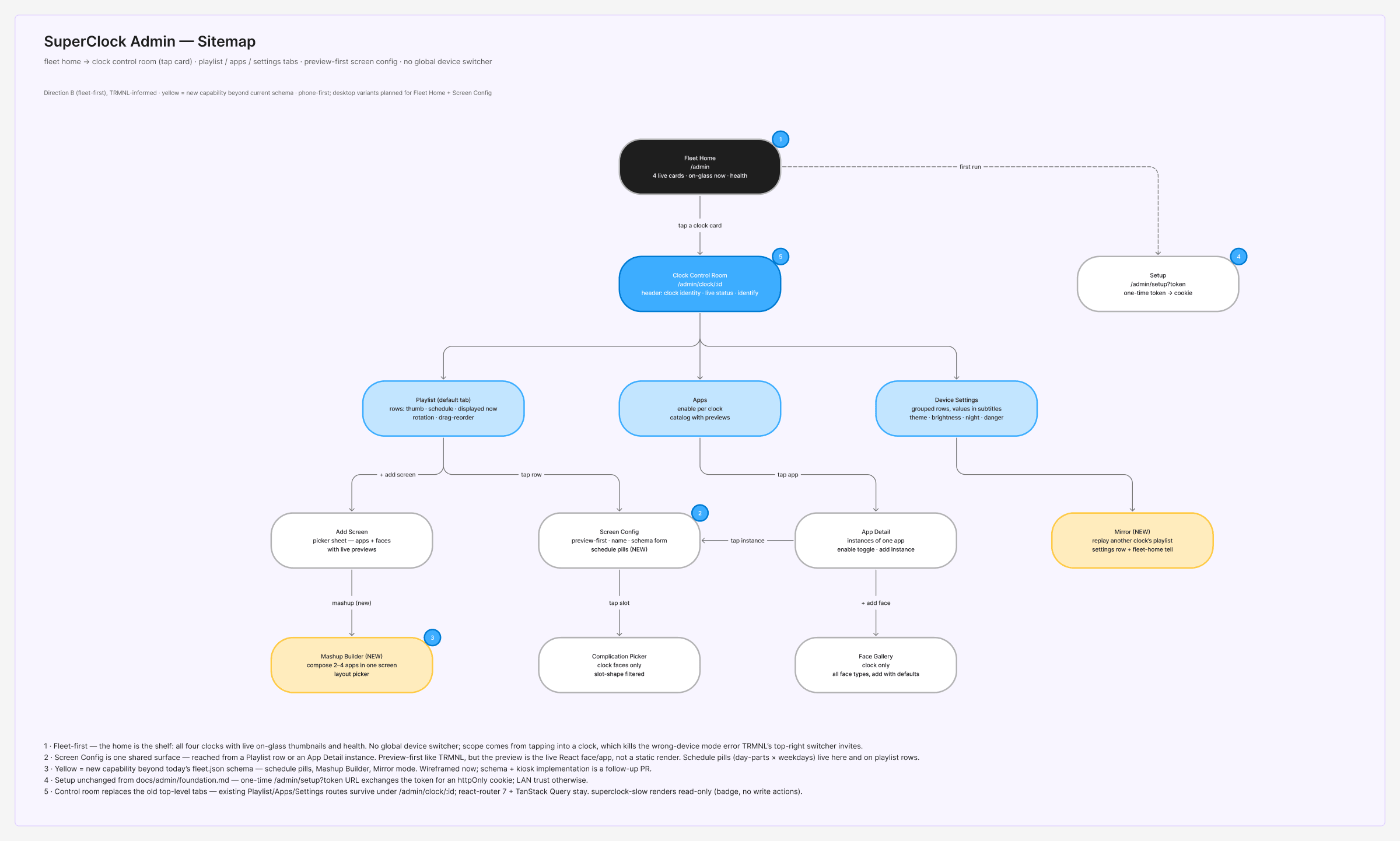
Detailed setup moves to a browser-based admin. The sitemap makes the device the context: choose a clock, then work with its screens, apps, and settings.
One schema
Options, defaults, and allowed values.
Admin controls
A form generated from those options.
Running clock
The face reads the same contract.
A setting has one definition from form to face. The device receives configuration updates and keeps a local copy. The current admin preview is static artwork; rendering the live face there remains a next step.
Different personalities. Shared rules.
The system has to make room for expressive faces without rebuilding their foundations each time. The useful shared layer is behavioral: color roles, geometry, rendering, configuration, and the meaning of motion.
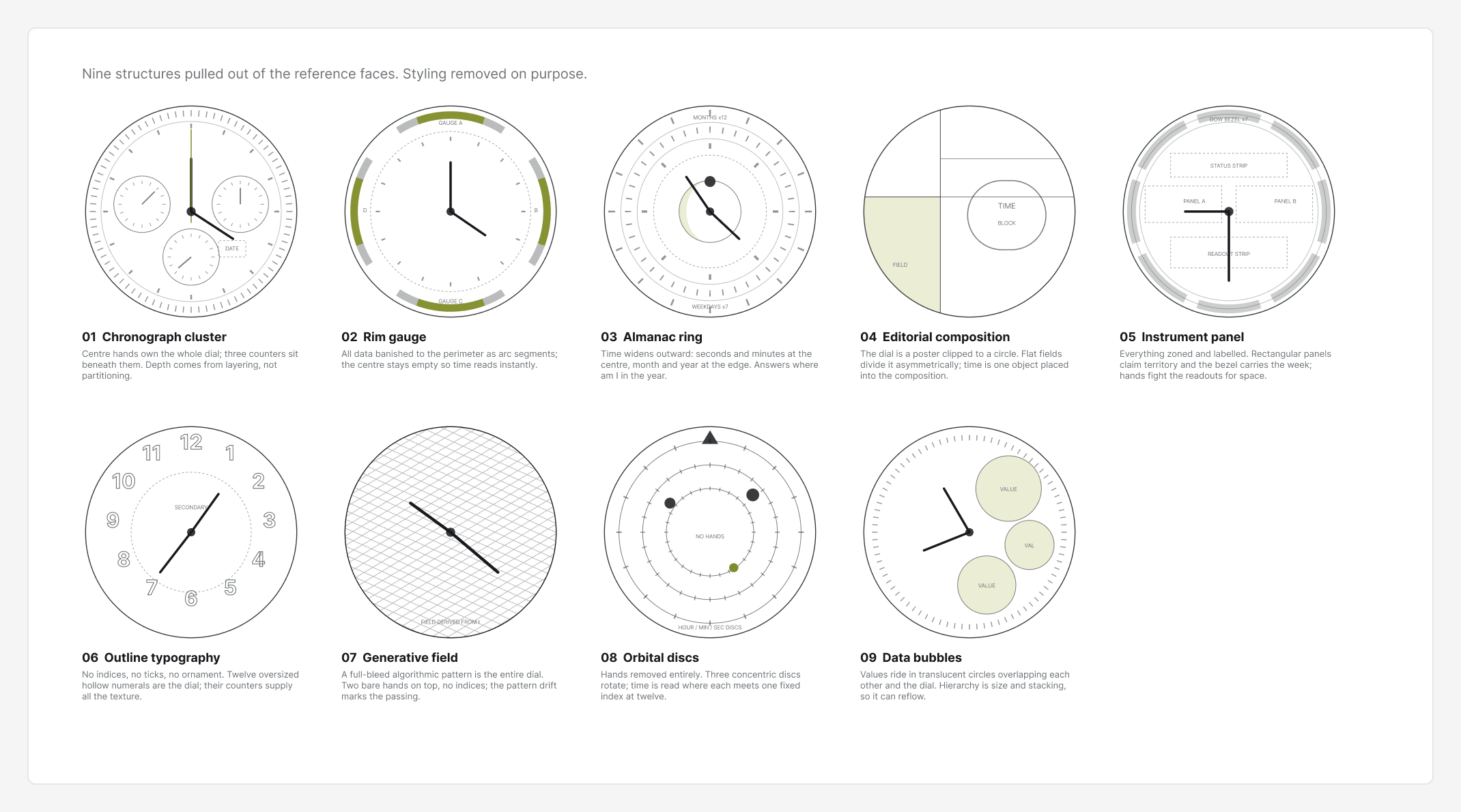
Semantic color
Surface, text, and accent roles carry the day and night palettes.
Reusable geometry
Hand shapes and dial proportions live in shared code and face contracts.
Intentional motion
Each face defines what moves, what the accent means, and what stays quiet.
Choose a face
Two windows hold the time. The seconds bar is the only accent; the digits stay still between steps.
A face is more than its screenshot.
Aperture records a specific rule: the seconds bar is its moving accent. Its settings expose that decision as an option. Other faces use shared hand rendering or machine-readable geometry. These contracts make visual intent inspectable alongside the implementation.
The migration is ongoing. Some older faces still have exceptions, and the admin does not yet use the full kiosk token system.
The build is part of the design.
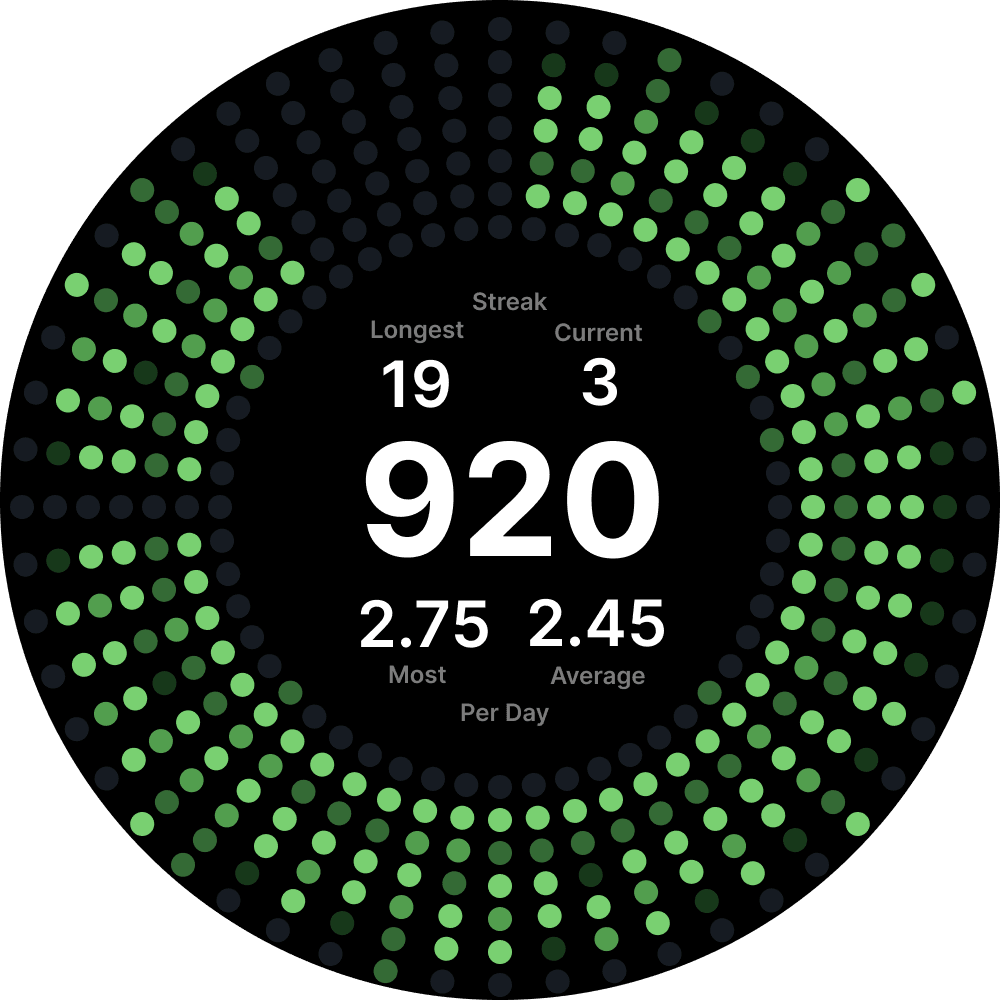
Working screens make the tradeoffs concrete: how much information fits, which actions need ownership, and what remains useful when configuration or data is unavailable.
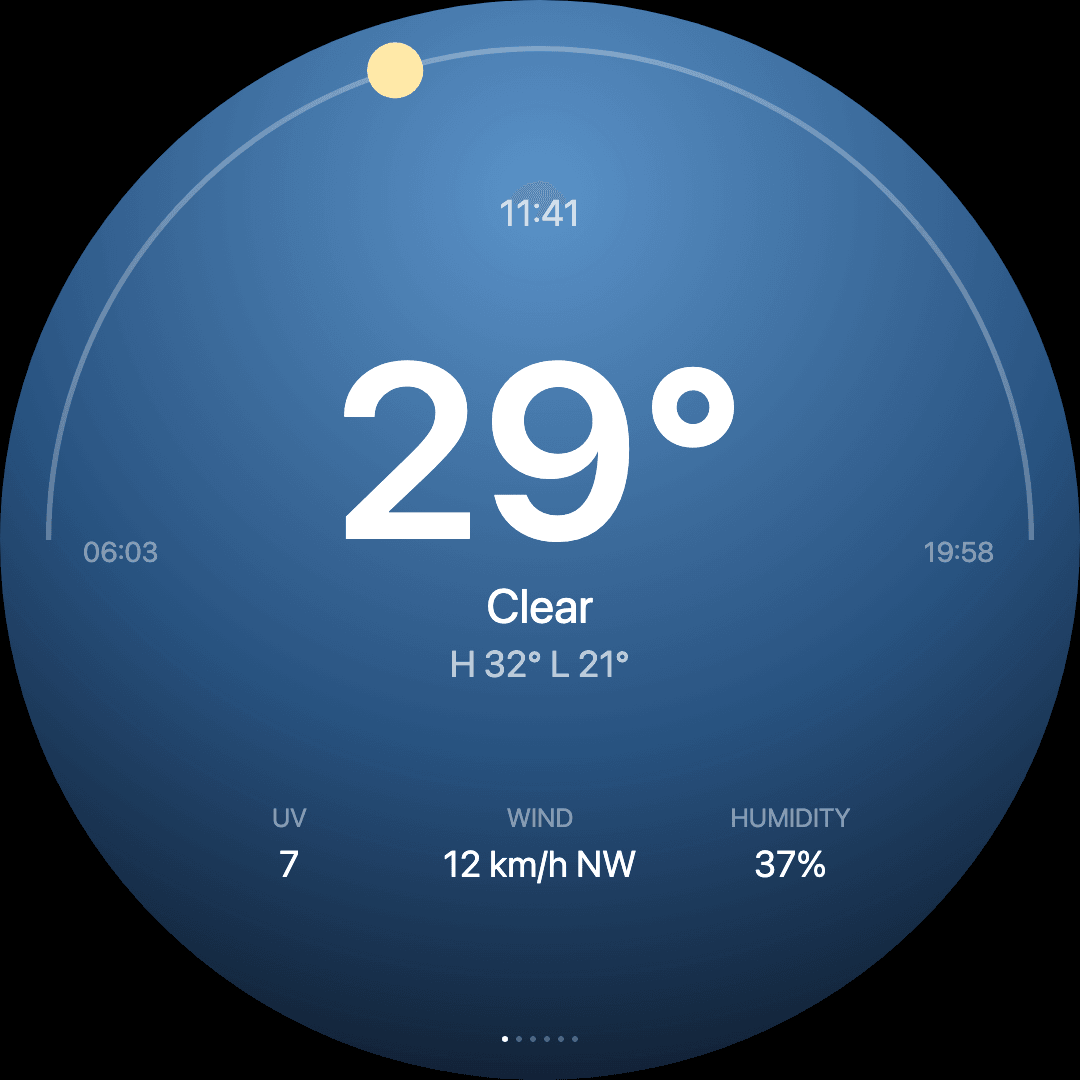
Make the detail behave.
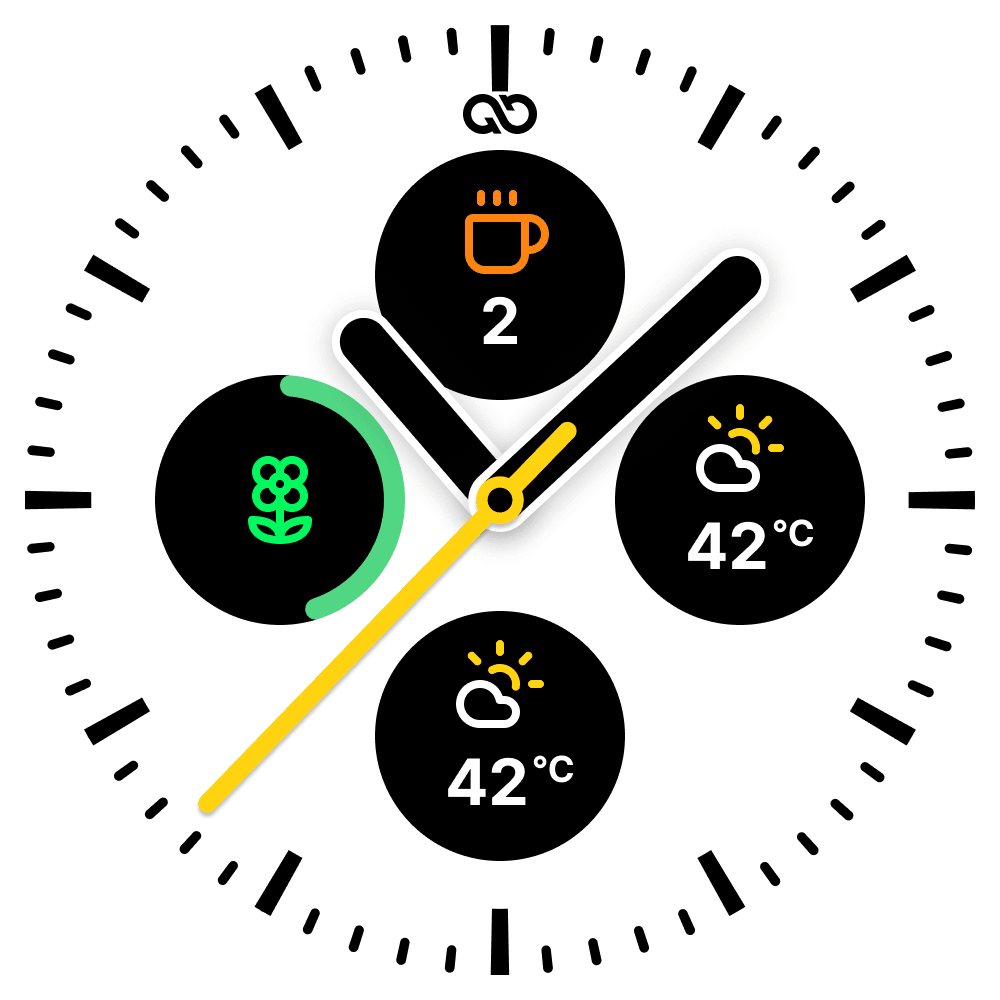
A shadow that looks right in a still frame can break as a hand rotates. Shared hand rendering keeps the light direction fixed. An optional softer treatment uses one full-face filter, avoiding the clipping of the earlier per-hand blur. The choice balances visual depth with the work each moving frame requires.
Inspect the hand rendering ↗Show when information stops being current.
If the GitHub feed fails, the clock keeps the last successful graph, dims it, and labels when it was cached. With no saved data, it shows a not-connected state. The display stays useful while making the age of its information visible.
Inspect the offline states ↗Test the later enclosure against the current Pi 5 hardware, complete the cutouts, and validate touch comfort on the physical display. The software and enclosure are at different stages; bringing them together is the next prototype.