Sprig
AI research platform. Designed Design Agent (research goal → launch-ready study) and Synthesize Agent (raw responses → evidence-backed report).
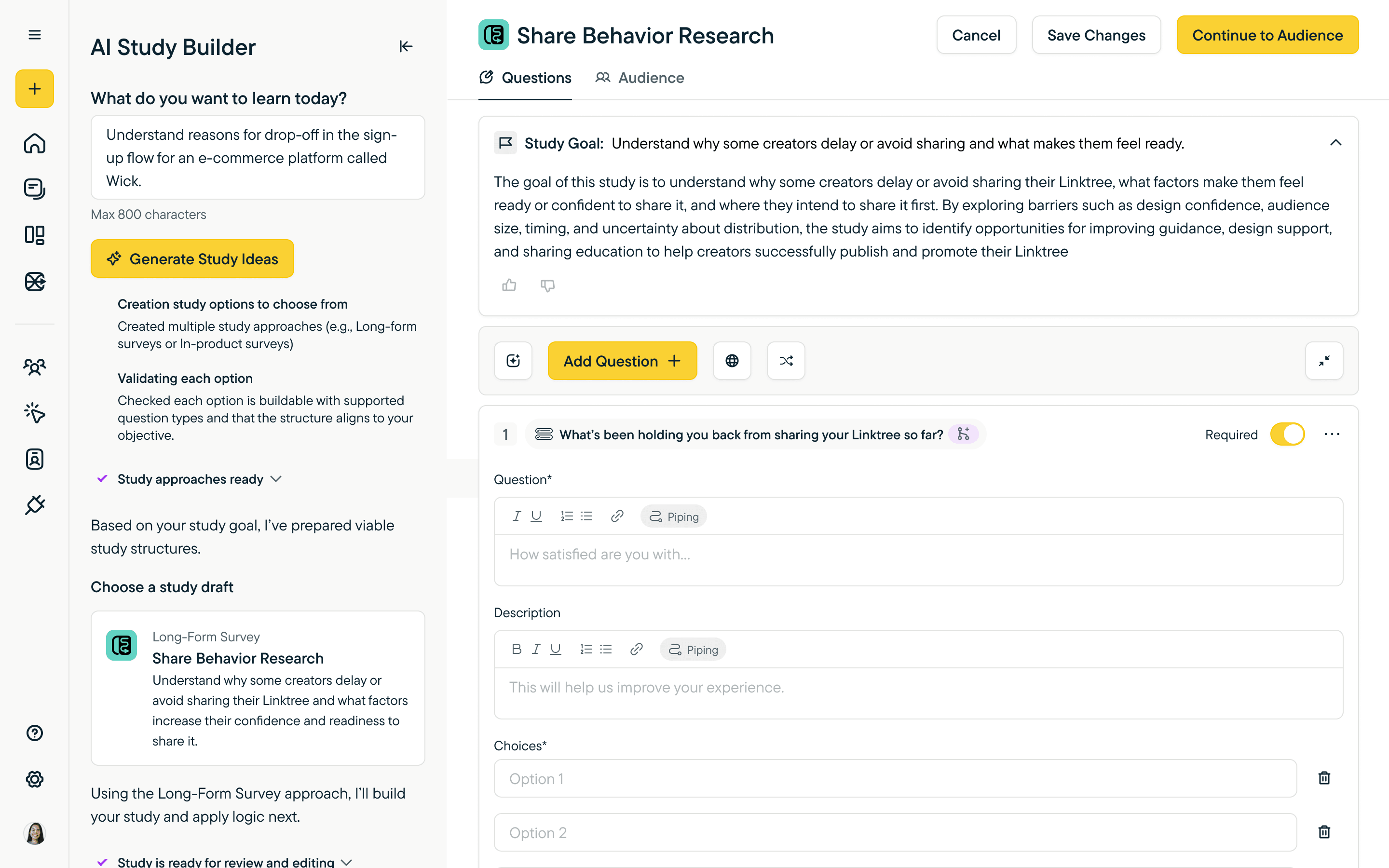
AI engine for Sprig's Design Agent — turn a research goal or an uploaded document into a launch-ready study, designed to be trustworthy enough that researchers stop second-guessing the output.
- 2025–2026
- Senior Product Designer, Platform & AI
- Sprig
- 6-month contract
- Figma
- PM, Director of Product, CEO, engineering
Problem
Sprig is a product-research platform. I joined for a six-month contract as the solo designer on the AI workstreams — setting direction for Design Agent, Synthesize Agent, new reporting features, and the underlying design system — partnered with the PM, Director of Product, CEO, and engineering. The product had accumulated UX debt — an inconsistent design system, manual workflows, and a prior AI rollout that hadn't fully landed.
The deeper problem was trust. Researchers were skeptical of leaning on AI output they couldn't verify — hallucination, instability, output that read confident but rested on nothing. The bet I was hired to make was the Design Agent: a real conversational engine for generating studies, designed to be trustworthy enough that researchers would actually run what it produced. The case below focuses on Design Agent — the deepest of the workstreams.
Approach
Sketching the mental model
Before any pixels, I worked the problem on paper — stages a researcher moves through, why Typeform-style tools hit ceilings (“no context, not scalable, limited”), and what a chat / content / preview division could look like across both planning and building modes. These sketches set the IA the polished surfaces later carried.
One goal, two entry points
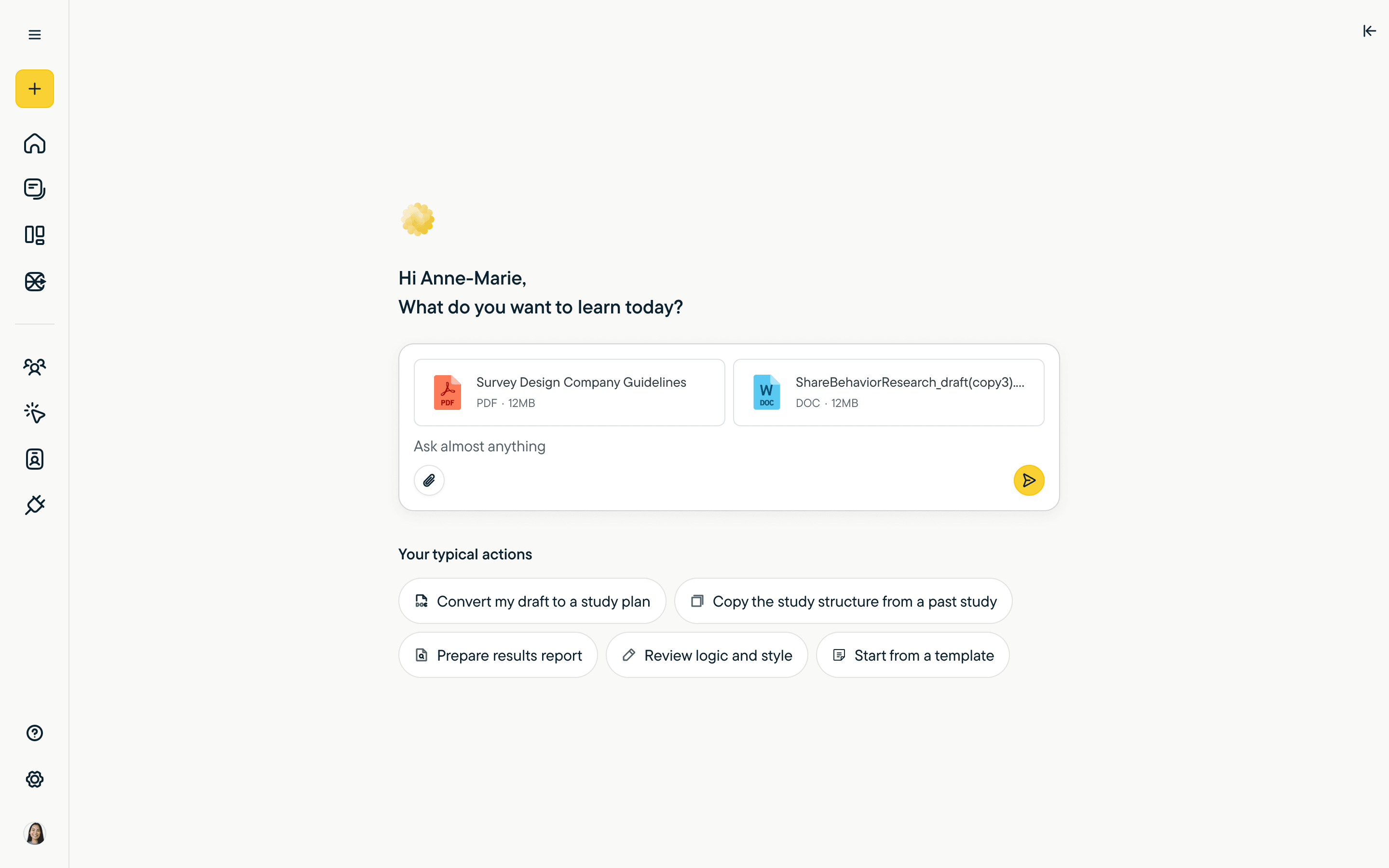
Researchers arrive in two modes. Some have an idea they want to talk through — “I want to learn whether designers find this dashboard useful.” Others have an existing document — a brief, a competitor's survey, a draft from a past study — that they want to convert. The Design Agent handles both without asking users to translate one into the other.
Building a study through conversation
The chat-first path moves through five states. Each one does one job.
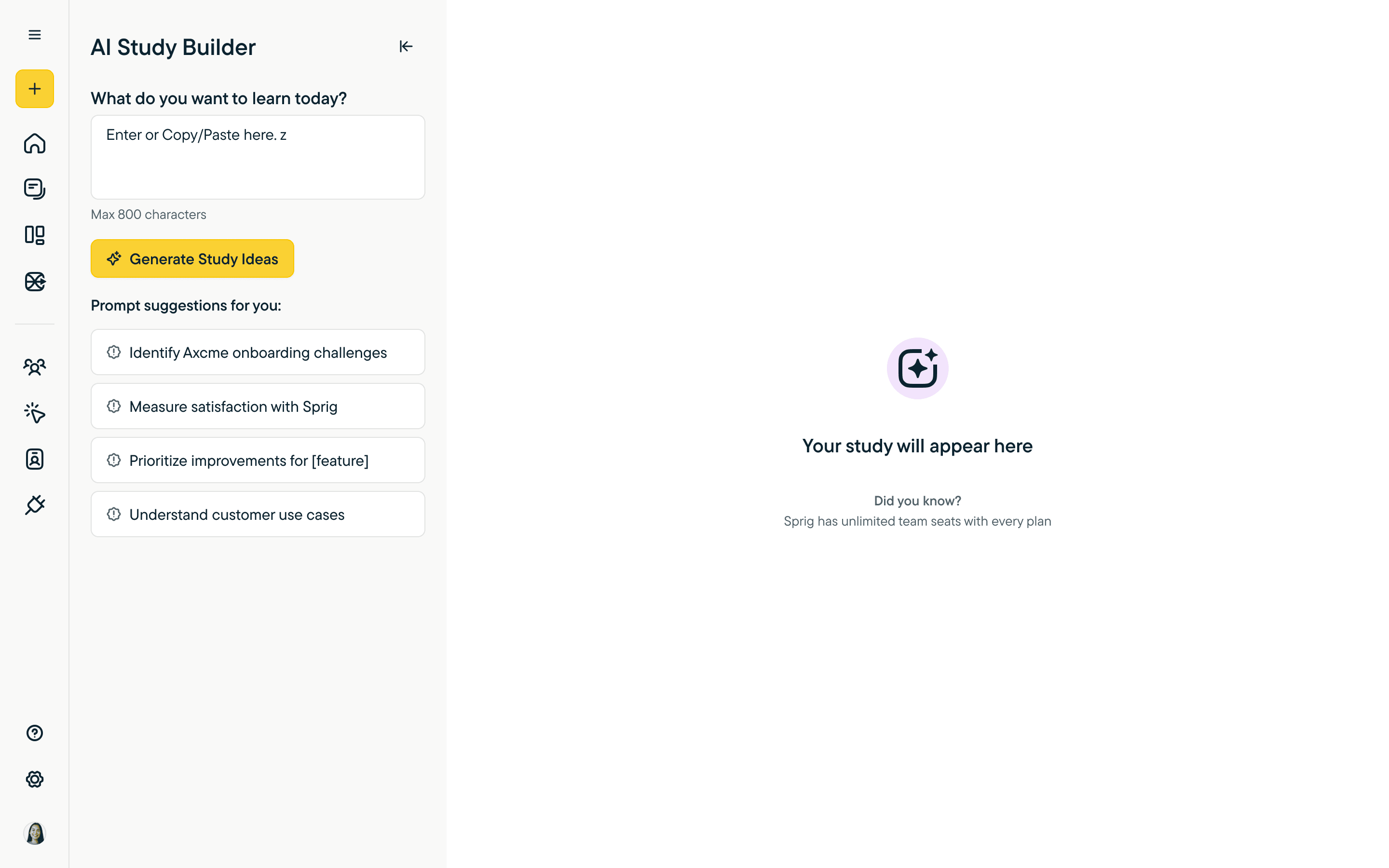
Entry. Sparse on purpose — a paste box, a clear CTA, four prompt suggestions for when the user doesn't know where to start. The screen has to feel approachable, not bureaucratic.
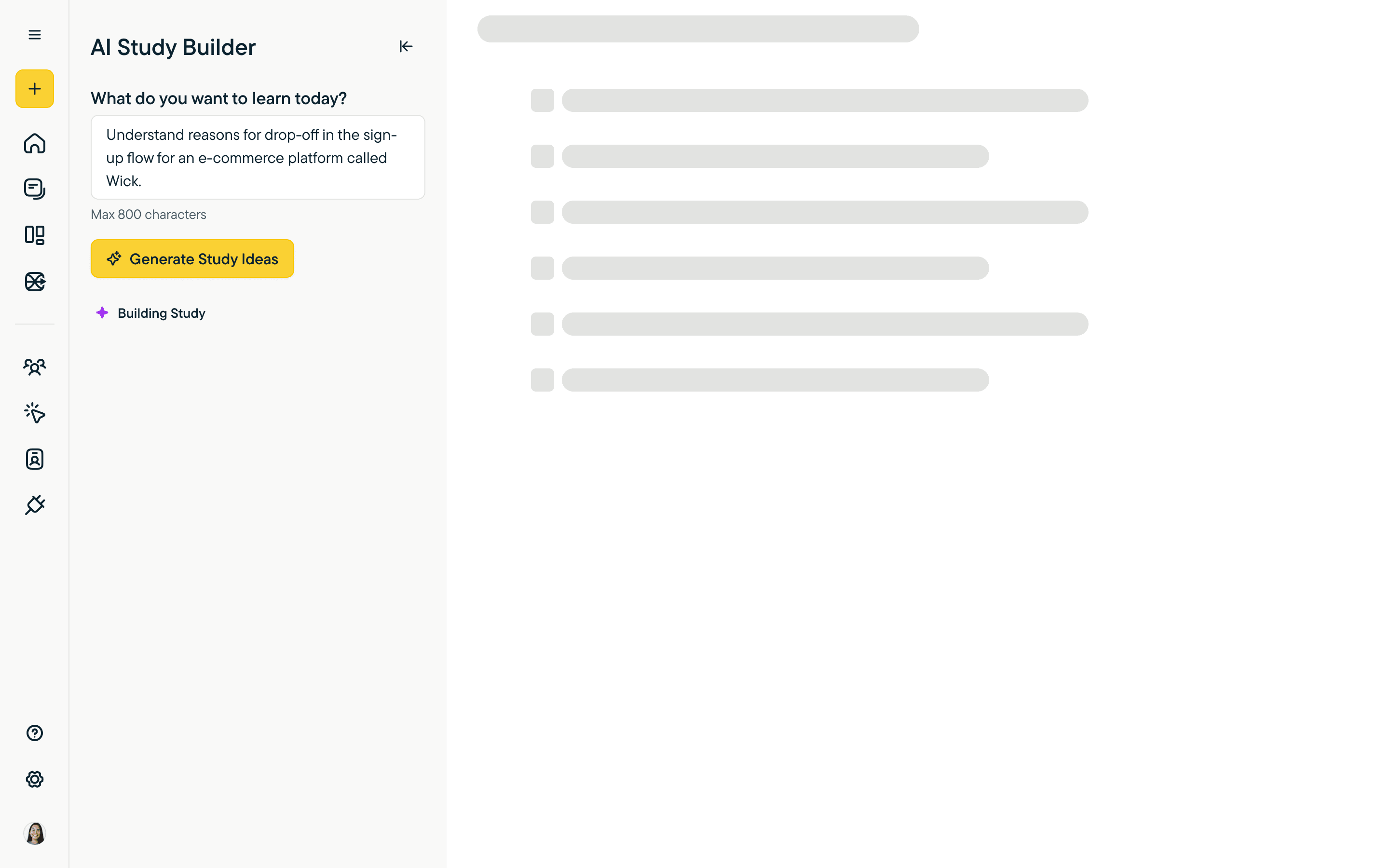
Generating. The agent acknowledges work in flight — same surface, narrated status, no unbounded spinner. Users know whether to wait or step away.
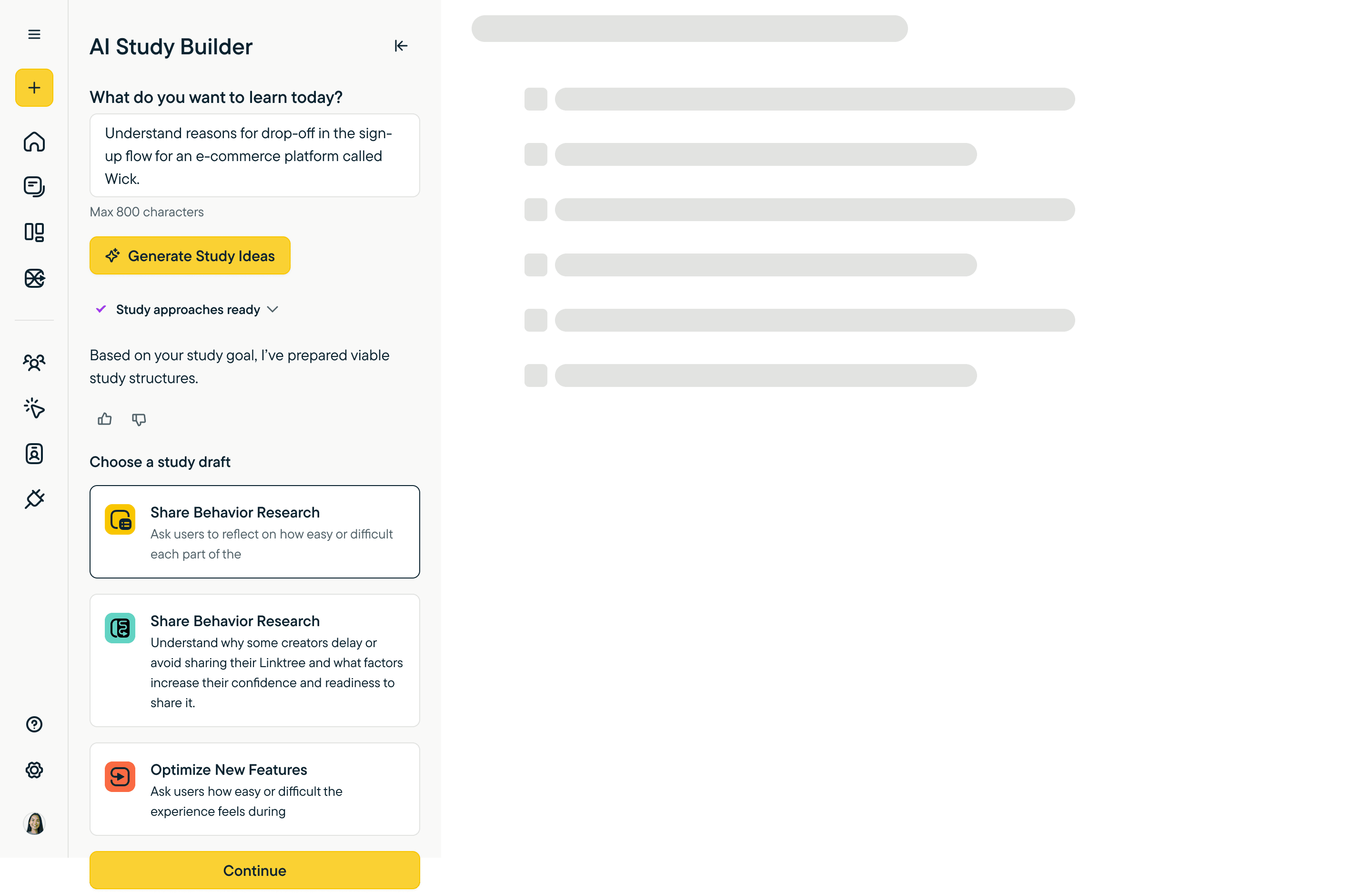
Choose a draft. The agent doesn't pick for you. It presents viable study structures as cards — multiple framings of the same goal — and lets the user commit. The thumbs at the top of the response train the model on what worked.
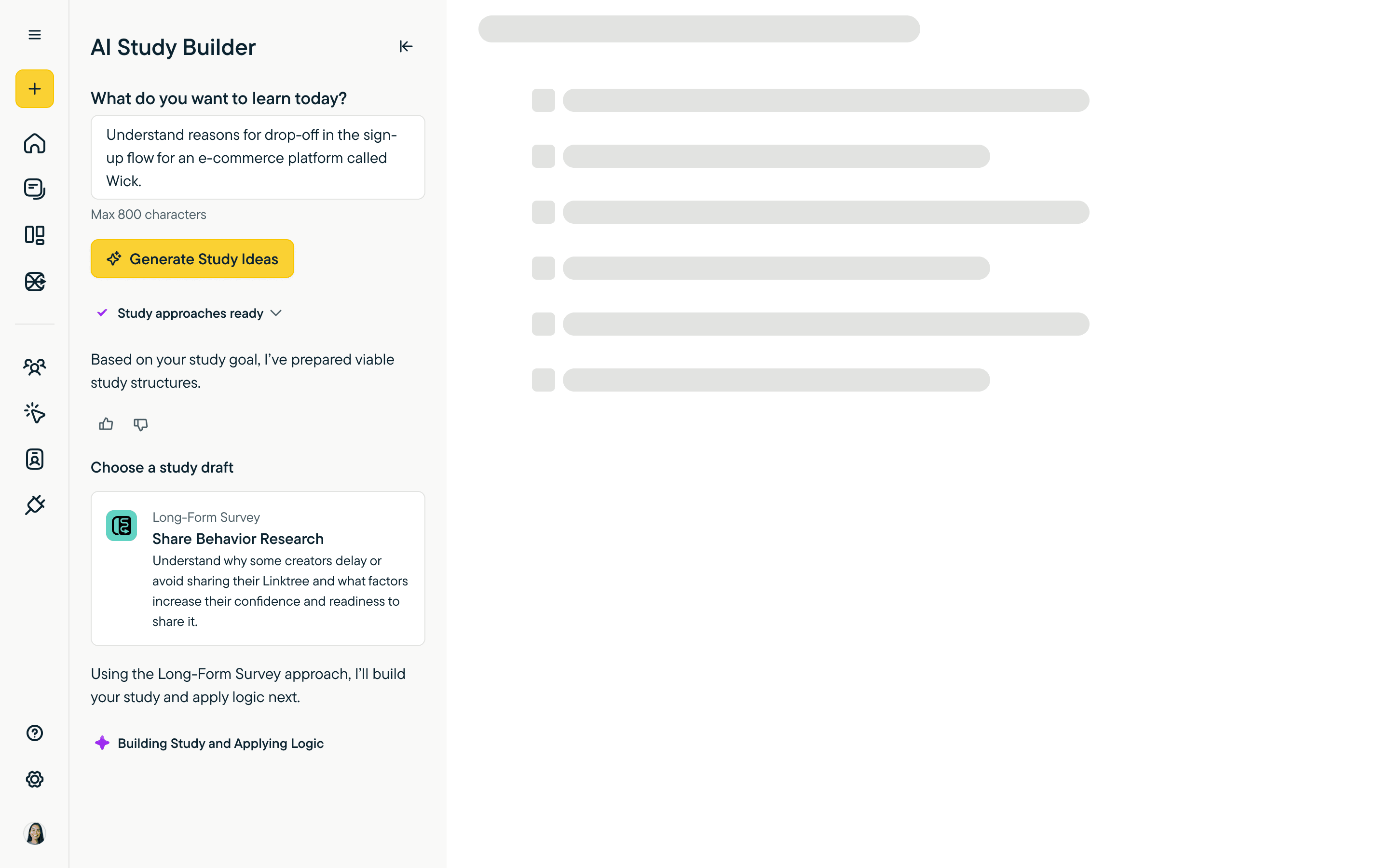
Building. With a chosen direction, the agent assembles the survey itself. Same pattern: visible status, not a spinner.
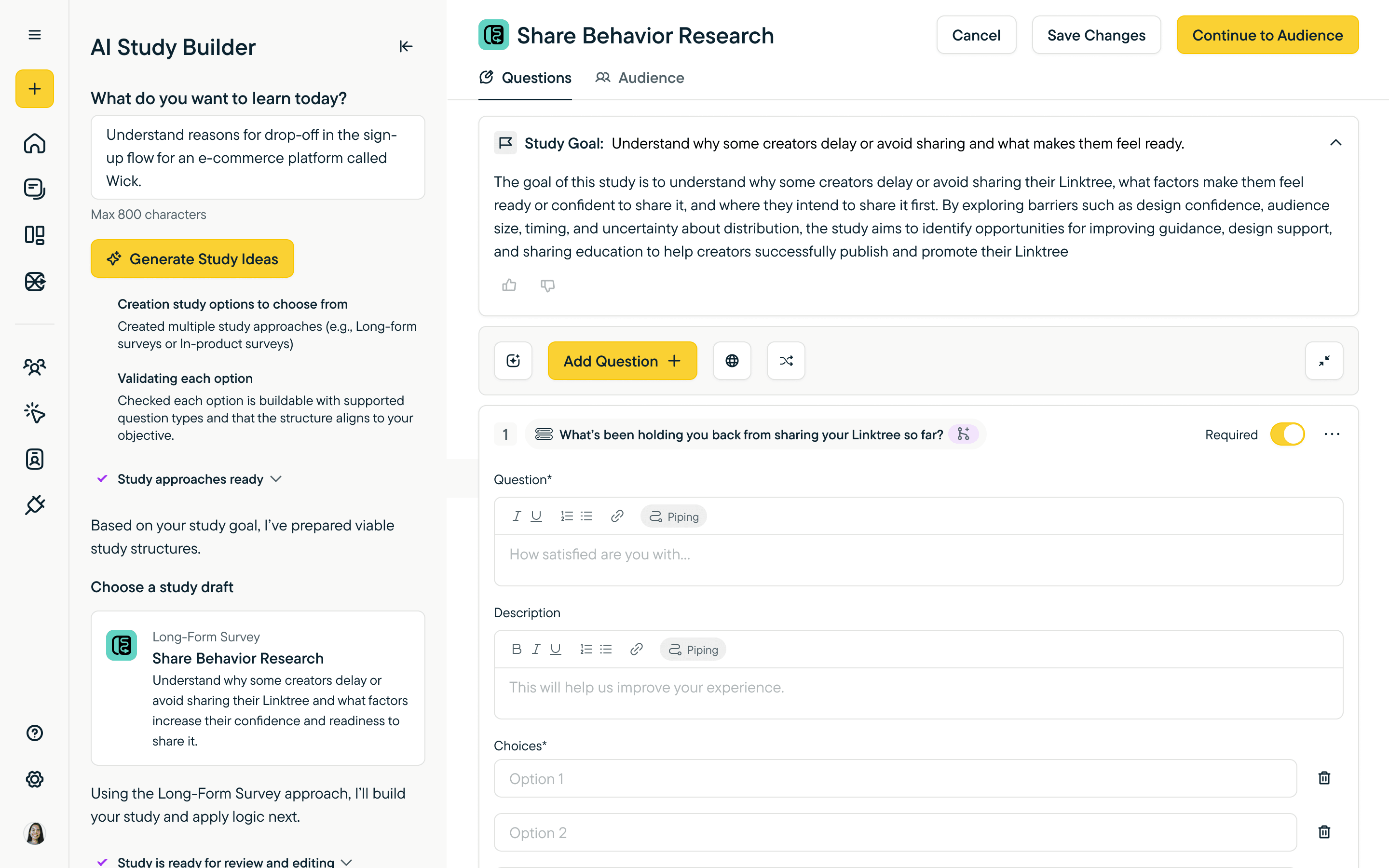
Saved. The finished study lands in the editor with the AI sidebar continuing the conversation alongside it — the agent stays in context once the work is done.
Or: starting from a document
The file path is for users who've already done the thinking. They want the agent to read what they have and turn it into something runnable.
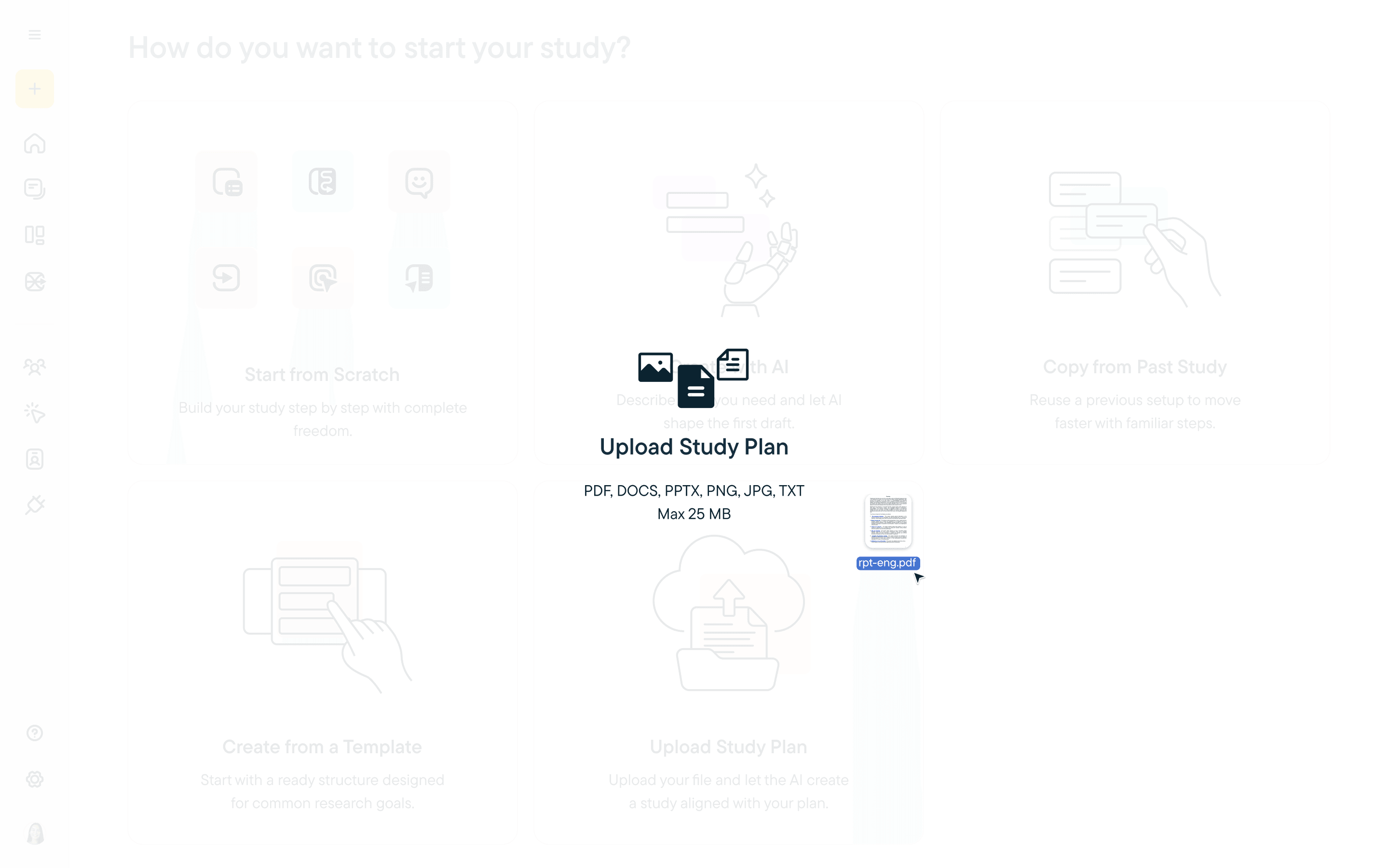
Drag-and-drop. Either dropzone or file picker, format-agnostic — PDF, DOC, notes from a past study, whatever is on hand.
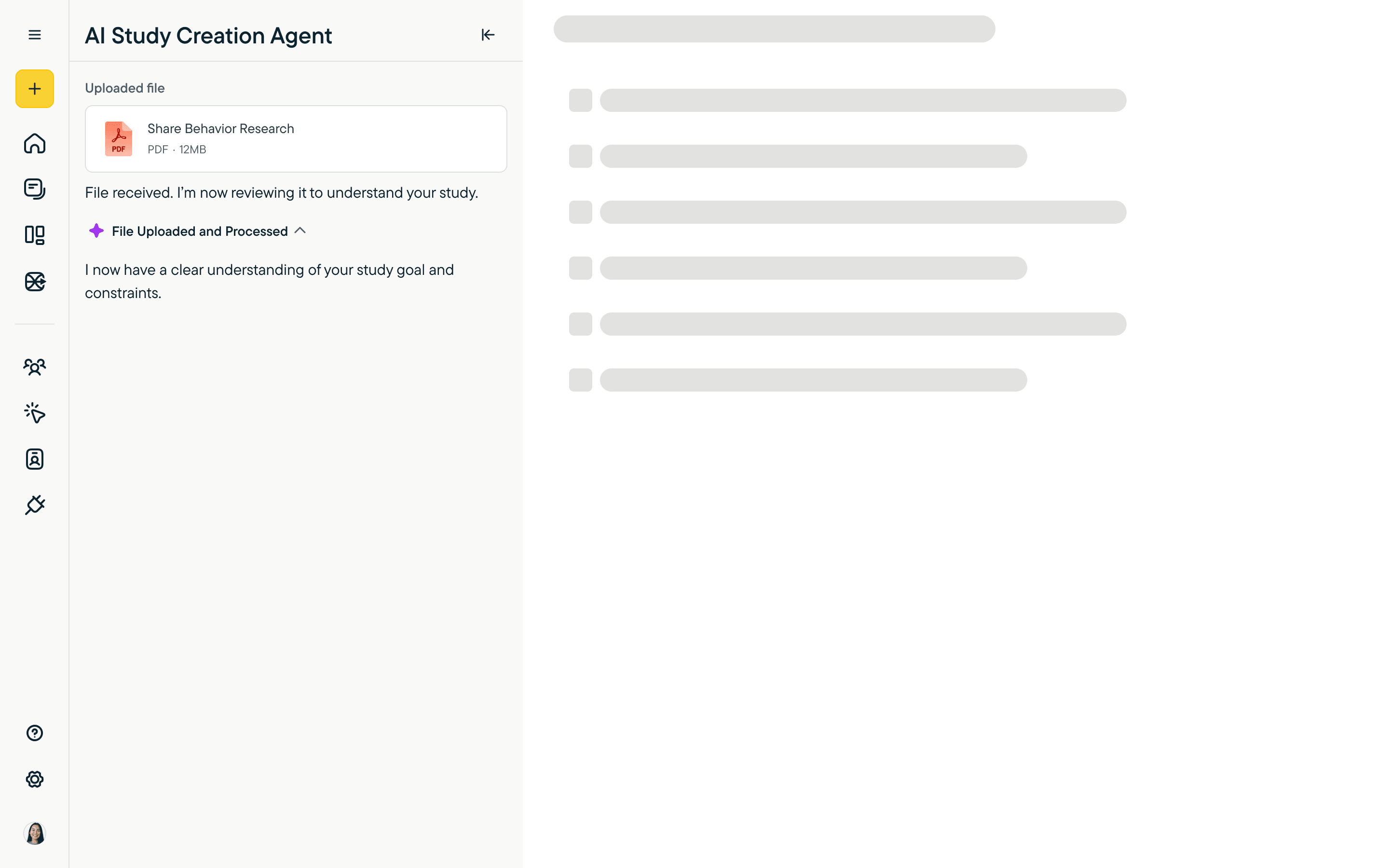
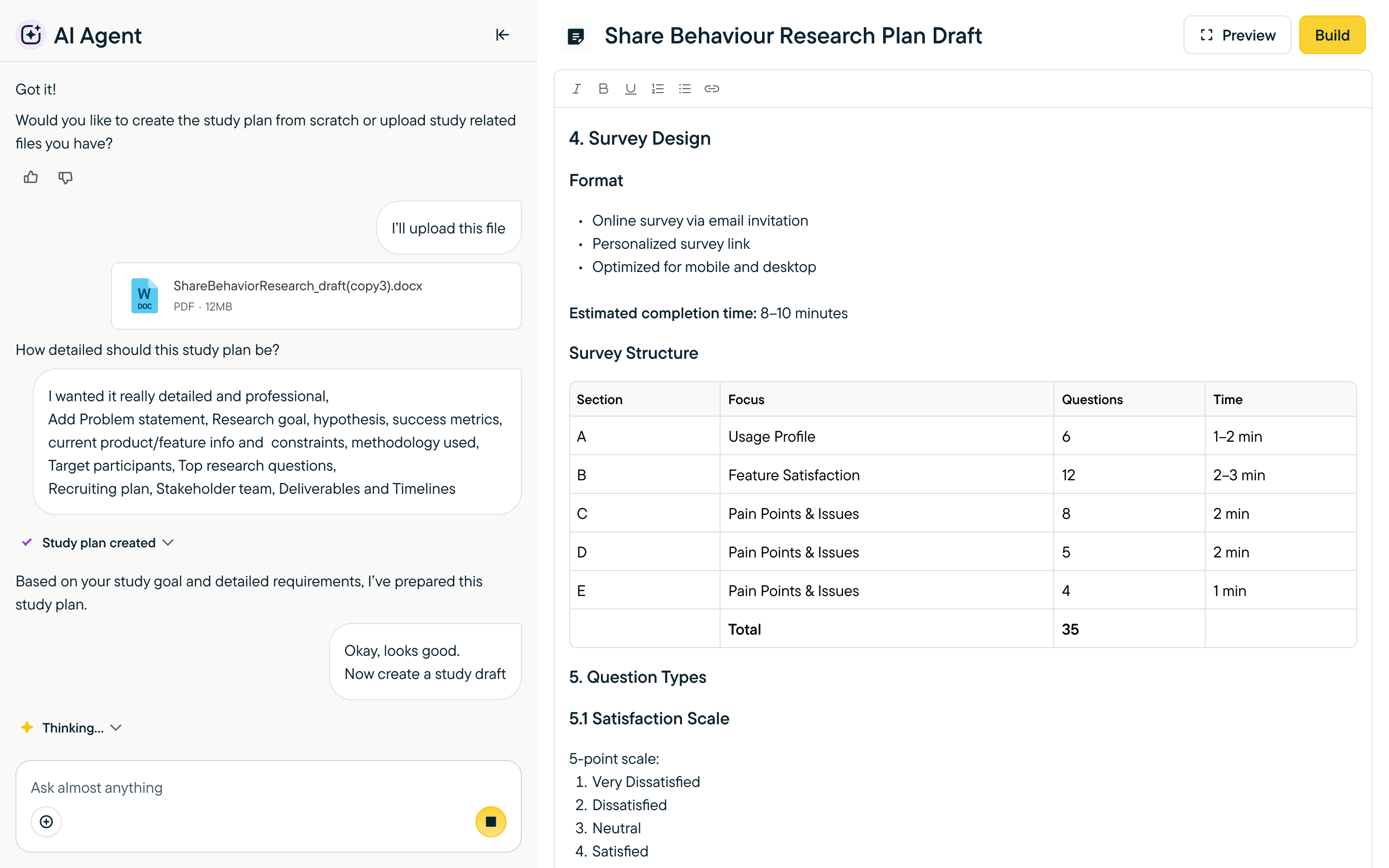
Uploaded. The file enters the conversation as a first-class object — chip with type and size, expandable. The agent confirms what it received before doing anything with it.
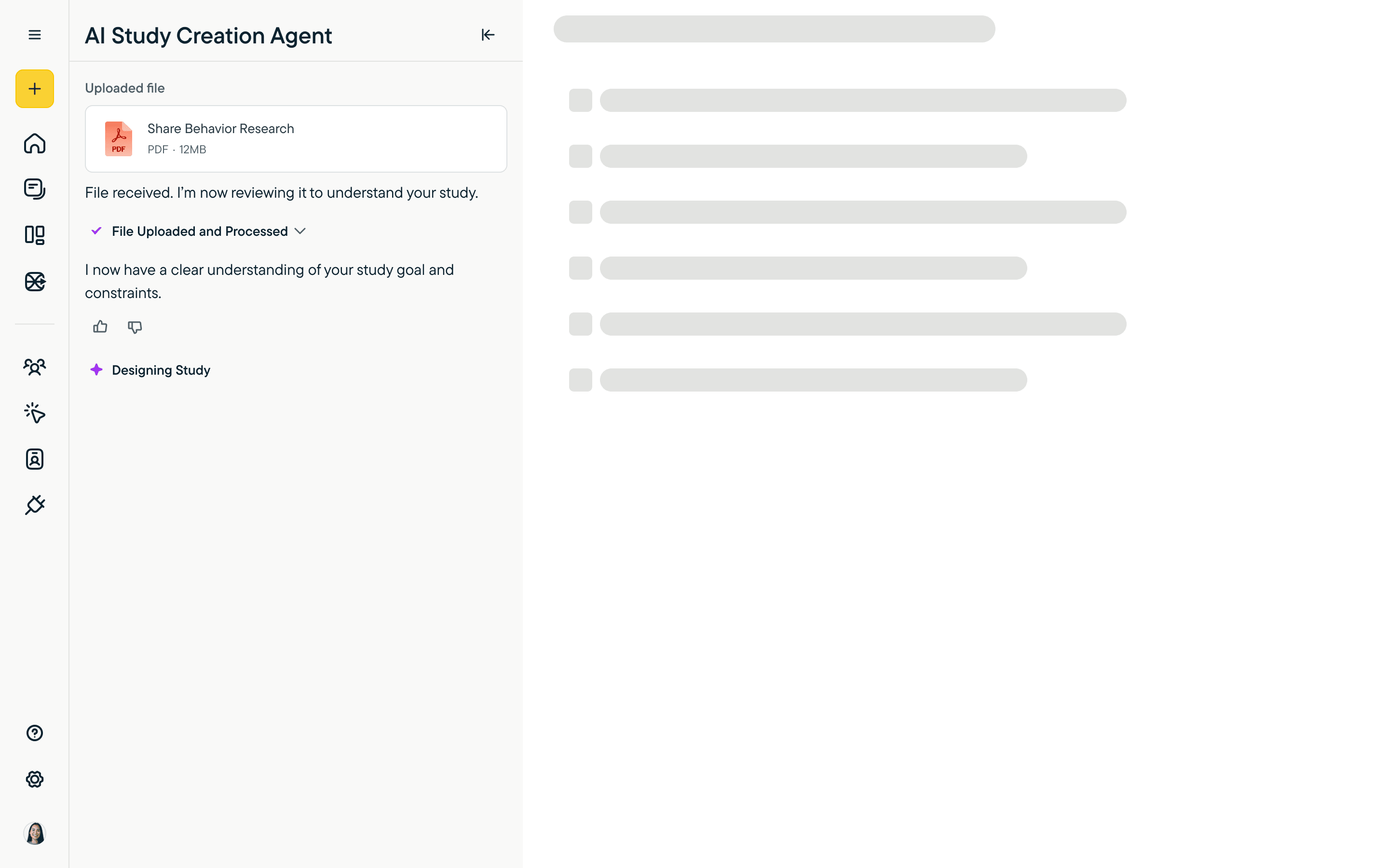
Designing. The agent narrates each step of its reasoning — file received, processed, understood, now designing. The status updates are the trust mechanic: users see what's happening, not just whether something's working.
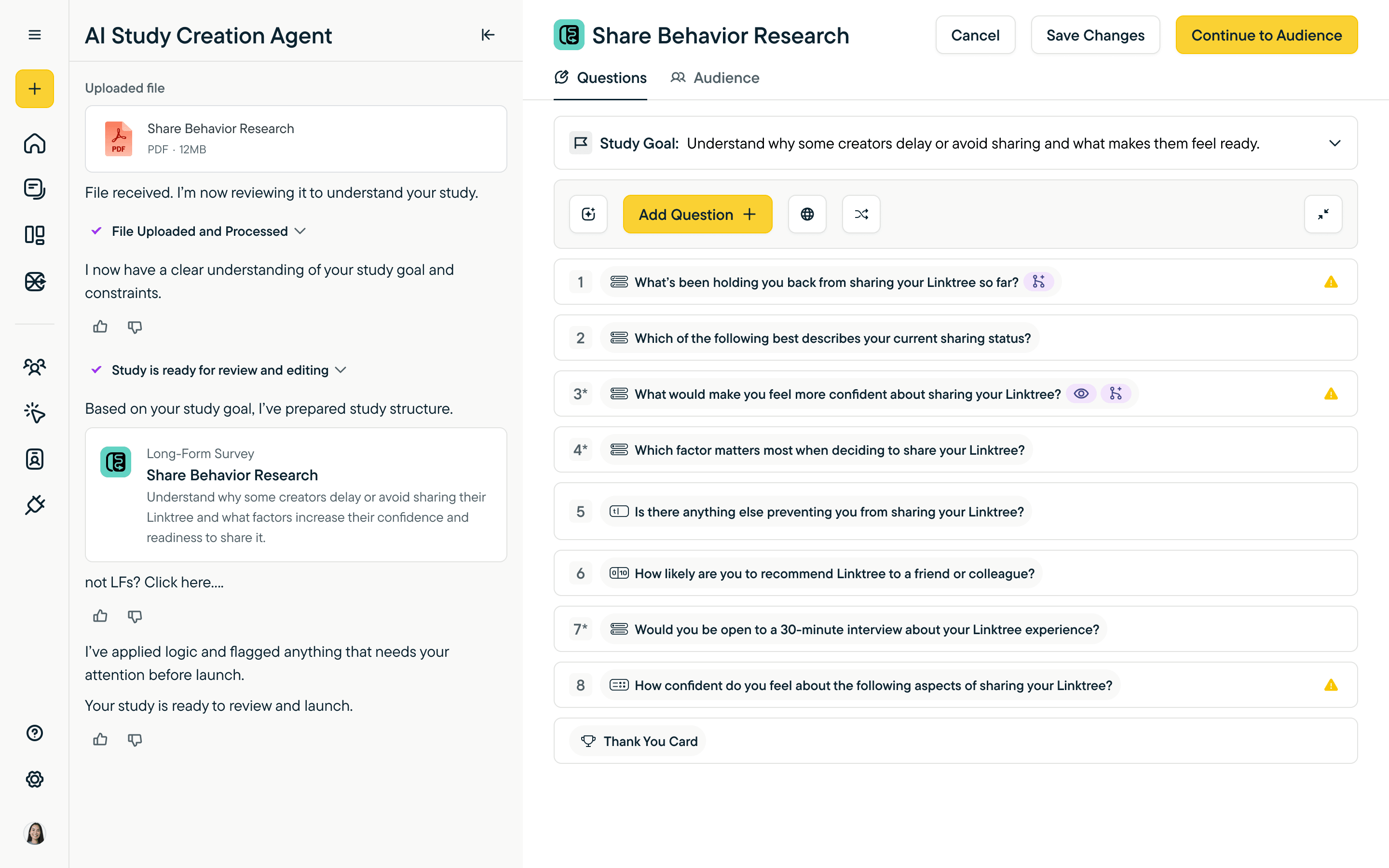
Ready. Same destination as the chat path. The agent's work is delivered as an editable study.
Where you land: the editor
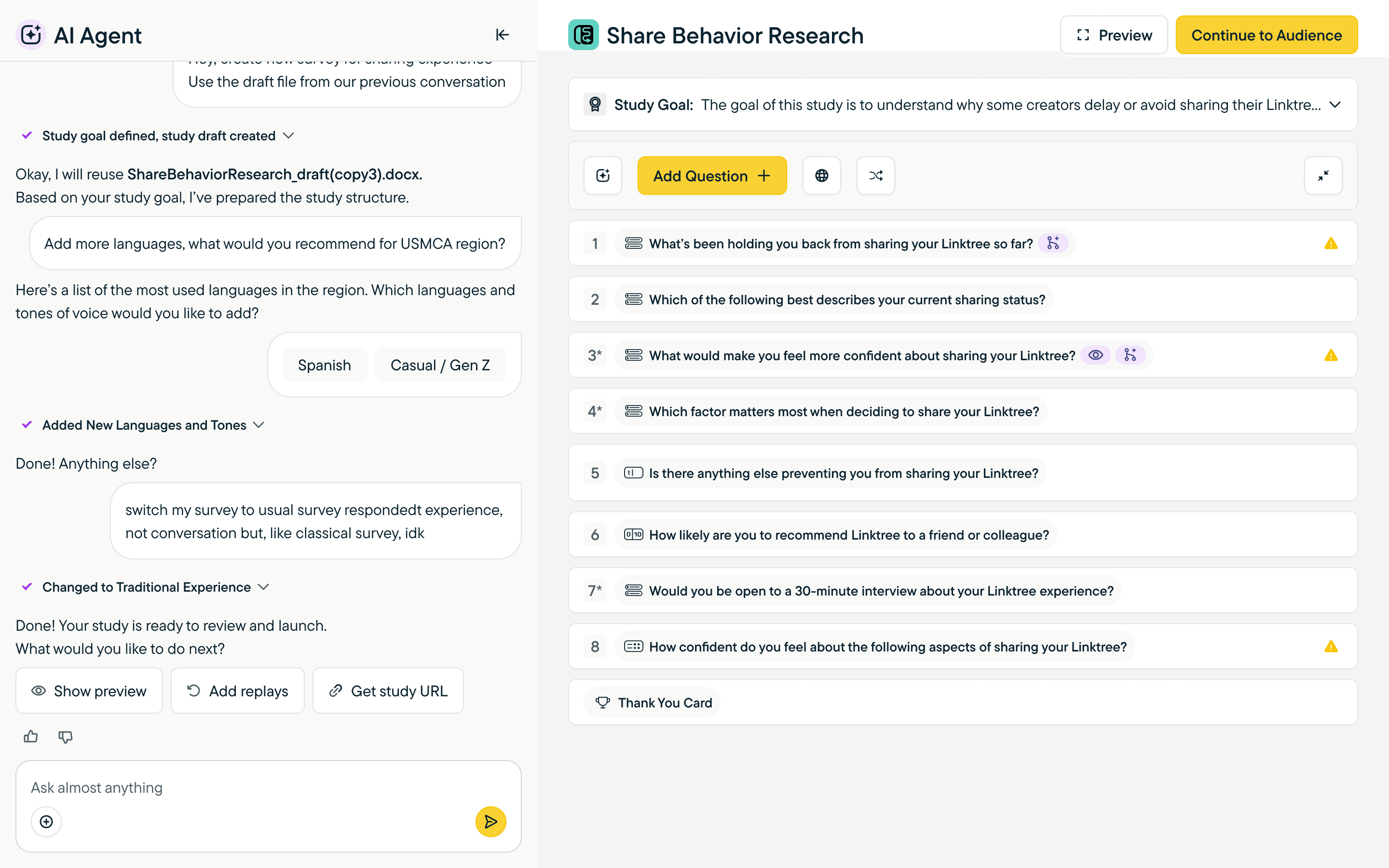
Whichever path you came through, you land in a real editor — not stuck in chat. The chat sidebar stays available for follow-ups, but the canvas is the survey itself: numbered questions, status indicators, the launch CTAs you'd expect.
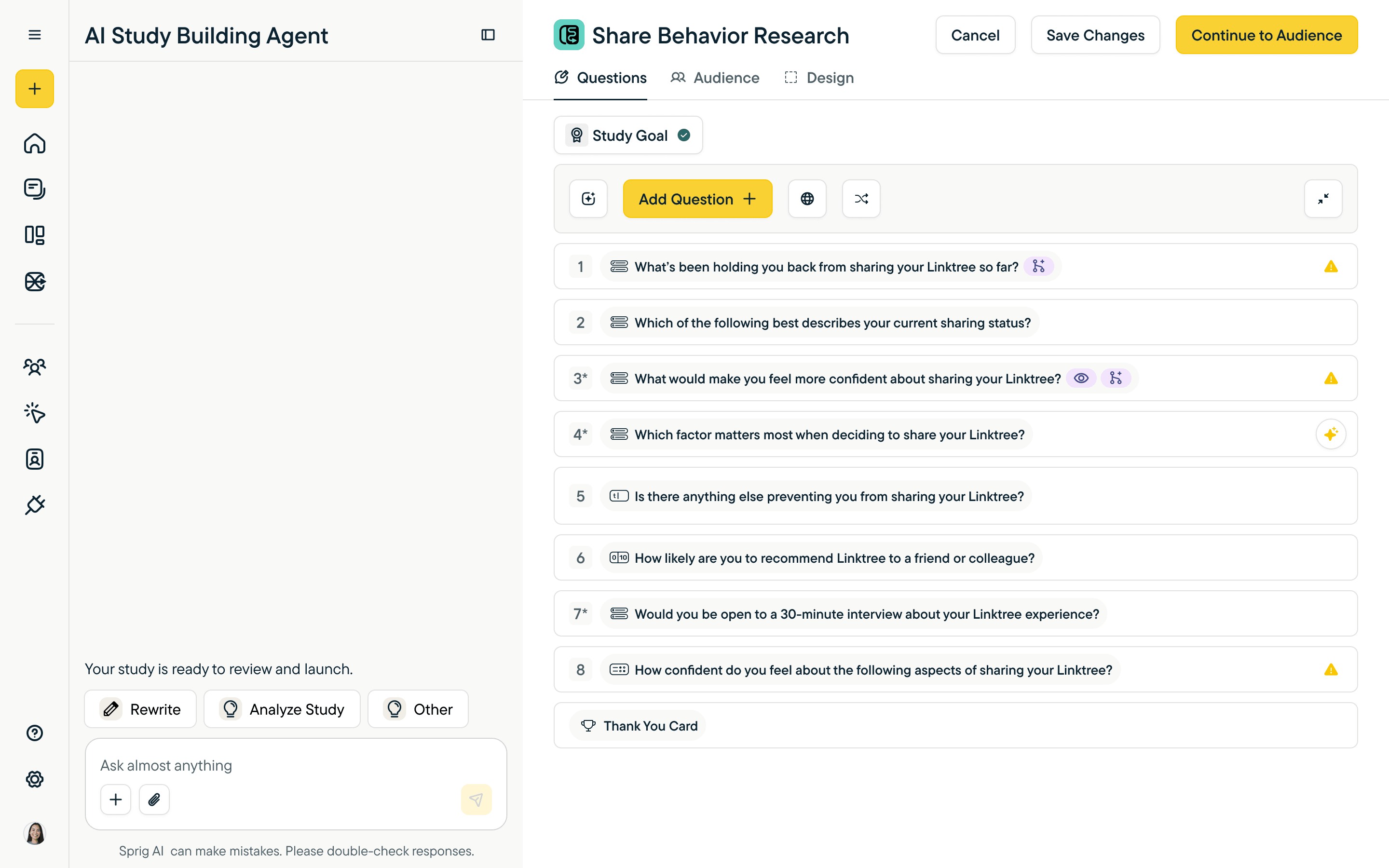
Builder Mode. The conversation becomes a workflow the user can keep editing, sharing, branching from. The chat sidebar stays available — Rewrite, Analyze Study, Other — without taking over the canvas.
Mid-edit on a specific question. The sidebar surfaces the agent's analysis — bias detection, leading-question check, scale alignment, cultural and language risks — so review is one click, not a round-trip to a teammate.
Acting on the agent's analysis. Apply to all, regenerate, skip — the user stays in control of what changes. No silent edits.
The interaction language behind it
All of this rests on an interaction language built for AI conversation in a research tool. Twelve named patterns cover the moves the agent and the user need to make.
Actions, Choices, Combined card, Confirmation, File uploaded, Markdown, Mentioned, Reply, Resized, Removed text, Select, Text widget. Each one earns its place. Choices are constrained when constraint matters. Cards surface structured output. Confirmations slow the user down at decision points. Replies thread context so the conversation doesn't lose its thread. Together they let researchers tell at a glance what kind of move the AI is making — and what kind of move they're allowed to make back.
Outcome
The Design Agent shipped, was adopted by customers, and became part of Sprig's main offering. The interaction patterns set the direction the product has carried forward.
The case above focuses on Design Agent — the deepest piece. In parallel I set direction and shipped on Sprig's Synthesize Agent (raw responses → evidence-backed report), new reporting-experience features, the embedded deploy surfaces (email-link panels, in-product web and mobile capture), and design-system cleanup across multiple product pods. The thread across all of it: make AI-assisted research feel like research — inspectable, editable, in the user's hands — not a black box you have to trust.