InRule
Enterprise decision-automation platform. Modernized rule-building, process modeling, and AI-assisted business-app generation.
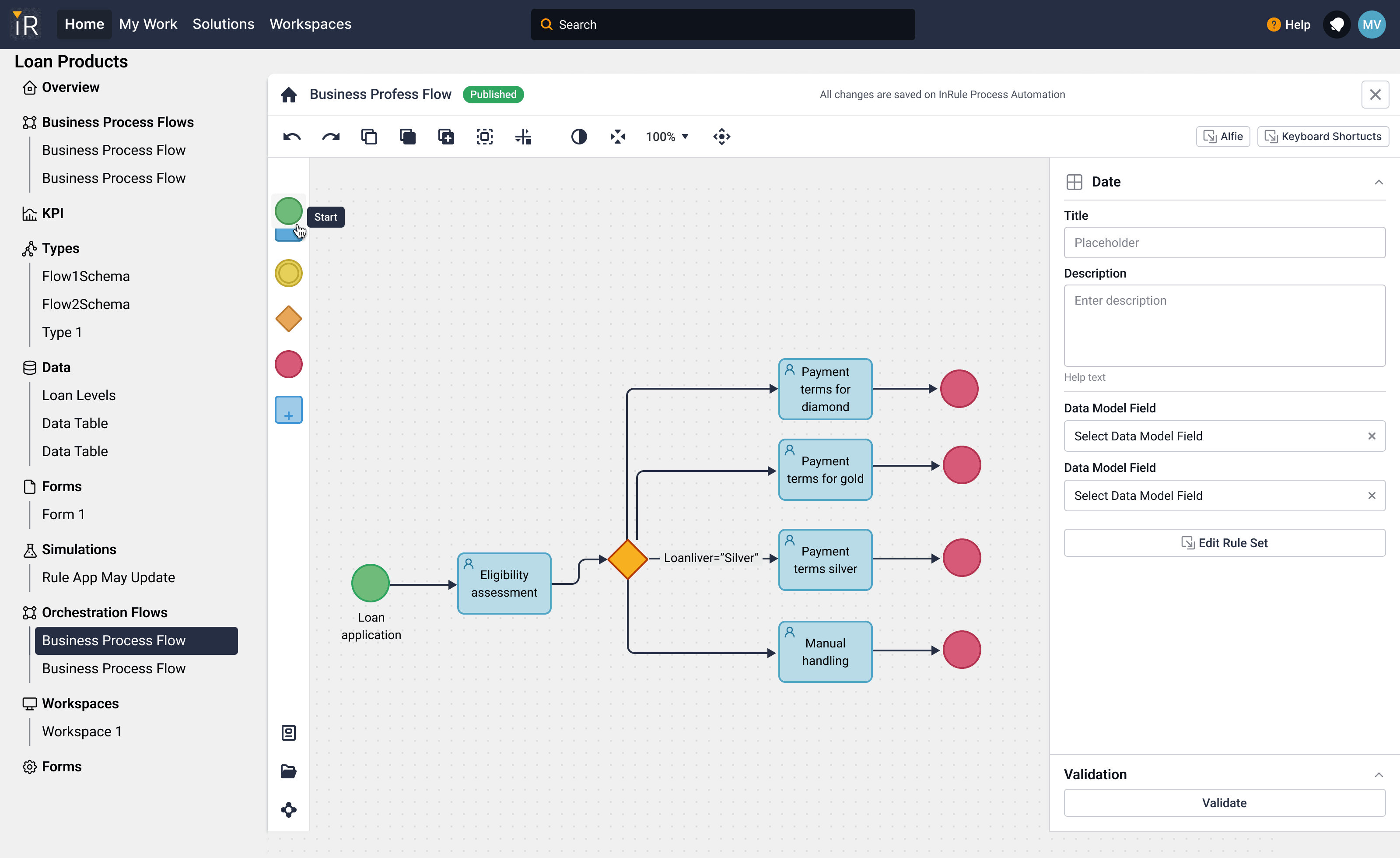
Modernizing a mature decision-automation platform — pulling a long-running desktop product, a web product moving toward retirement, and several acquired tools onto one coherent surface where business logic stays inspectable and AI helps without taking over.
- 2023–2024
- Senior Product Designer
- InRule
- 19-month contract
- Product, engineering, partner designer
- Figma
- Product, engineering, and a partner designer
Problem
InRule is an enterprise decision-automation company. Banks, insurers, and operations teams use it to encode the rules and processes that approve a loan, settle a claim, or route a case. By the time I joined as a Senior Product Designer on a 19-month contract, the product surface had fragmented: a mature desktop tool whose patterns long-time authors had internalized, a web product moving toward retirement, and several acquired tools that had never been unified into a single mental model.
The mandate was to bring them onto a single next-generation platform — Nexus — without throwing away the expertise that lived inside the old one. Two harder things sat under that: make complex business logic legible enough that a domain author could trust what they were looking at, and figure out how AI fits inside a product where the wrong rule has financial consequences.
Approach
One platform: Solutions, Workspaces, and what's inside them
Nexus organizes work around two top-level objects. A Solution is a product the customer is building — Loan Products, a claims-processing app, an underwriting workflow. A Workspace is the runtime experience their end users actually touch. Solutions are where authors live; Workspaces are where the business runs.
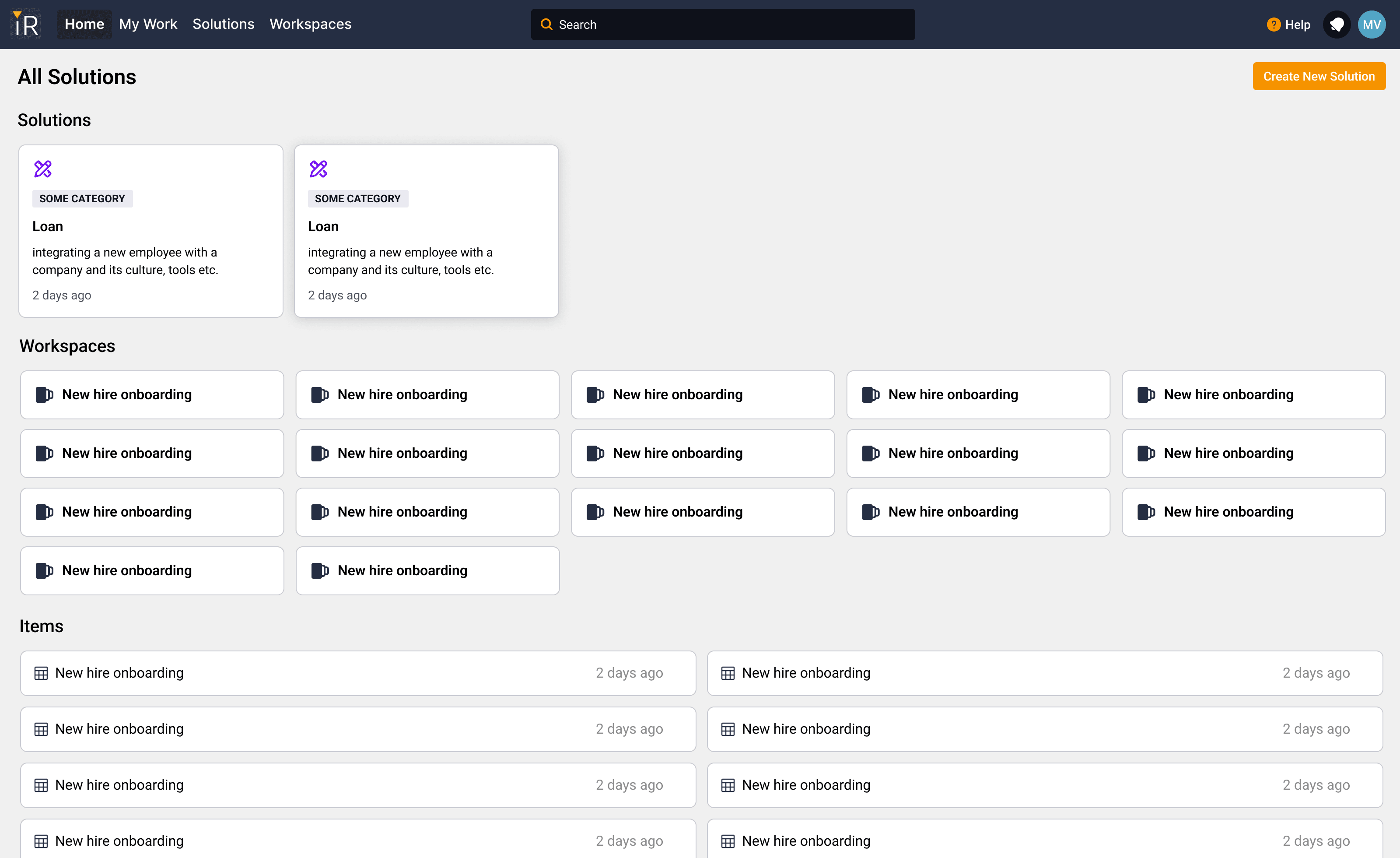
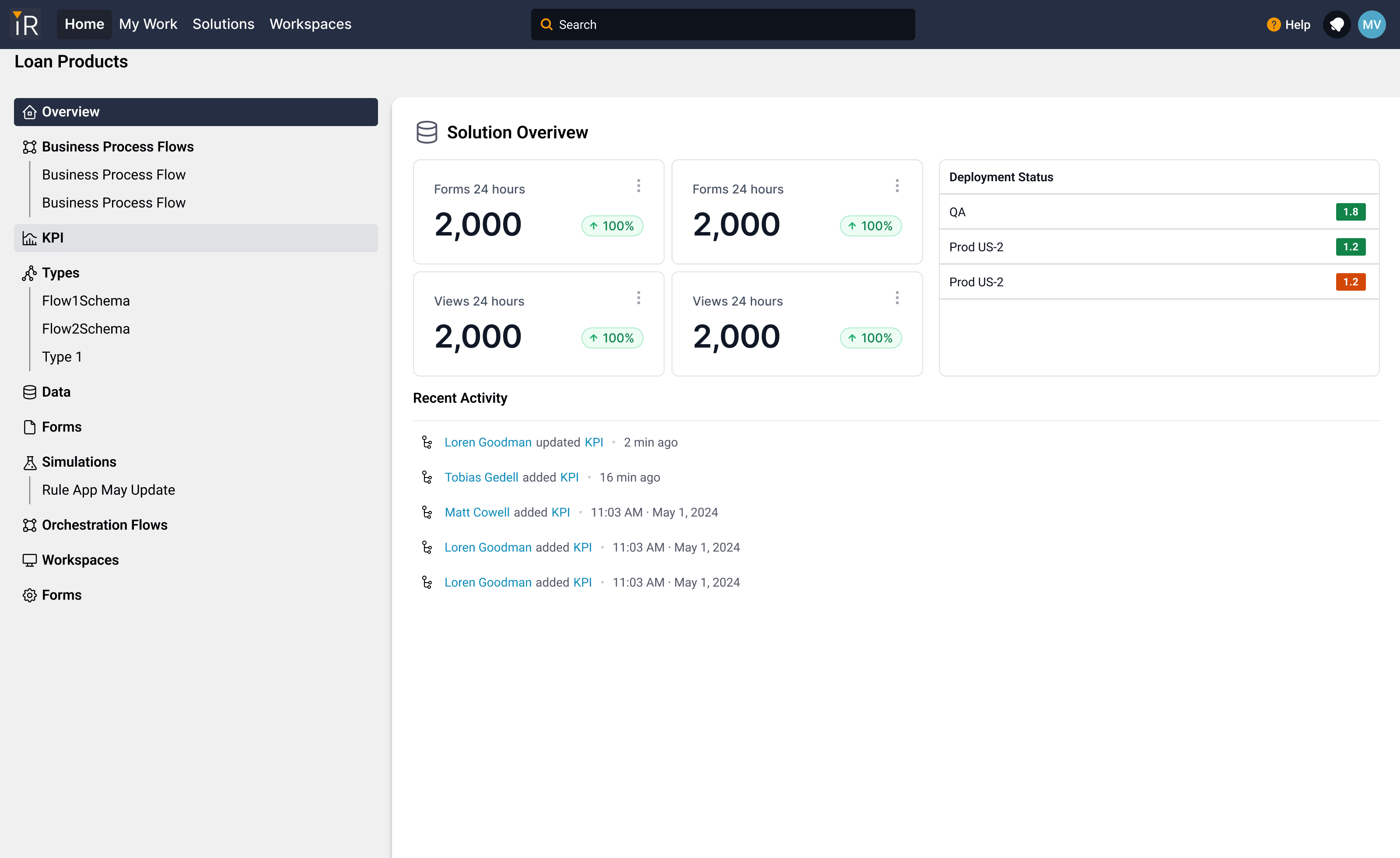
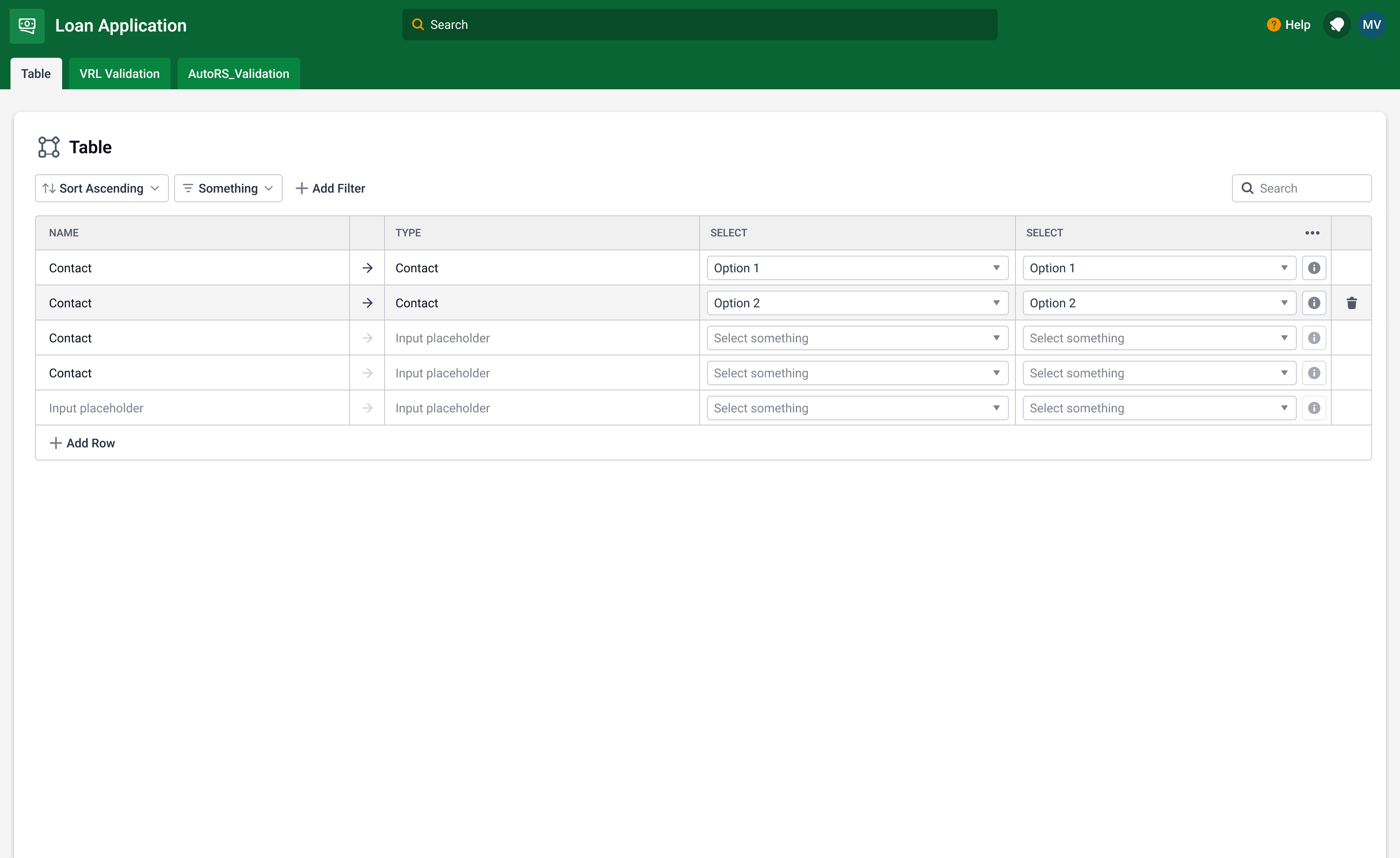
Workspaces, in the customer's brand
The Workspace is the boundary between authoring and runtime. Authors build it; operations teams use it. It theme-shifts to the customer's brand so it looks like part of their own product, not InRule's.
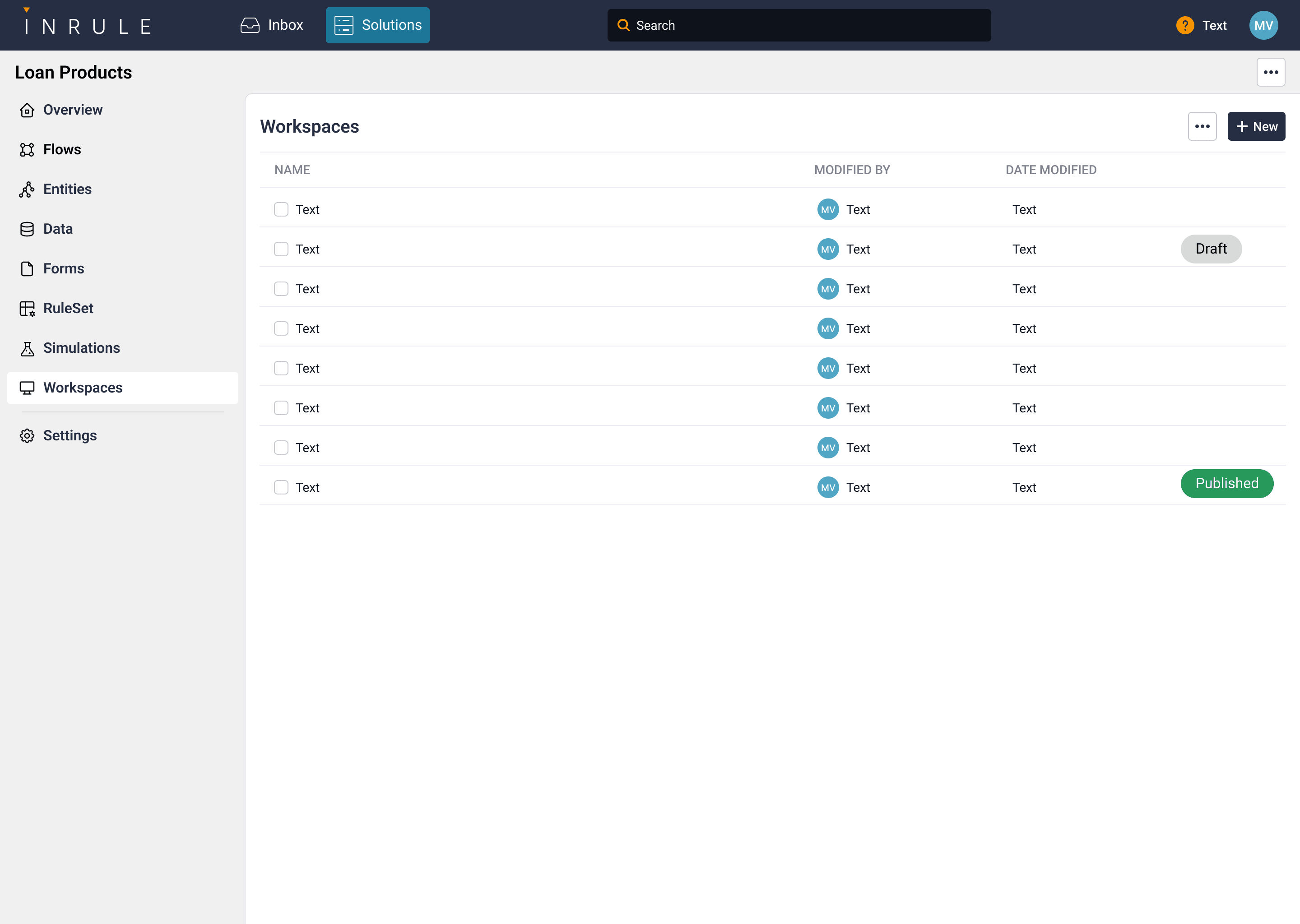
The app-builder surfaces
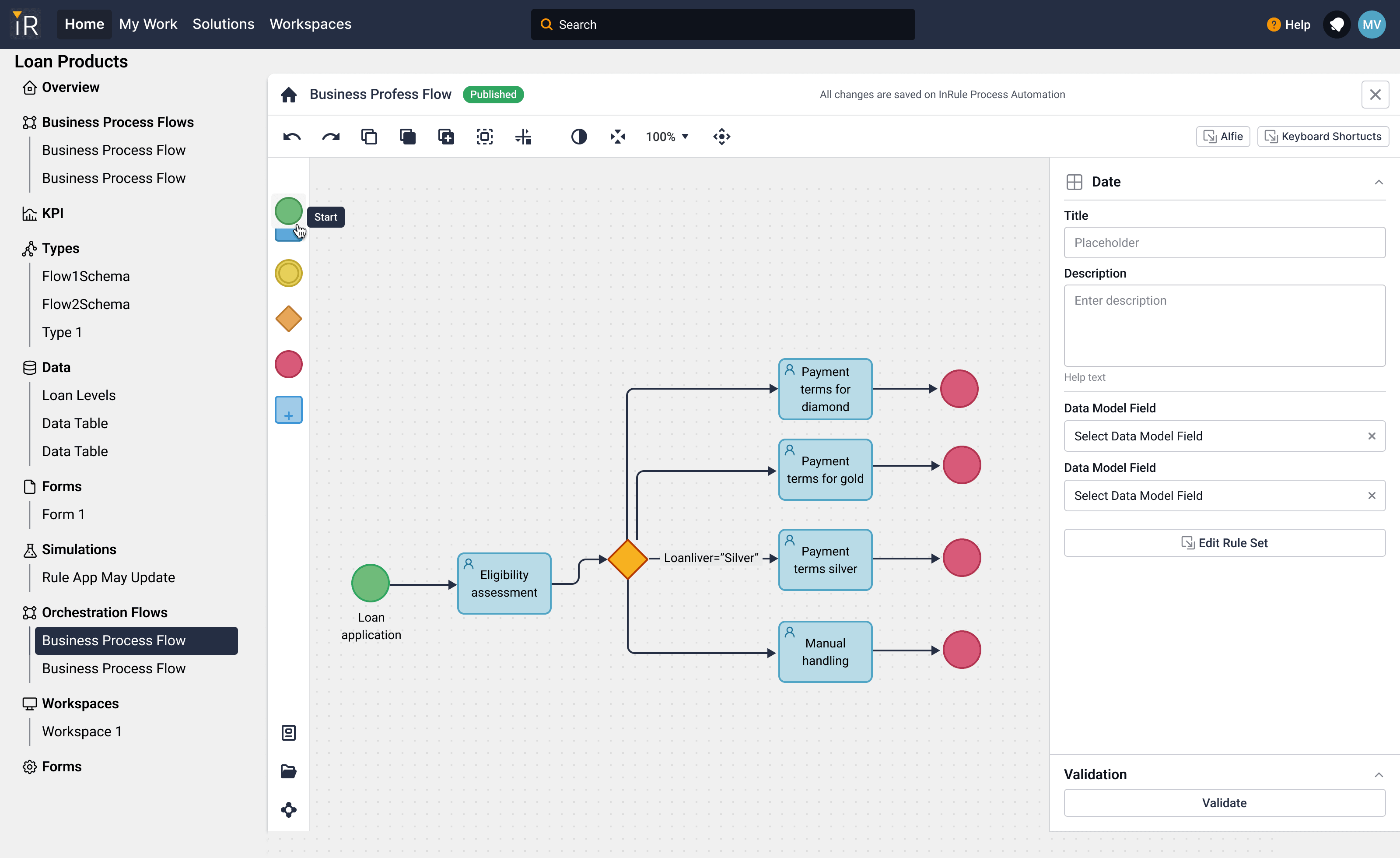
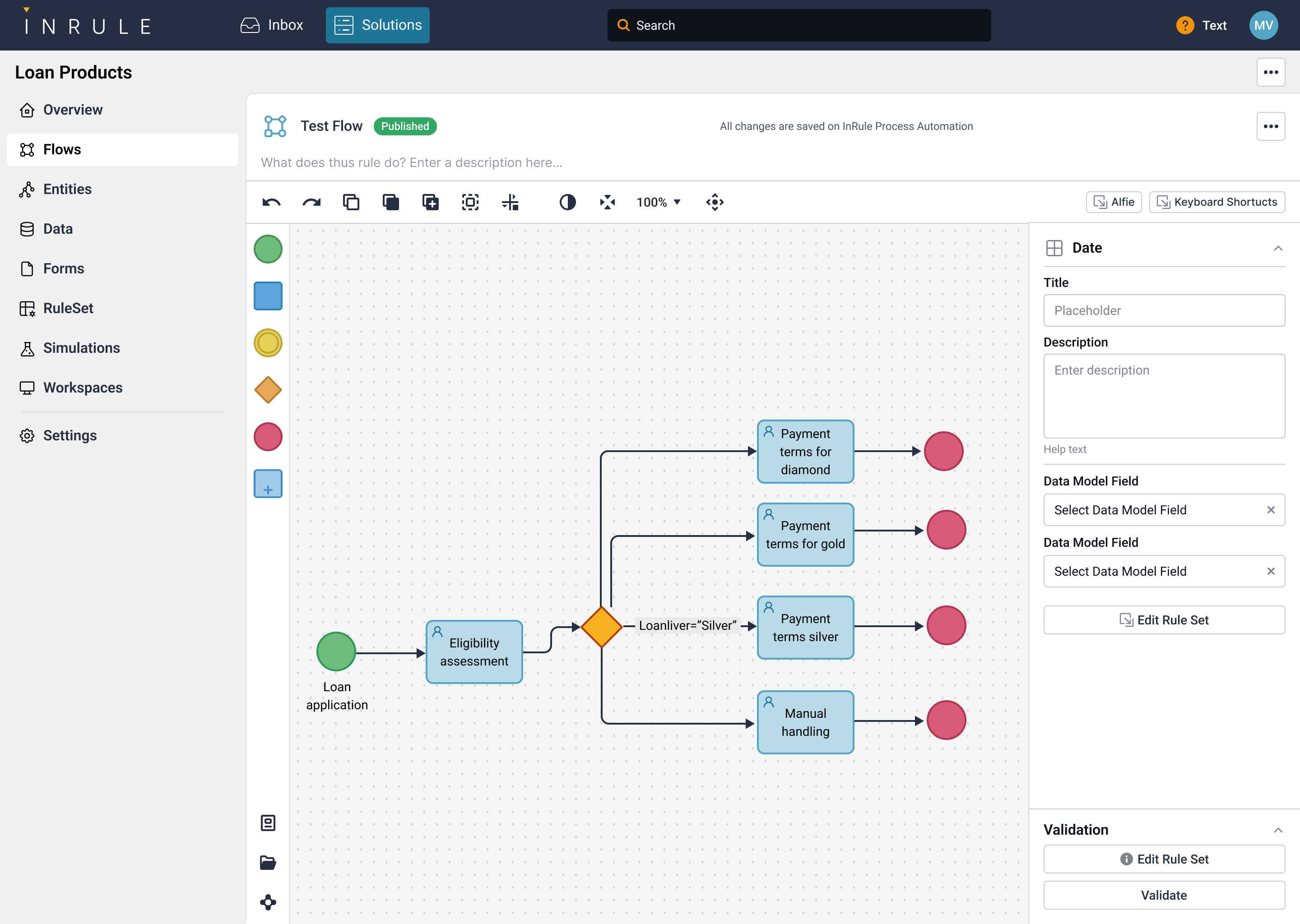
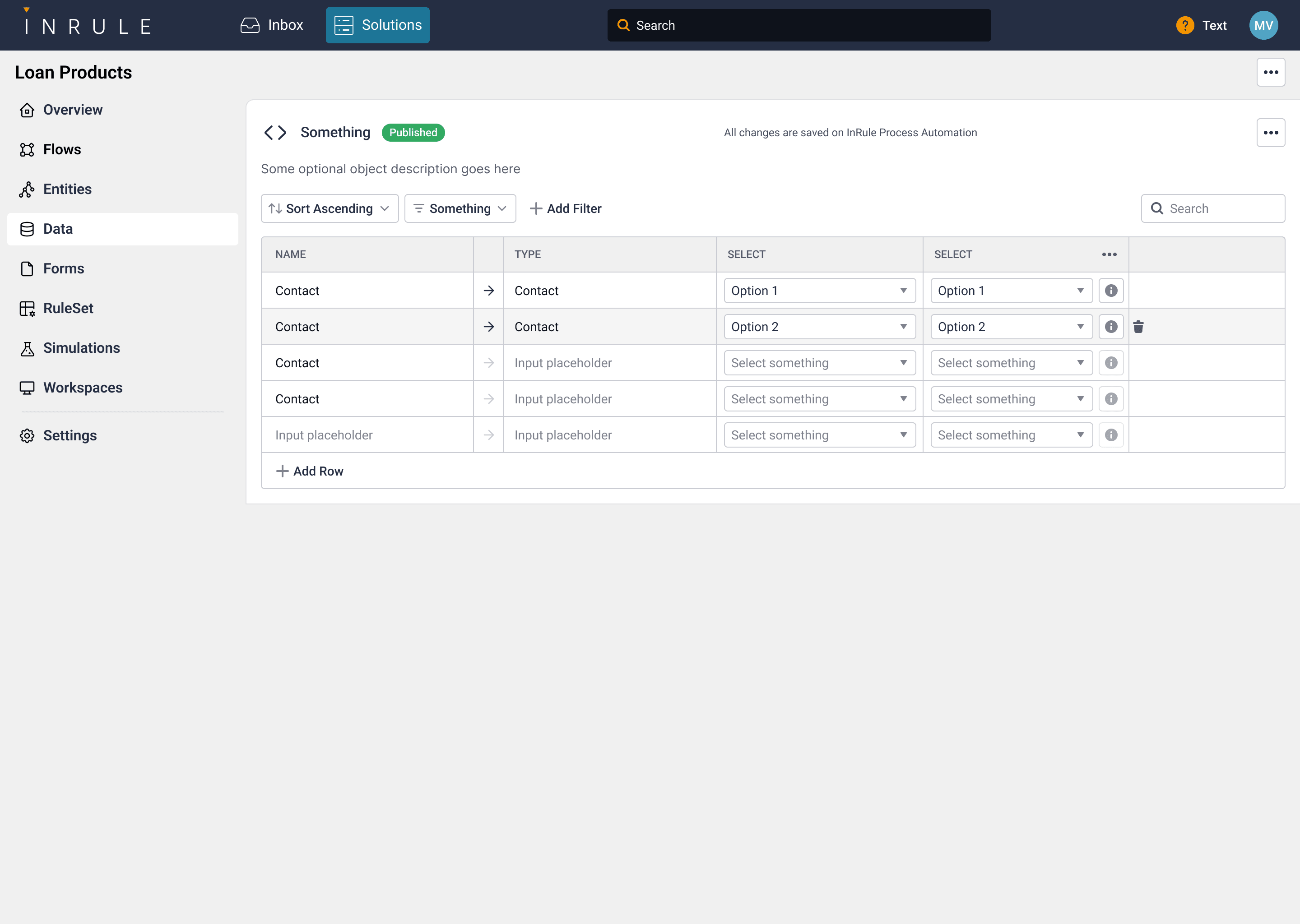
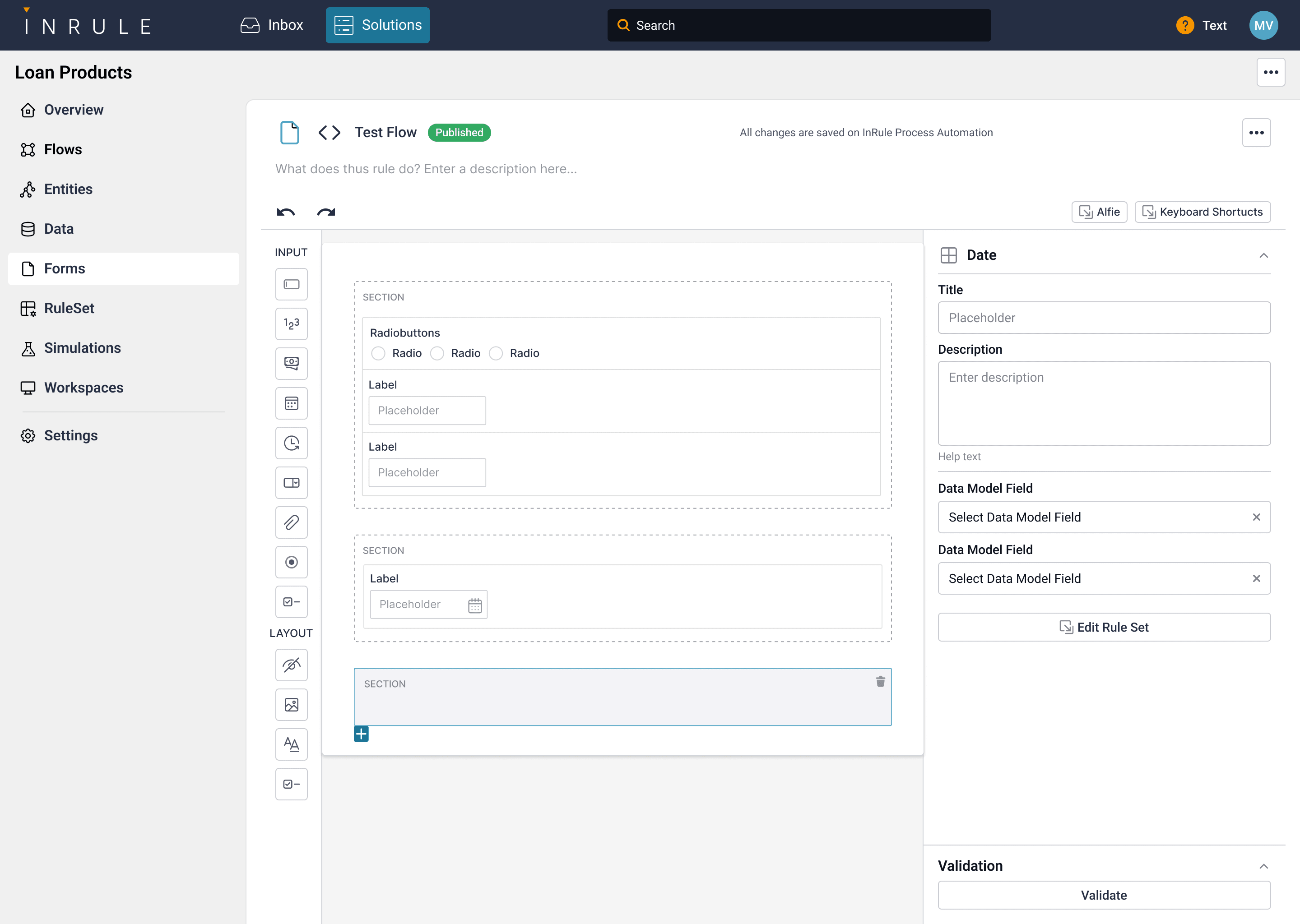
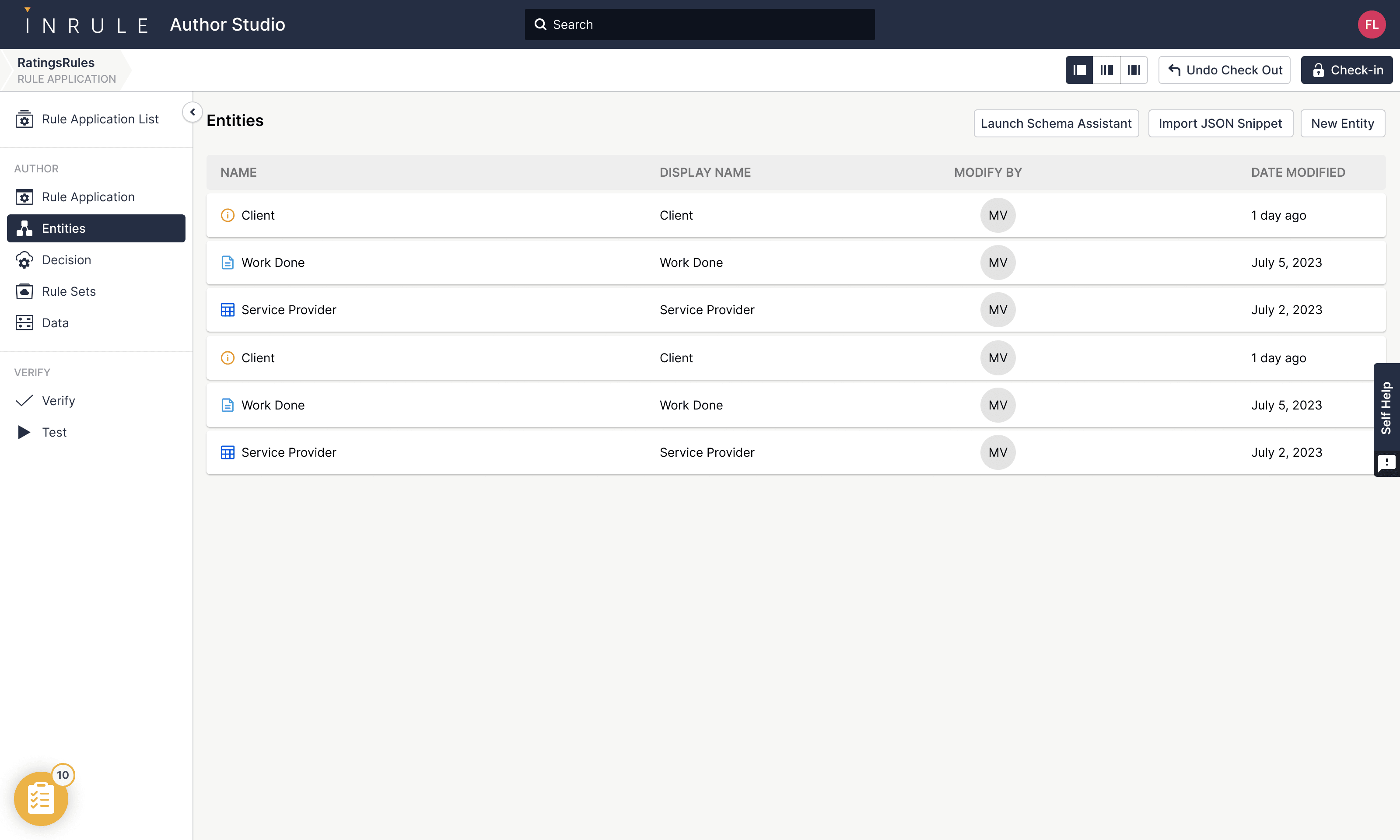
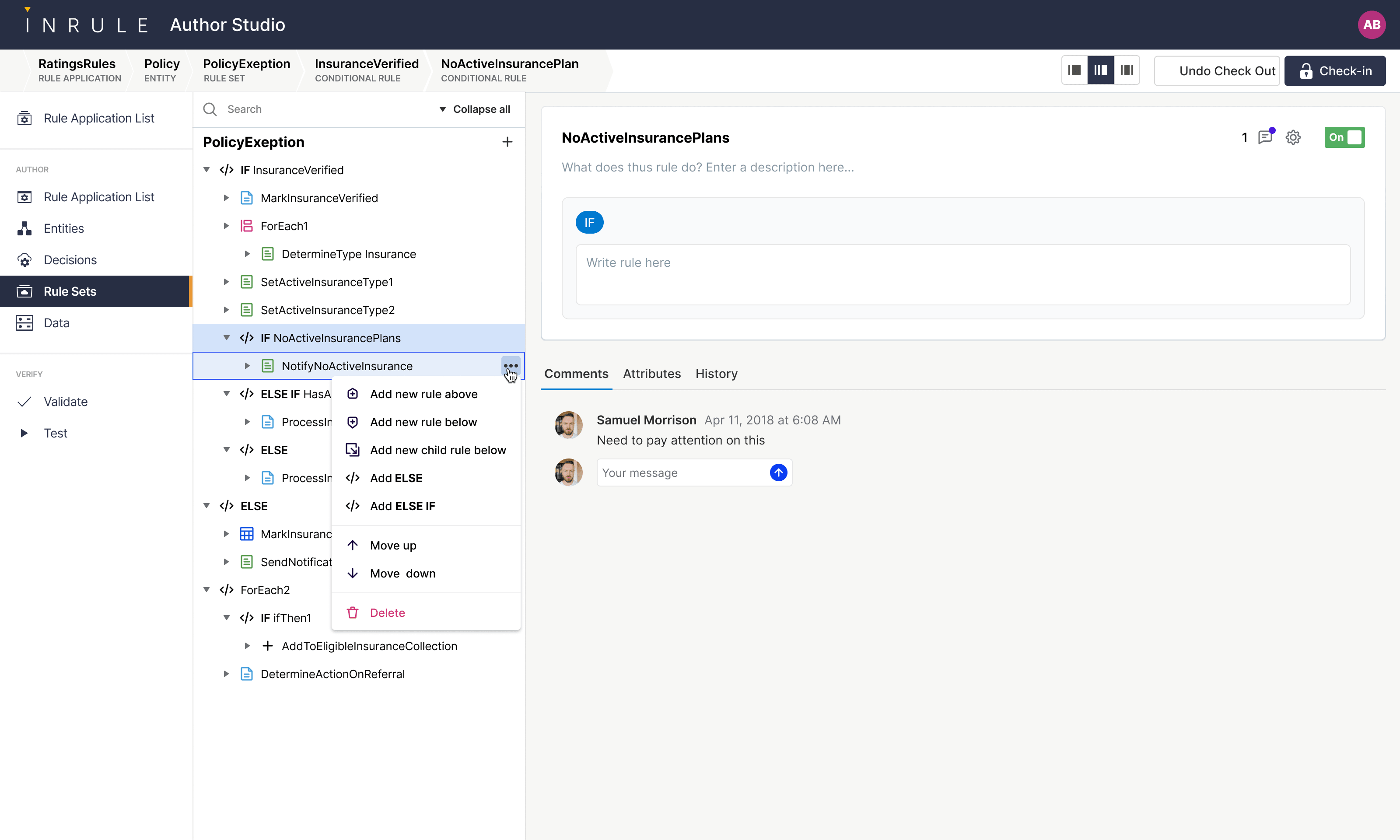
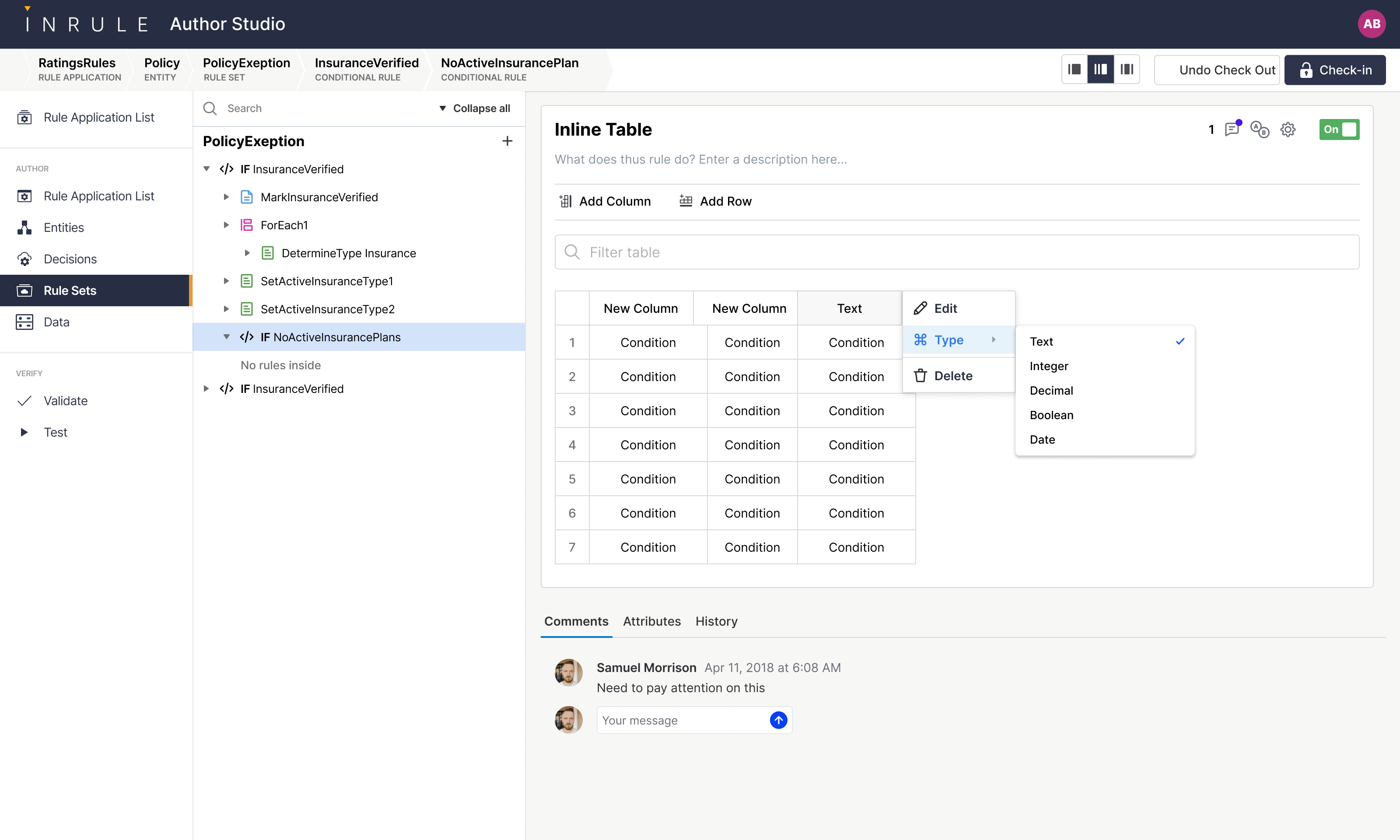
Each Solution composes a handful of objects: flows that move work through stages, entities that define the data model, tables that hold reference data, forms the user fills in, and the rule sets that connect them. Each one gets a dedicated editor; the chrome stays consistent so authors stop thinking about which surface they're on.
Schema Assistant: AI that respects business logic
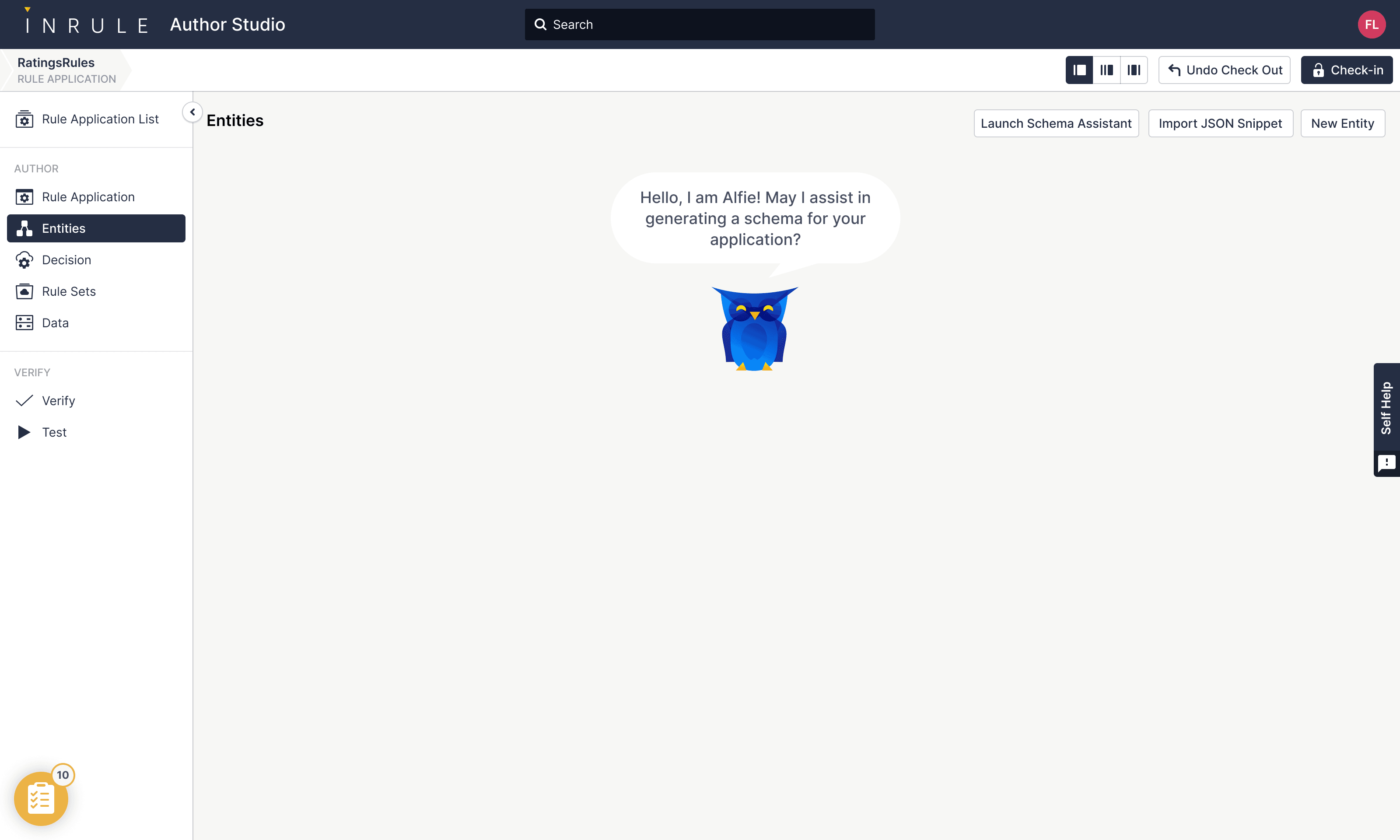
An InRule app is a structured object — entities, fields, types, rules — not a wall of free text. So the AI generator can't just produce paragraphs. The Schema Assistant turns a written description into a real schema the rule application can hold: classes with typed properties, ready to drop into the entity model.
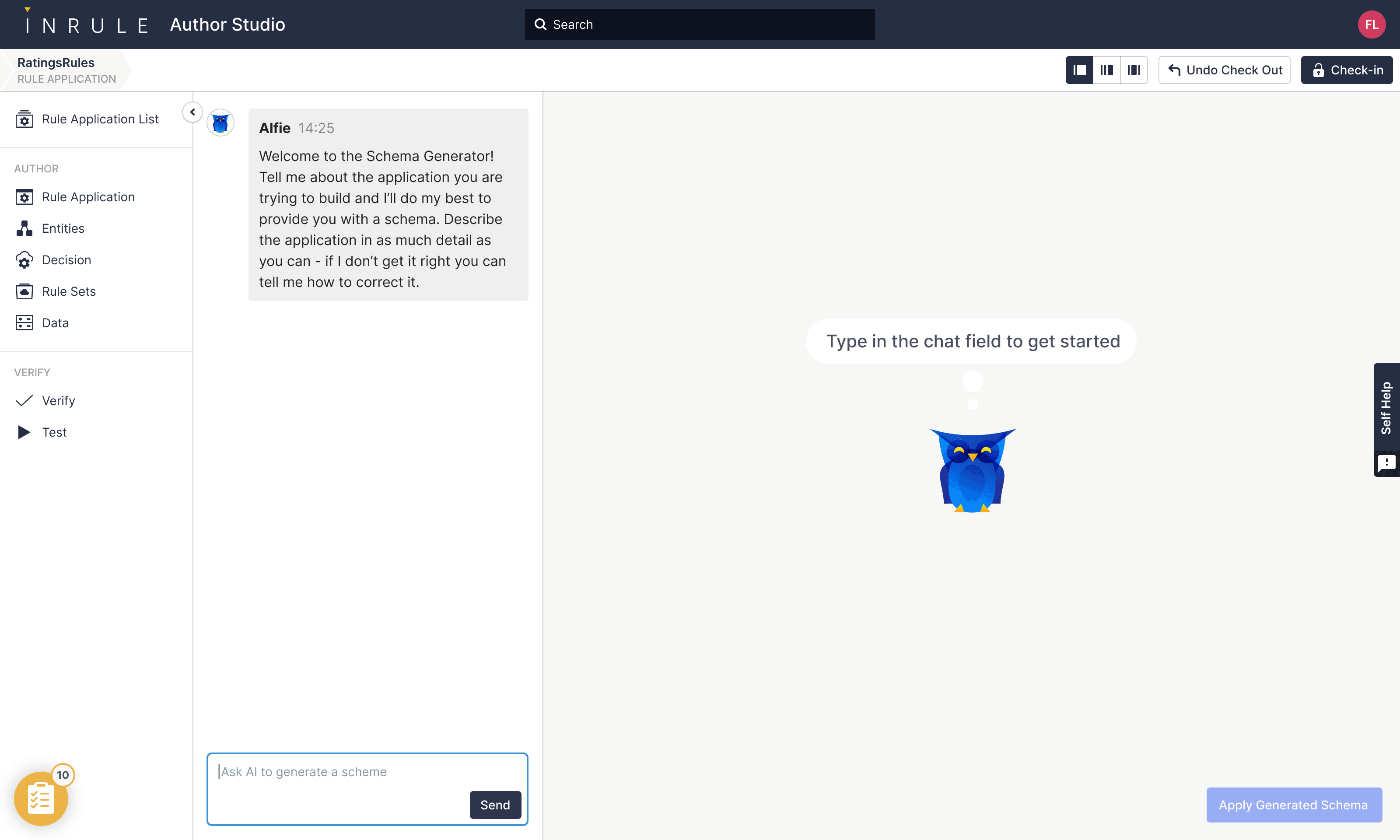
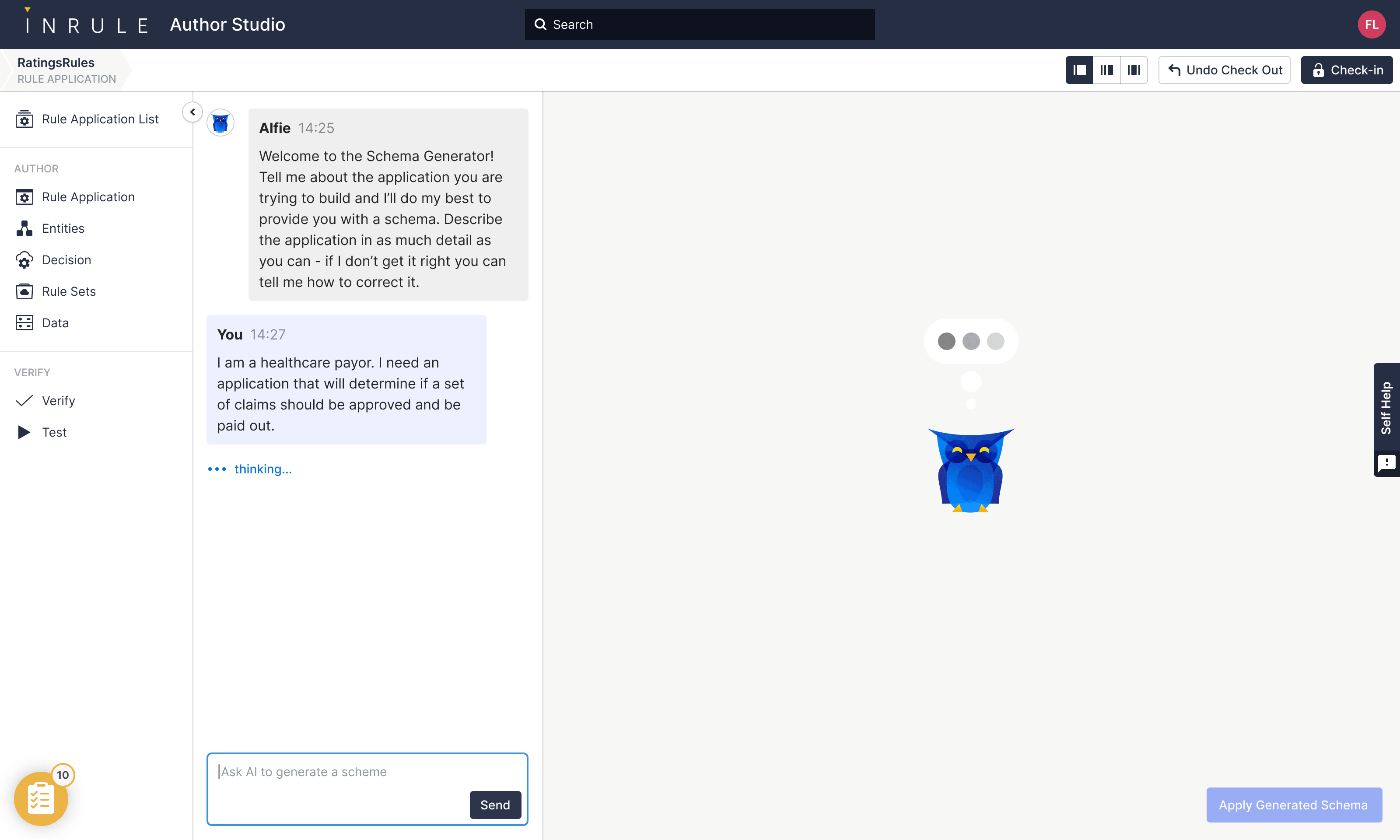
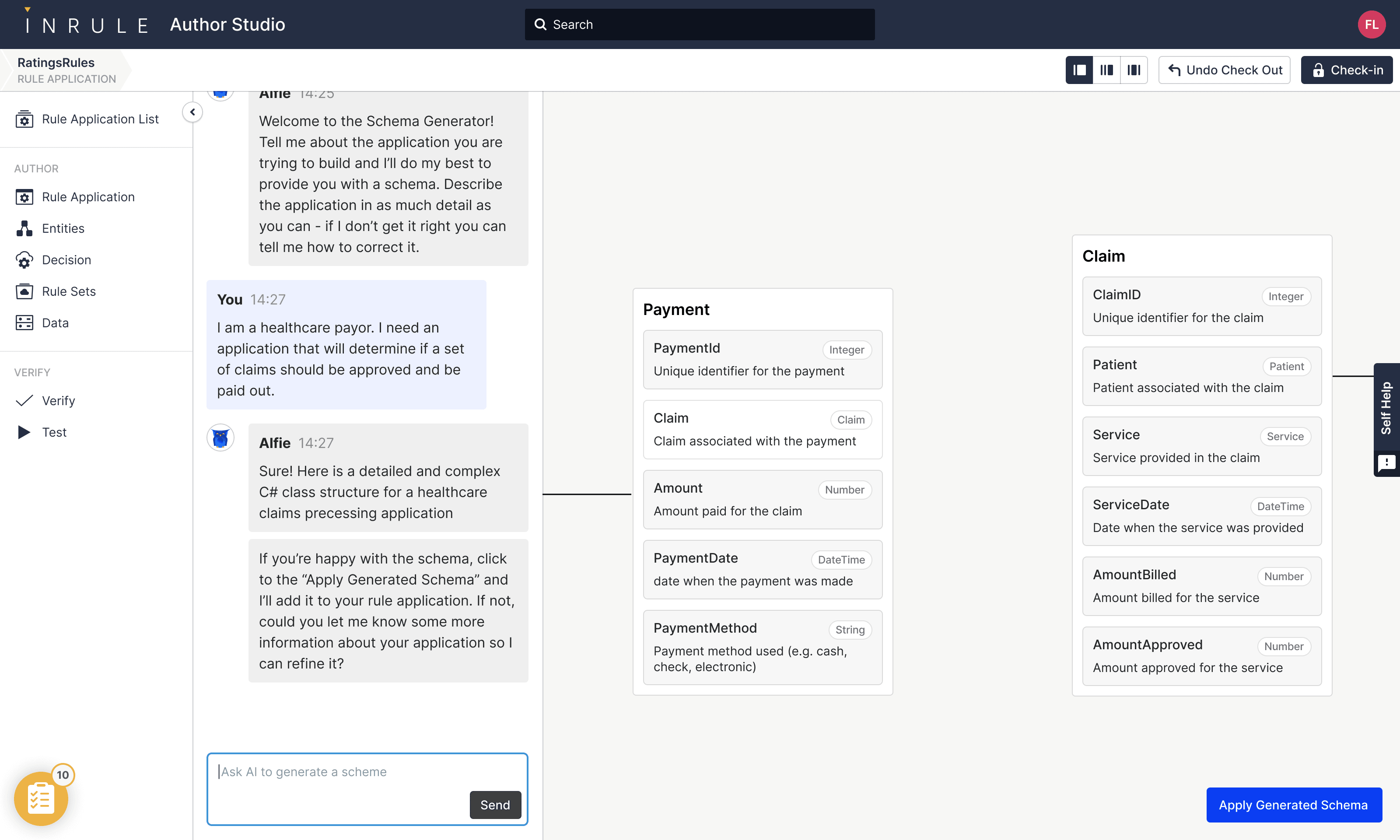
The whole pattern is the same one I'd carry into Sprig later — narrated status instead of spinners, AI proposes / user commits, no silent edits to the user's source of truth. Decision automation just made the cost of getting it wrong explicit: a hallucinated rule is a wrong loan or a wrong claim.
Process Studio: visual flow design
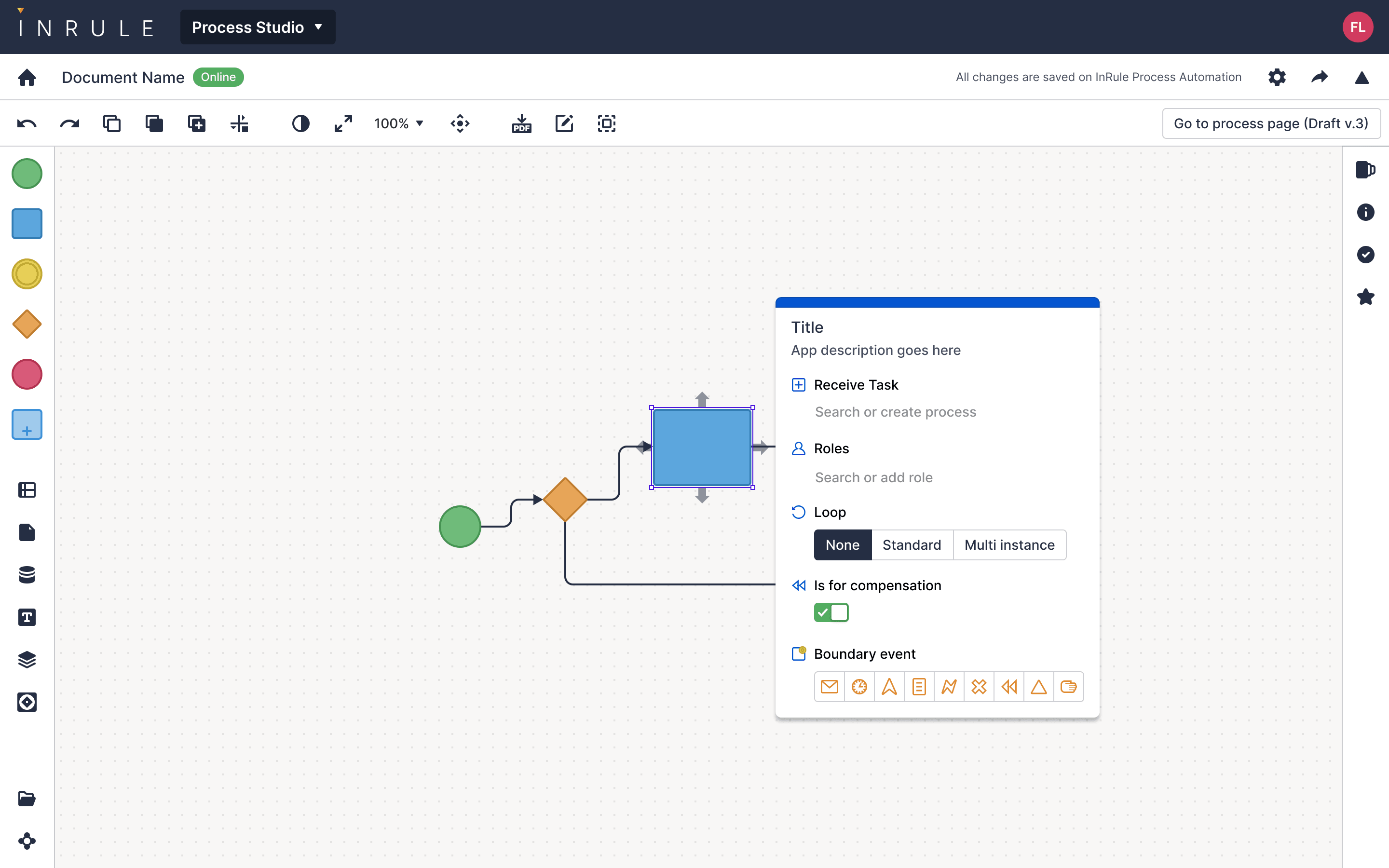
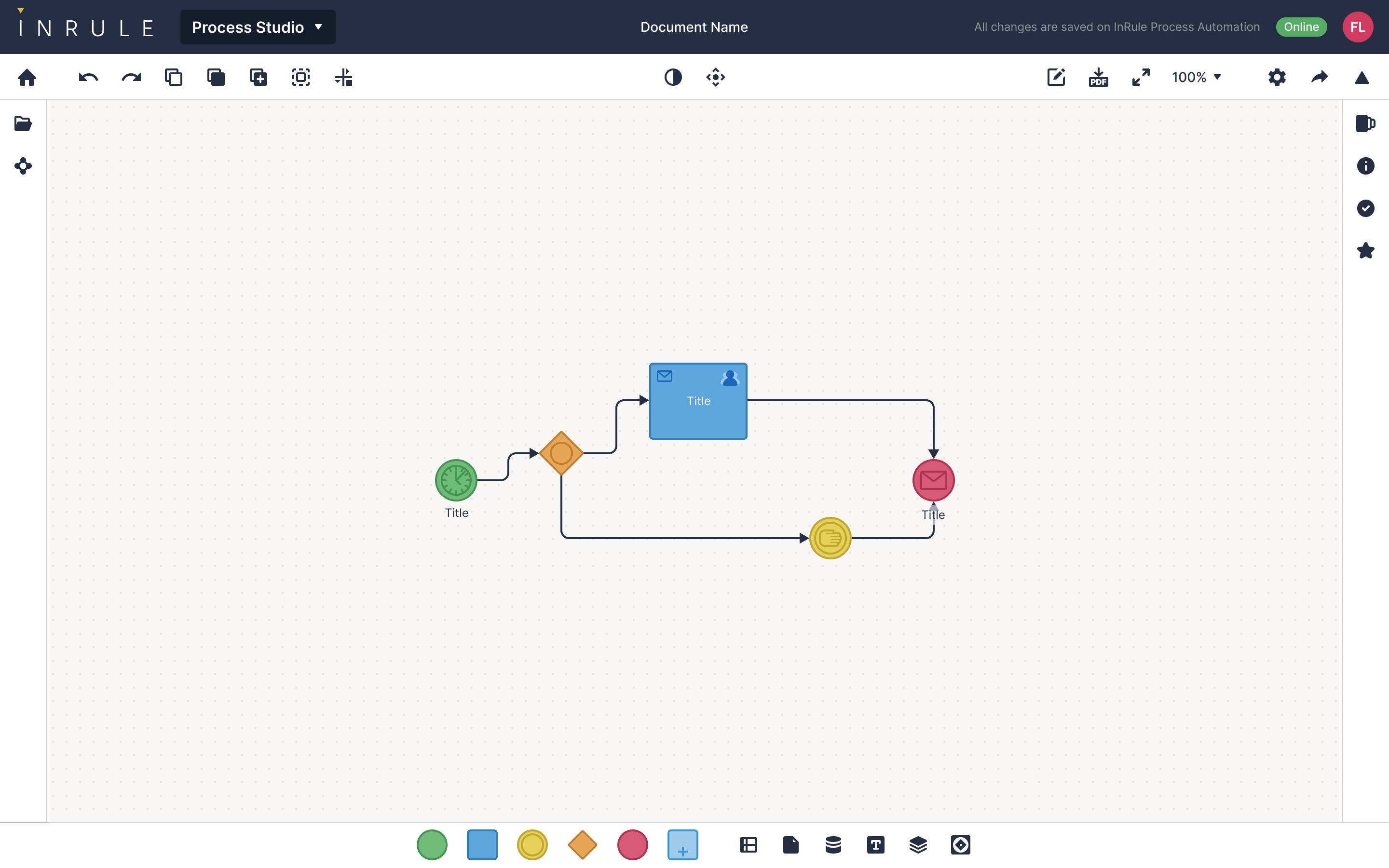
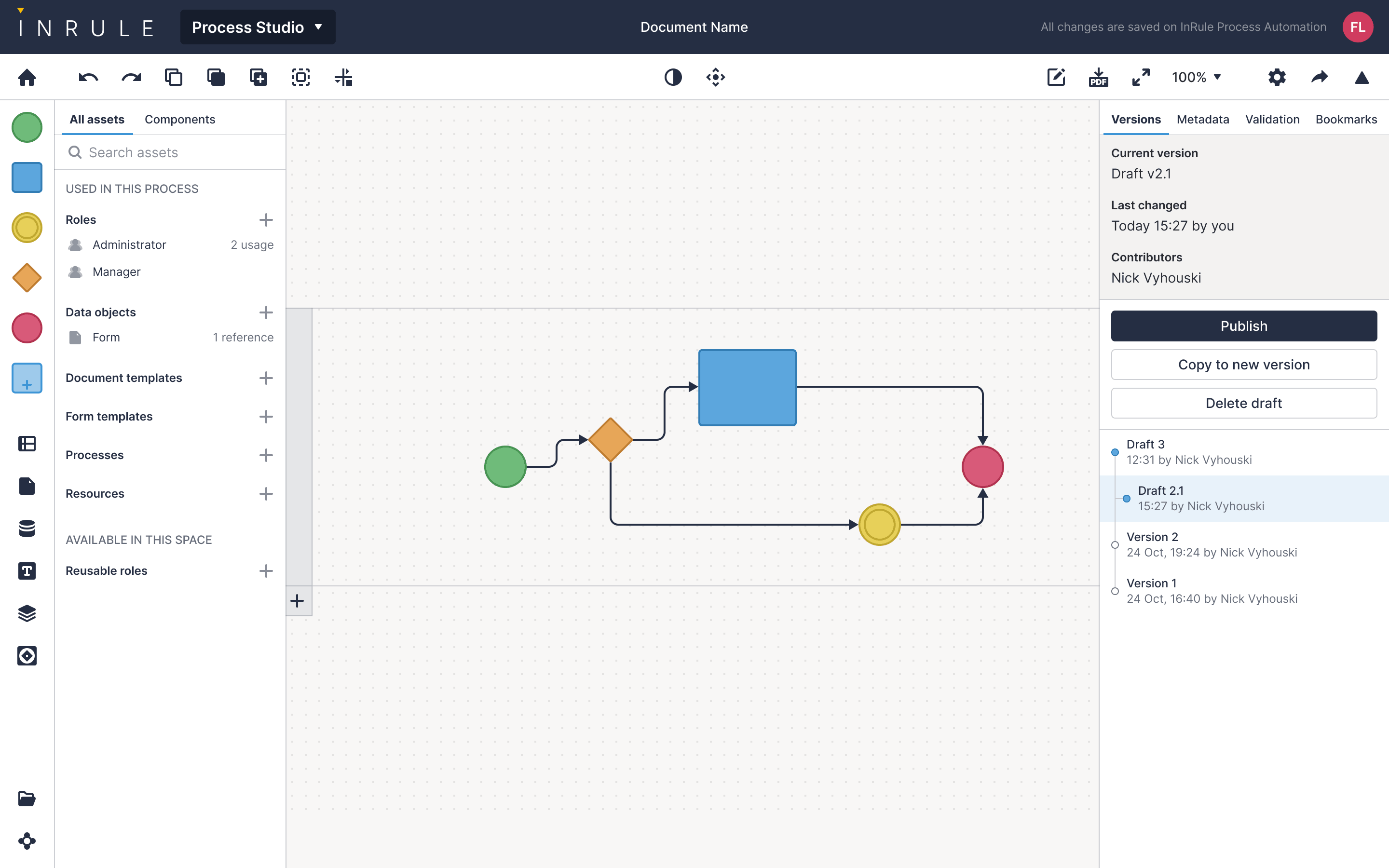
Some processes are simpler to draw than to write. Process Studio is a BPMN-style canvas for the orchestration side of decision automation — events, gateways, tasks, end states — designed to be reachable by an analyst, not only by a developer.
The design system underneath
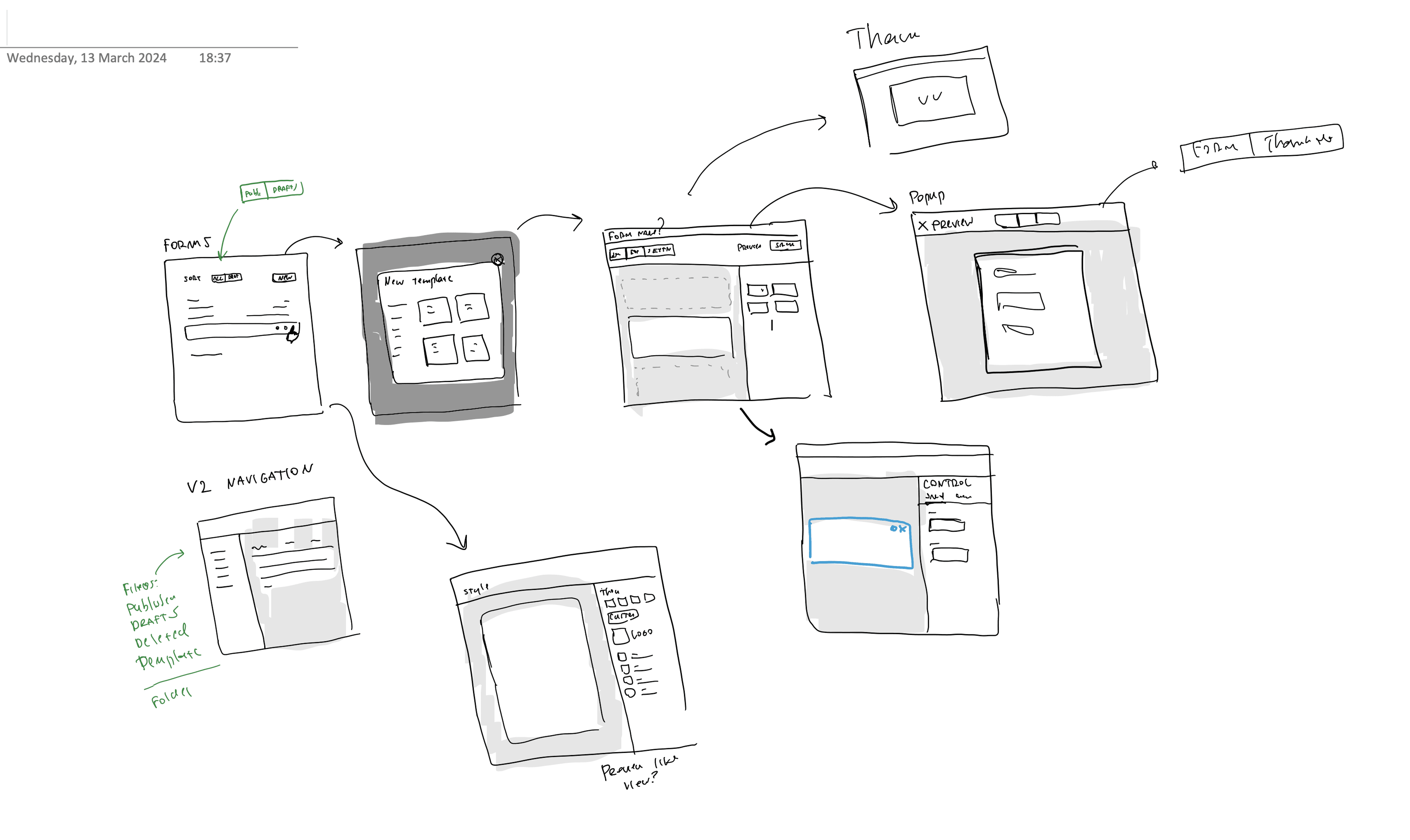
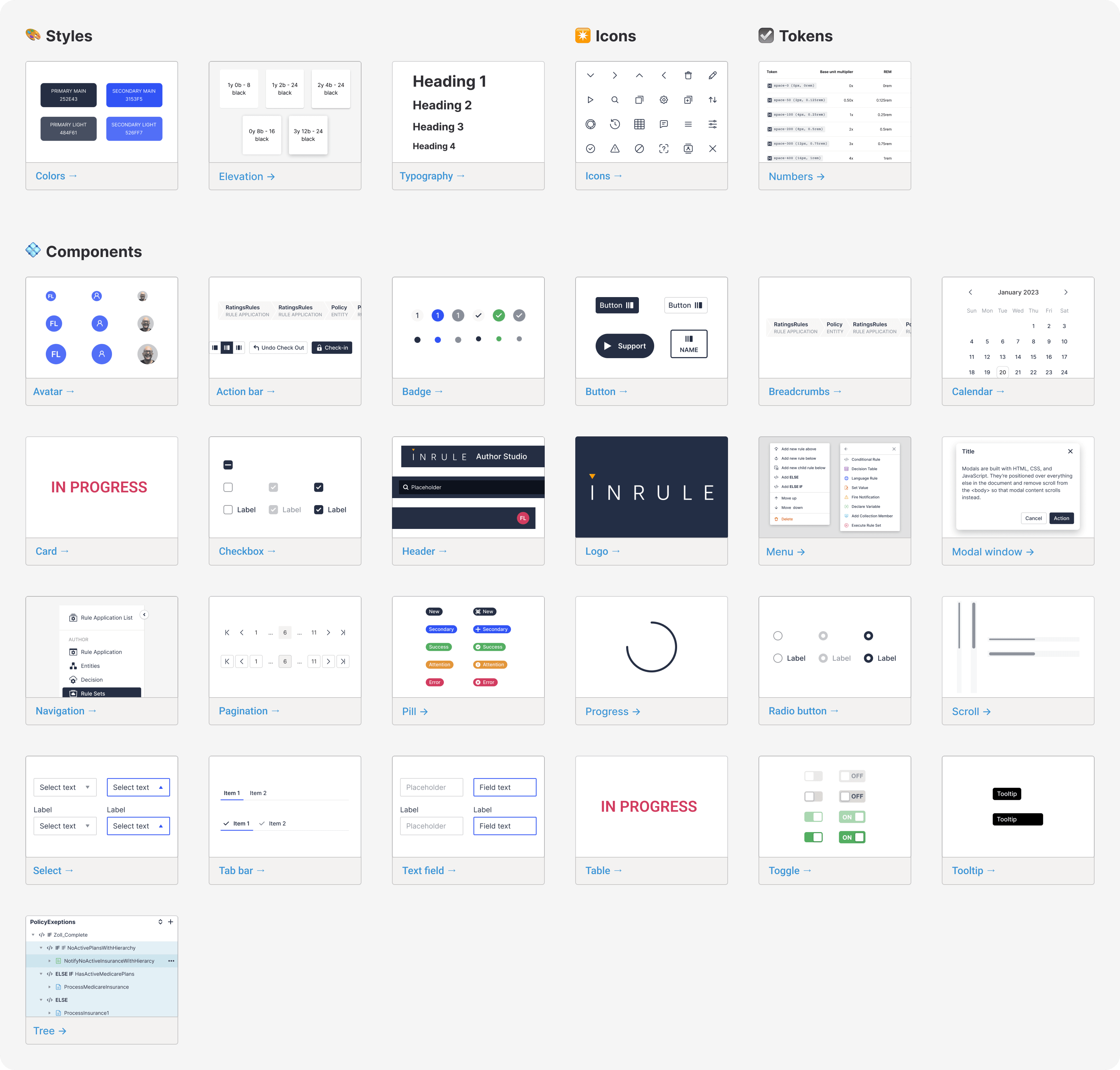
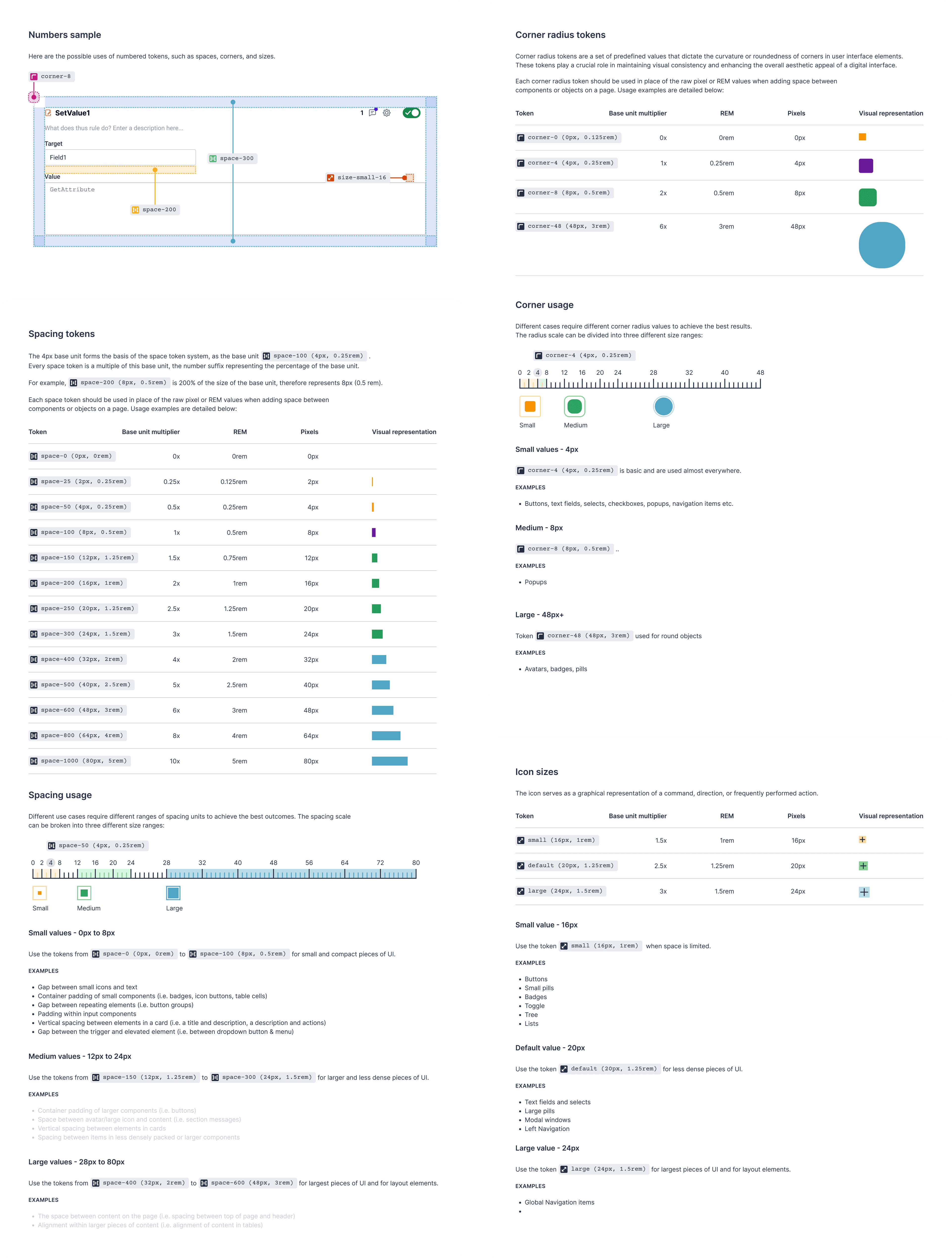
None of the above survives without a foundation. The system covers the primitives — color, typography, tokens, icons — and a library of components the platform actually uses, so each acquired surface stops looking like its own product.
Carrying the desktop forward, not freezing it
The hardest constraint on this kind of modernization isn't visual. It's mental. Long-time authors had spent years building rule applications a specific way, and the design couldn't ask them to relearn the basics. So Nexus inherits the concepts — entities, rule sets, decisions, simulations, the verify/test loop — even where the chrome around them changes.
Outcome
19 months across design-system, platform, and AI-assisted app-building surfaces. The contract ended before the long arc of adoption was visible, so I keep the outcome honest: the work contributed to the next-generation platform direction, the unified Solution/Workspace model, the Schema Assistant interaction pattern, and the design system foundation underneath them.
What I took with me: the Apply step as a trust mechanic in AI authoring tools, the Workspace as a clean theme boundary between authoring and runtime, and the discipline of carrying expert users' mental models forward when their tool changes underneath them.