Pendo
Portfolio analytics for Pendo Adopt — comparison views, catalog surfaces, and design-system contributions across tables, filters, and charts.
Portfolio analytics for Pendo Adopt — a single read on which SaaS the org is paying for, who's actually adopting it, and where the licenses are going to waste.
- 2021–2022
- Senior UI/UX Designer
- Pendo.io
- ~10 months (contract)
- Figma
- PM, engineering lead, devs, marketing stakeholders, DS team
Problem
Pendo Adopt is the digital-adoption side of Pendo — the product IT and people-ops use to see SaaS usage across the org. By 2021 the analytics surface had grown app-by-app: it was easy to look up one tool, hard to read across them. Nobody could answer the simple question the product was named for — "who's actually adopting what we pay for?" — without stitching screens together.
I joined Pendo as a senior UI/UX designer on a contract that ran roughly a year — Nov 2021 to Sep 2022 — partnered with the PM, engineering lead, devs, marketing stakeholders who used the product internally, and the design-system team. The brief on this workstream: a single portfolio view that could replace the folder of one-off dashboards, plus the table, filter, and chart components that made the rest of Adopt feel like one product.
Approach
Two IA models, one bet
Before any pixels I worked the IA on paper. Two competing pivots: app-centric (each app is the node, team is a lens on it) versus team-centric (each team is the node, app is a lens on it). The team-centric model felt right for a single IT analyst asking "is my team using what we bought for them?" — but it scaled poorly across the whole portfolio. The app-centric pivot kept the unit stable for ops, finance, and people leaders too, and let "team" become the lens you toggle through filters. Apps stay as the unit; team is how you read them.
The same sketches worked through dashboard composition (license-usage trend, least-used apps, a "frequency hill" for usage decay over time), the grouping / comparing variants for the analytics views, and a component map that fed back into the design system. The polished surfaces below all rest on those decisions.
Three lenses on the same data
The Portfolio tab landed on three comparison views, sharing one filter chrome — Everyone / date range / All Apps / View by Team. Each view answers a different question without making the user re-set context.
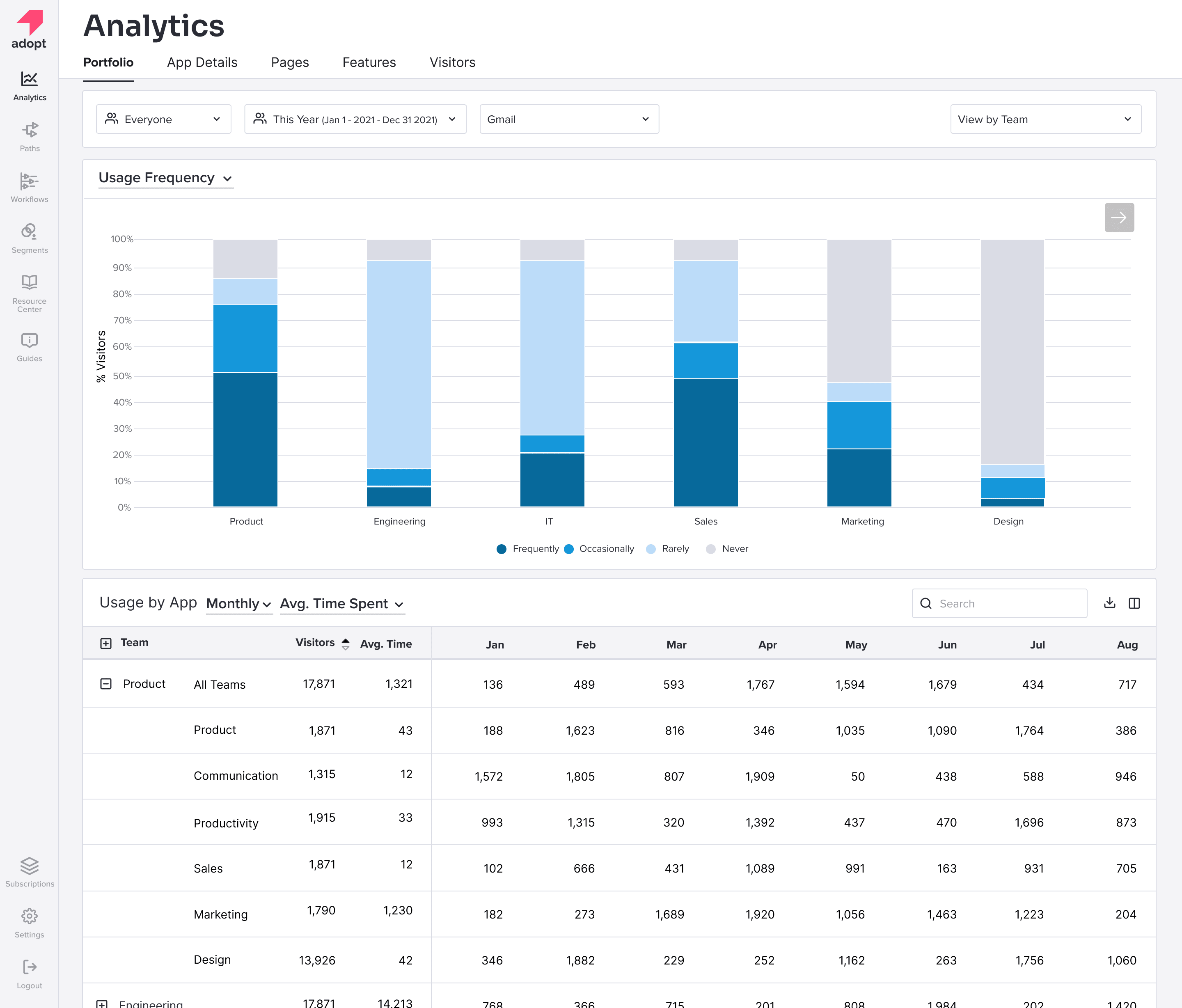
Usage Frequency is the entry chart. Stacked bars per team, four buckets, monthly table below for anyone who needs the numbers. The question it answers: who's actually using this — and are they using it often enough to justify the seat?
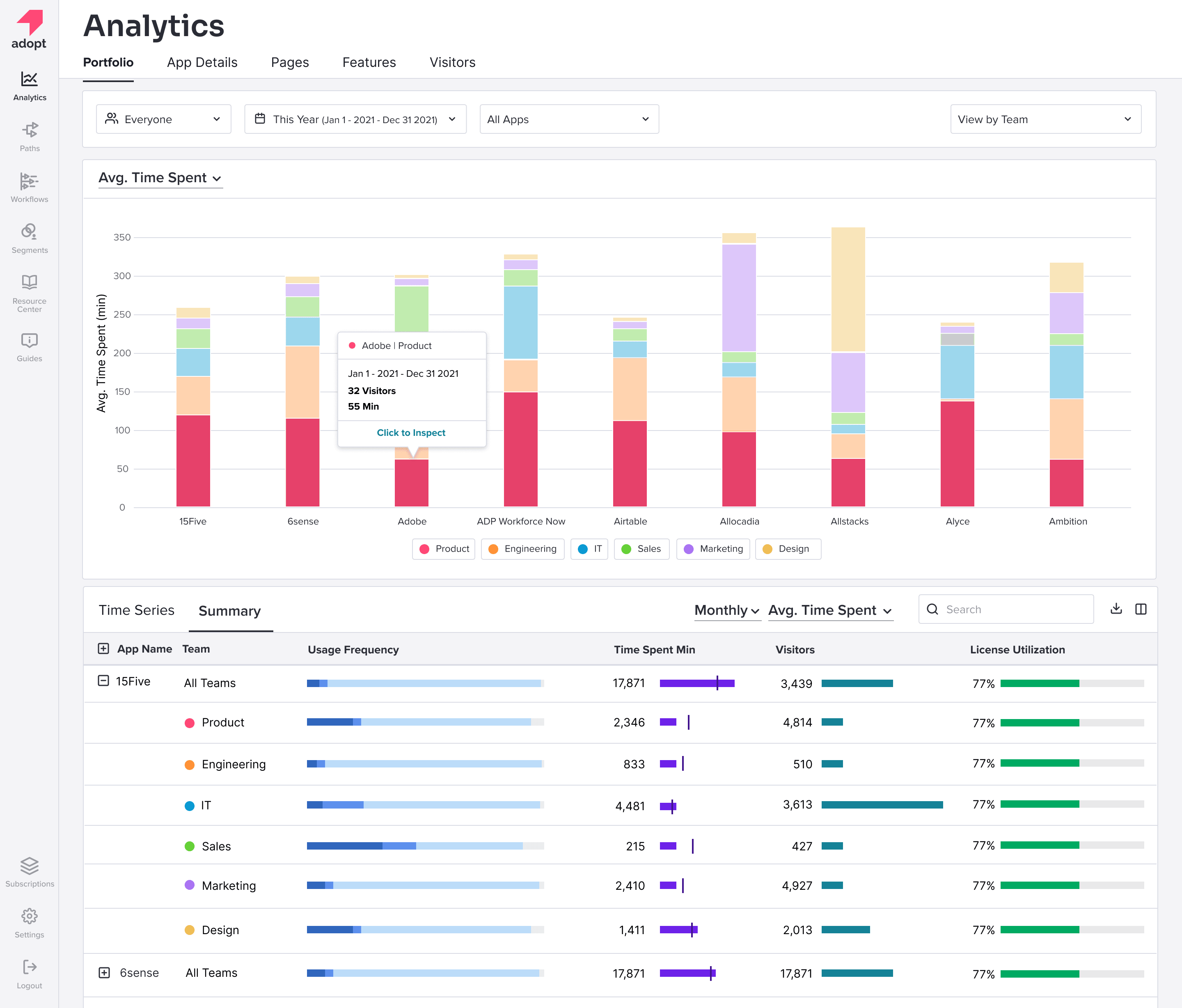
Avg. Time Spent is the engagement read — frequent isn't the same as deep. The summary table underneath is the case for action: usage and license utilization side-by-side make it obvious which apps are paid-for-but-idle and which are stretched past their seat count.
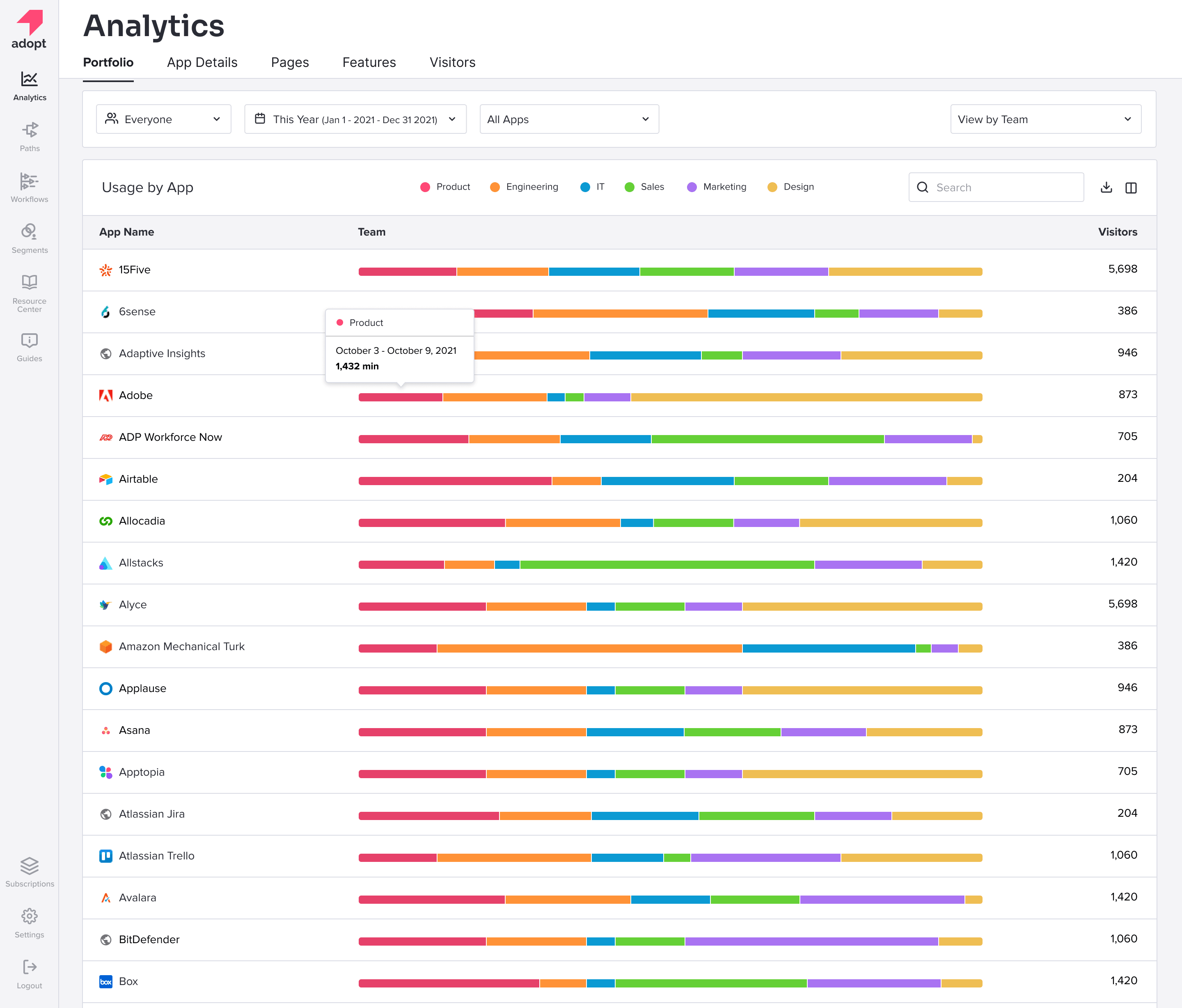
The list view is the bird's-eye lens. One row per app, one bar per row, scanning top-to-bottom takes seconds. The same filter chrome carries over — change "View by Team" and the segmentation re-colors without leaving the page.
Two views of the catalog
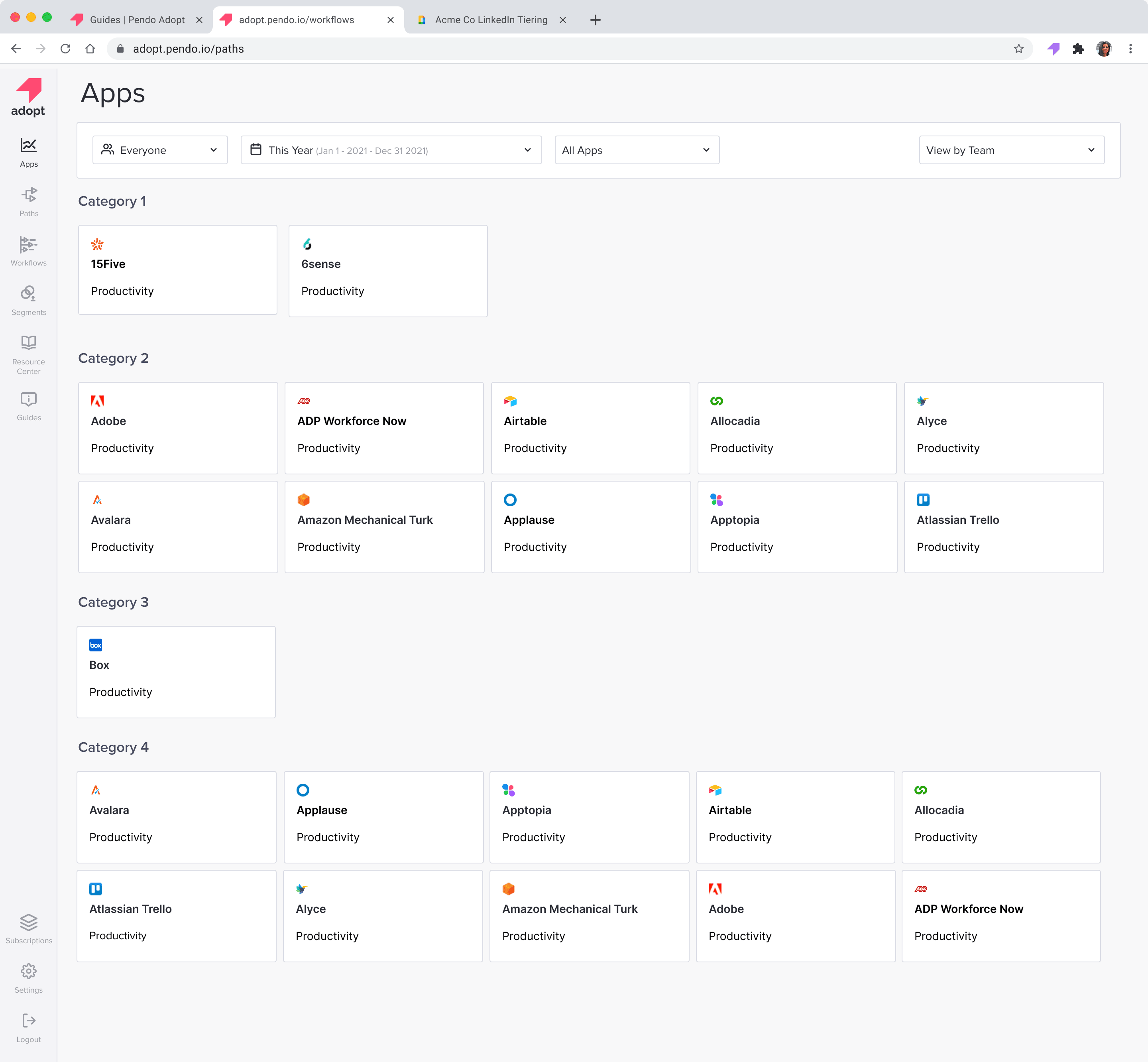
The analytics views answer "how is it being used?" The Apps surface answers "what do we even have, and what's the state of each?"
The tiled catalog is the recognition view — IT scanning by logo, grouped by the categories they care about (productivity, security, ops). Lightweight on purpose; nothing here is a dead end.
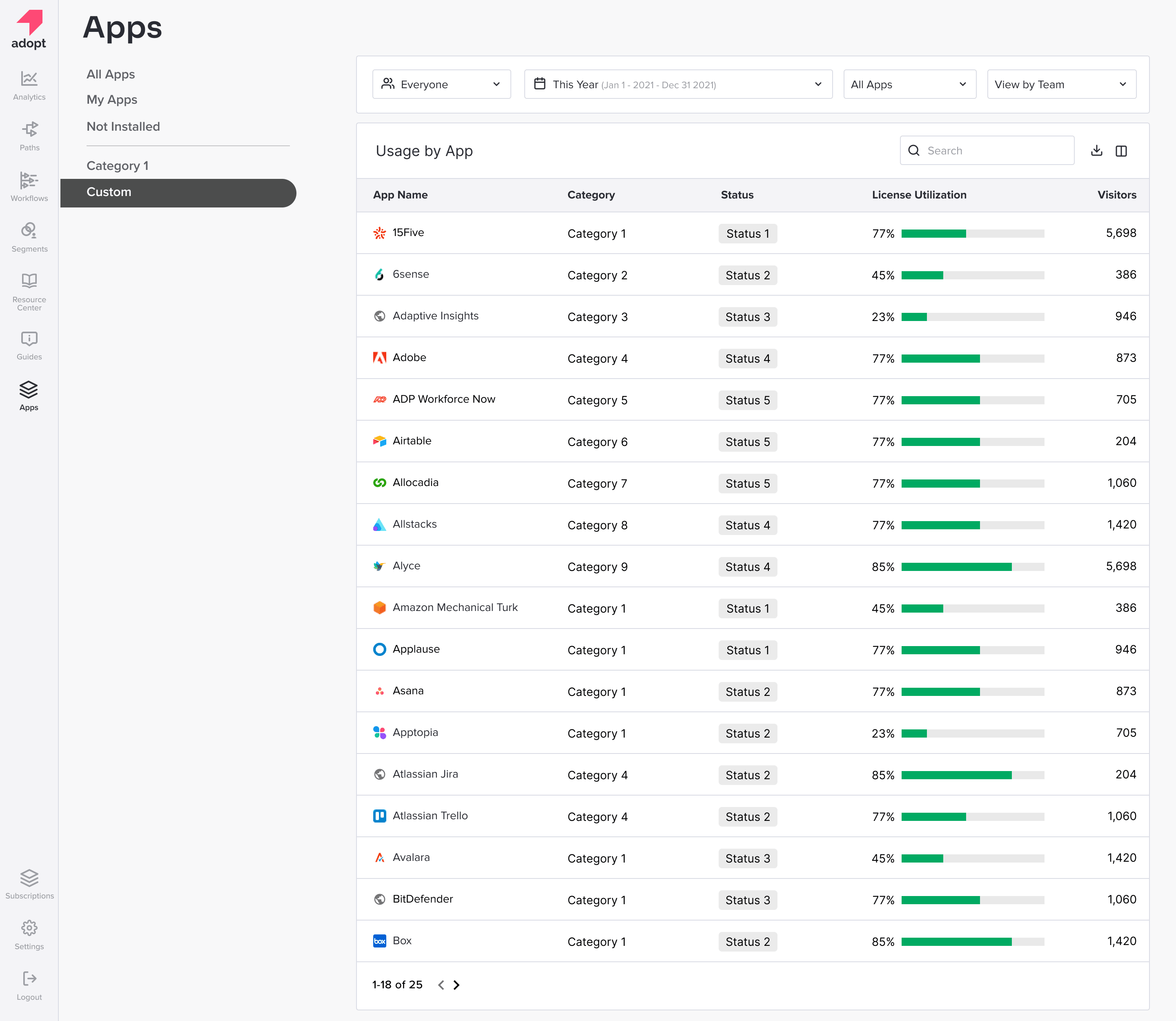
The list view is the analyst's read on the same set — sortable, dense, with the license-utilization bar baked into the row so you don't need a second click. Two views of one catalog; the filter rail on the left is the spine.
Closing the loop — installs
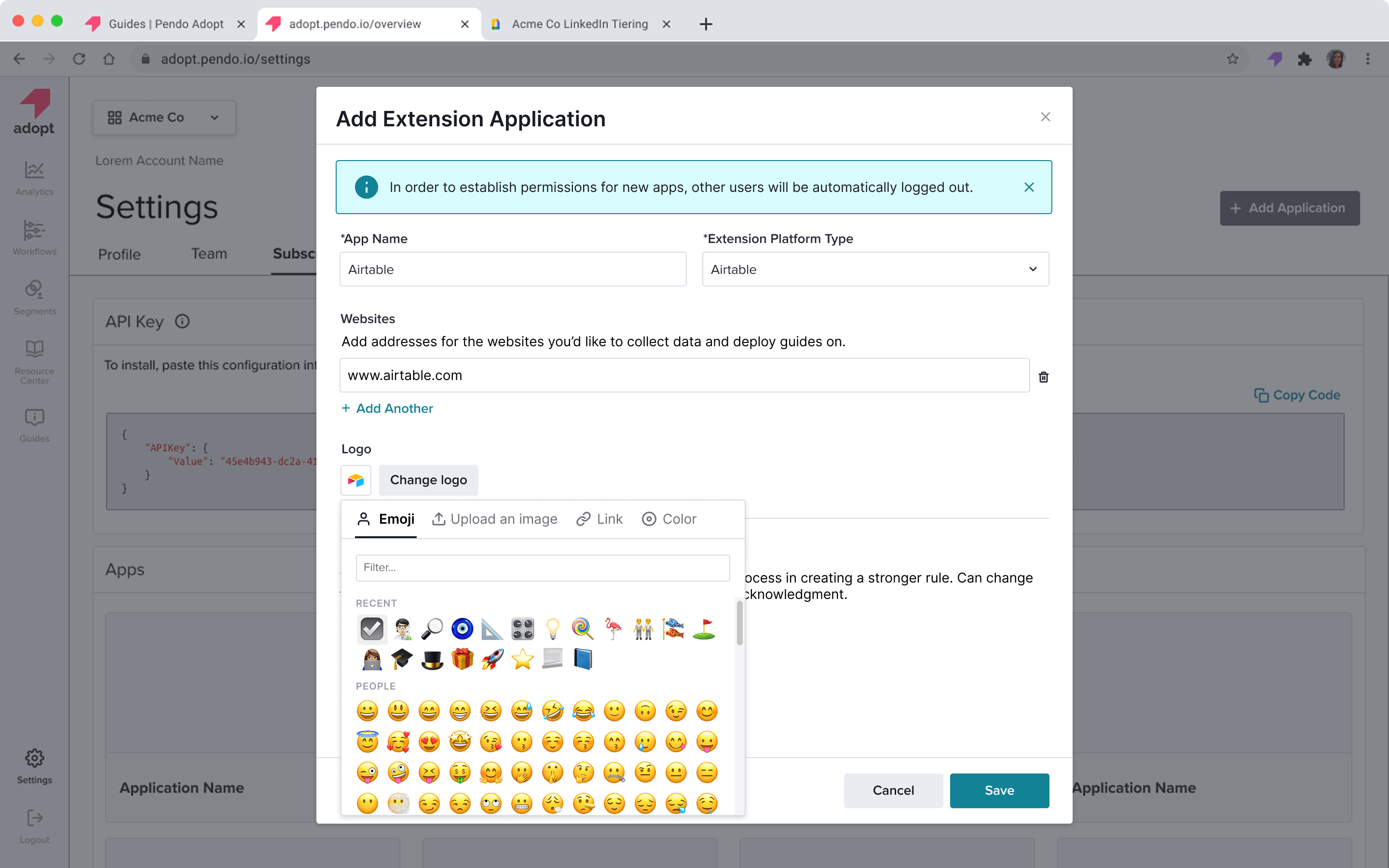
The portfolio is only useful if it's complete. The Add Extension flow keeps the install path short — name, platform type, the websites the extension should listen on, a logo (emoji picker, upload, link, or color tile), and the API config code block to paste into the target tool. Friction had to stay low for IT to actually keep the catalog current.
Components and the design system
Alongside the portfolio work I contributed to Pendo's design system. The pieces I owned on this workstream: a data table with sorting, density, expandable rows, and column controls; a filter rail that holds the Everyone / date / Apps / View-by lens consistently across surfaces; and the stacked-bar chart patterns the three analytics views rest on. Same components, multiple lenses — the consistency is the point.
Outcome
Shipped, and it worked. The analytics surfaces went live in Pendo Adopt and the table, filter, and chart contributions landed in the design system — picked up by adjacent product areas after the analytics work landed.
Pendo Adopt has since been folded into the broader Pendo platform — these screens live on inside that wider product rather than as a standalone surface. The IA decisions and the component contributions outlasted the product name.