NextHealth
Health optimization and longevity platform — redesigned dashboard for patient biometrics, data visualization, and AI-driven recommendations.
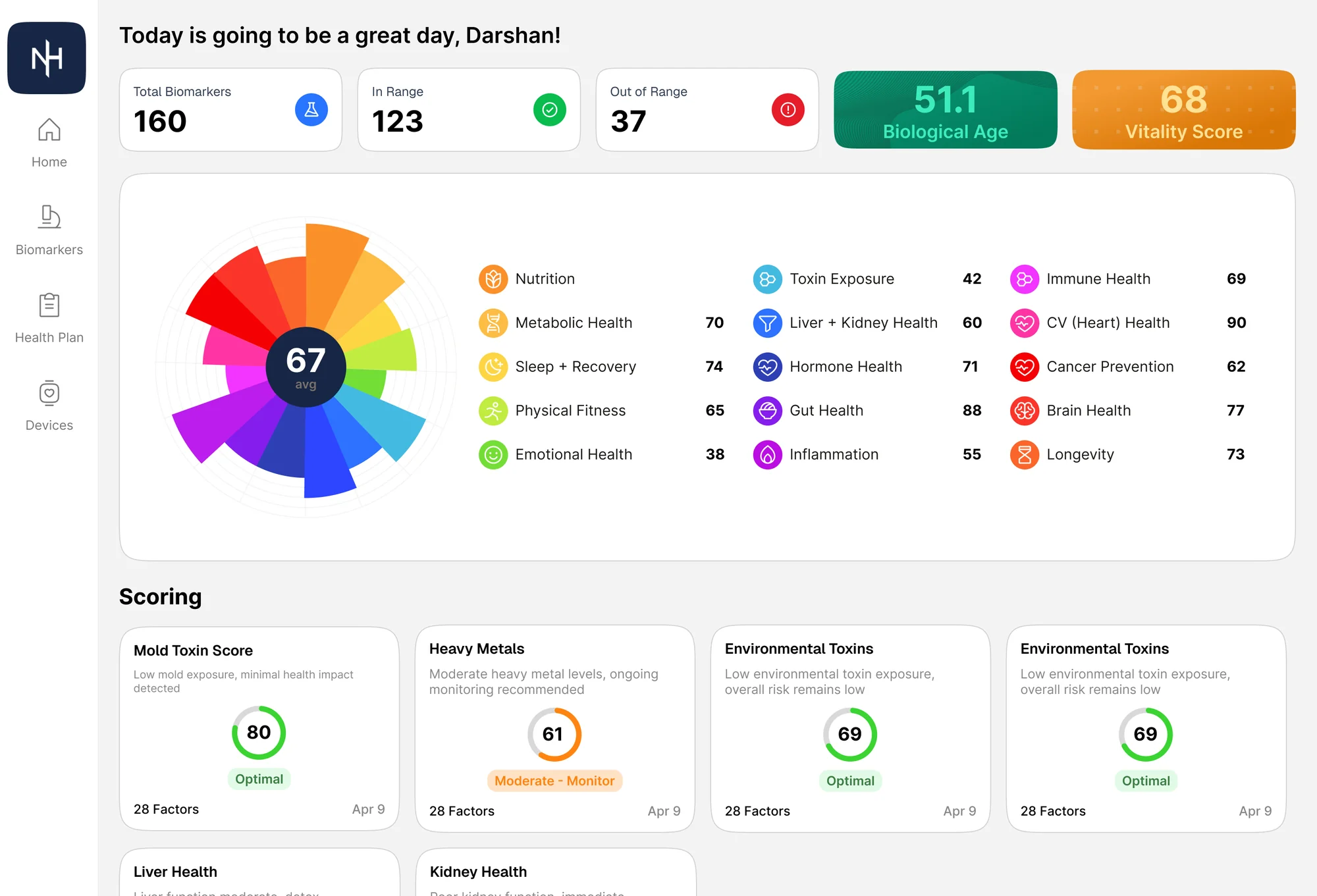
Health optimization and longevity platform — dashboard redesign focused on making complex biometrics and health data immediately interpretable.
- 2024
- Lead Designer
- Short-term engagement
- Figma
The problem
NextHealth members were getting genuinely thoughtful, personalized health guidance — and then being asked to read it as one long, unsorted document. The intelligence was there; the interface to act on it wasn't.
Symptoms of the old experience
- Recommendations rendered as a single scroll with no priority cues
- Biomarker values shown without a clear sense of what's good or bad
- AI insights buried inside dense paragraphs rather than surfaced as actions
- No way to tell which markers were driving which recommendations
Approach
The redesign treats the dashboard as a hierarchy of interpretation: a colour-coded summary at the top, a triaged list of biomarkers next, and progressively deeper drill-downs for members who want to go further. AI sits alongside the data, not in a separate room.
Dashboard and biomarker overview
An opinionated home
The home view leads with a single ring summarising biomarker categories, member identity, and a high-level status. Density is held back so the first read is interpretable in seconds.
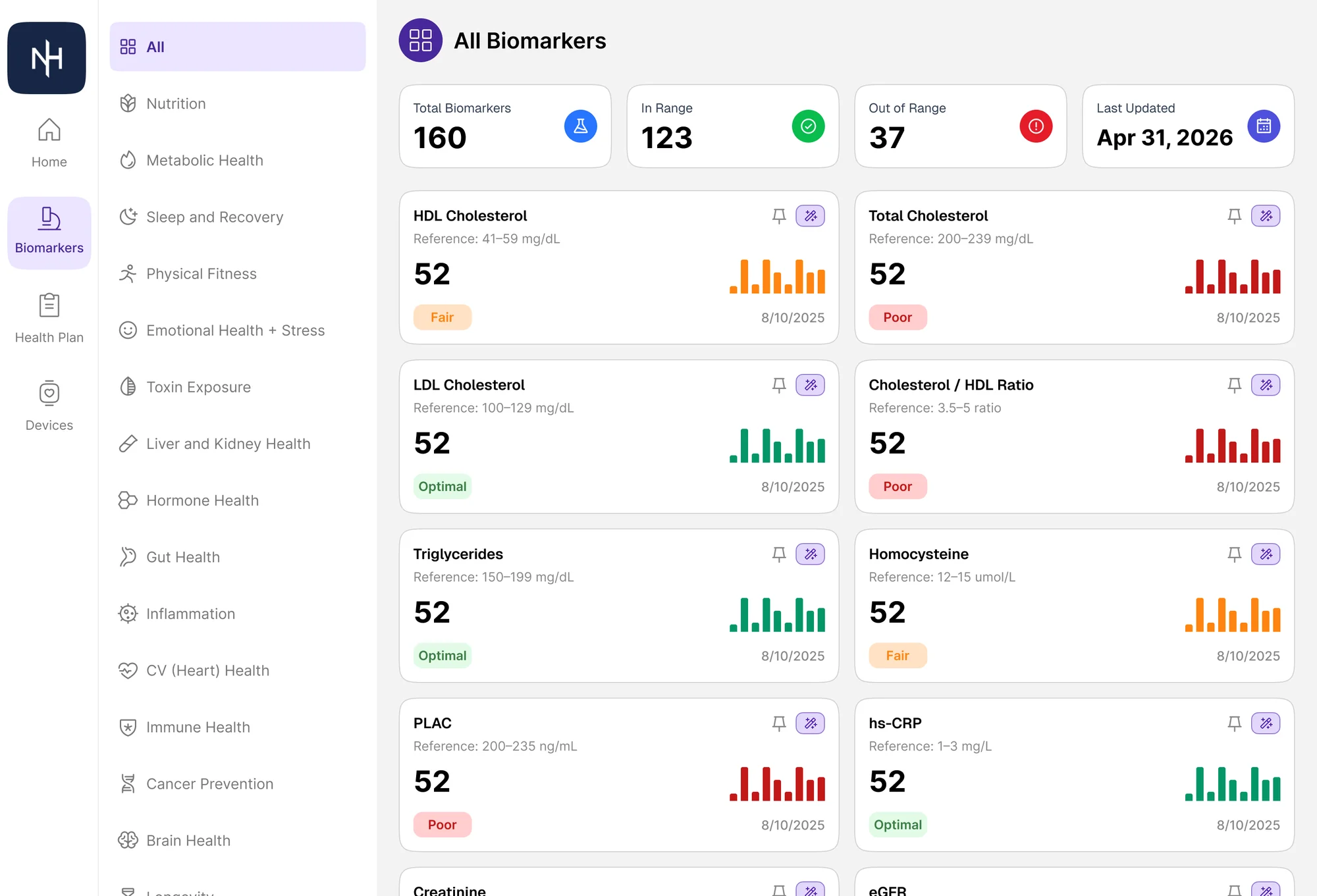
Status-first index
Below the summary, the full biomarker index uses consistent status semantics — colour, label, and trend — so the list reads as triage rather than as lab output.
Category detail with paired recommendations
Inside a category, problems and proposed actions live next to each other. A flagged marker on the left, a specific AI-generated recommendation on the right — the layout makes it hard to see an issue without also seeing what to do about it.
Chart-mode progression
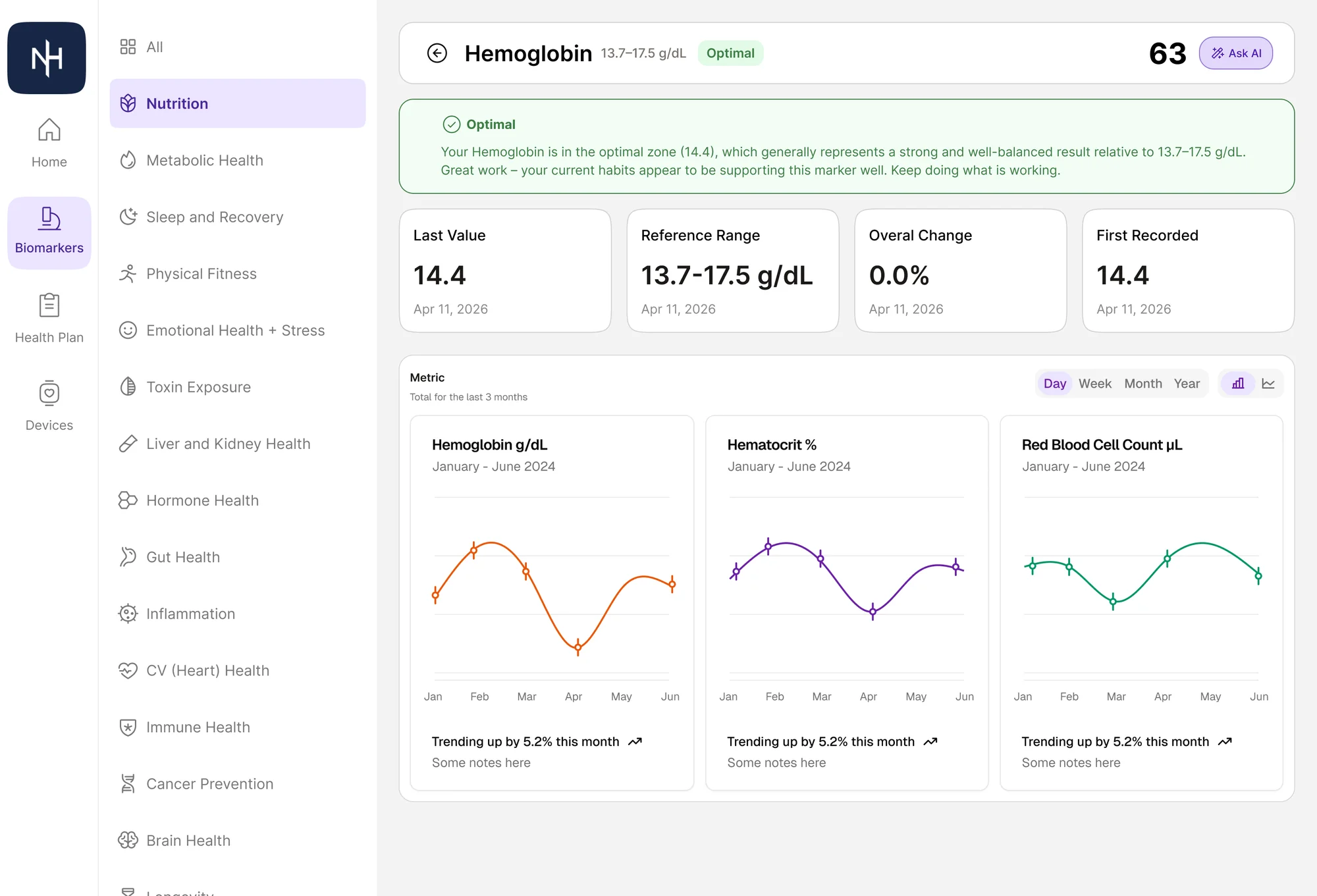
Drilling into a single biomarker reveals a three-stage chart progression. Members start with one focused metric, can layer in related metrics on the same axes, and finally switch into small multiples for direct comparison. Each step is opt-in.
AI alongside the data
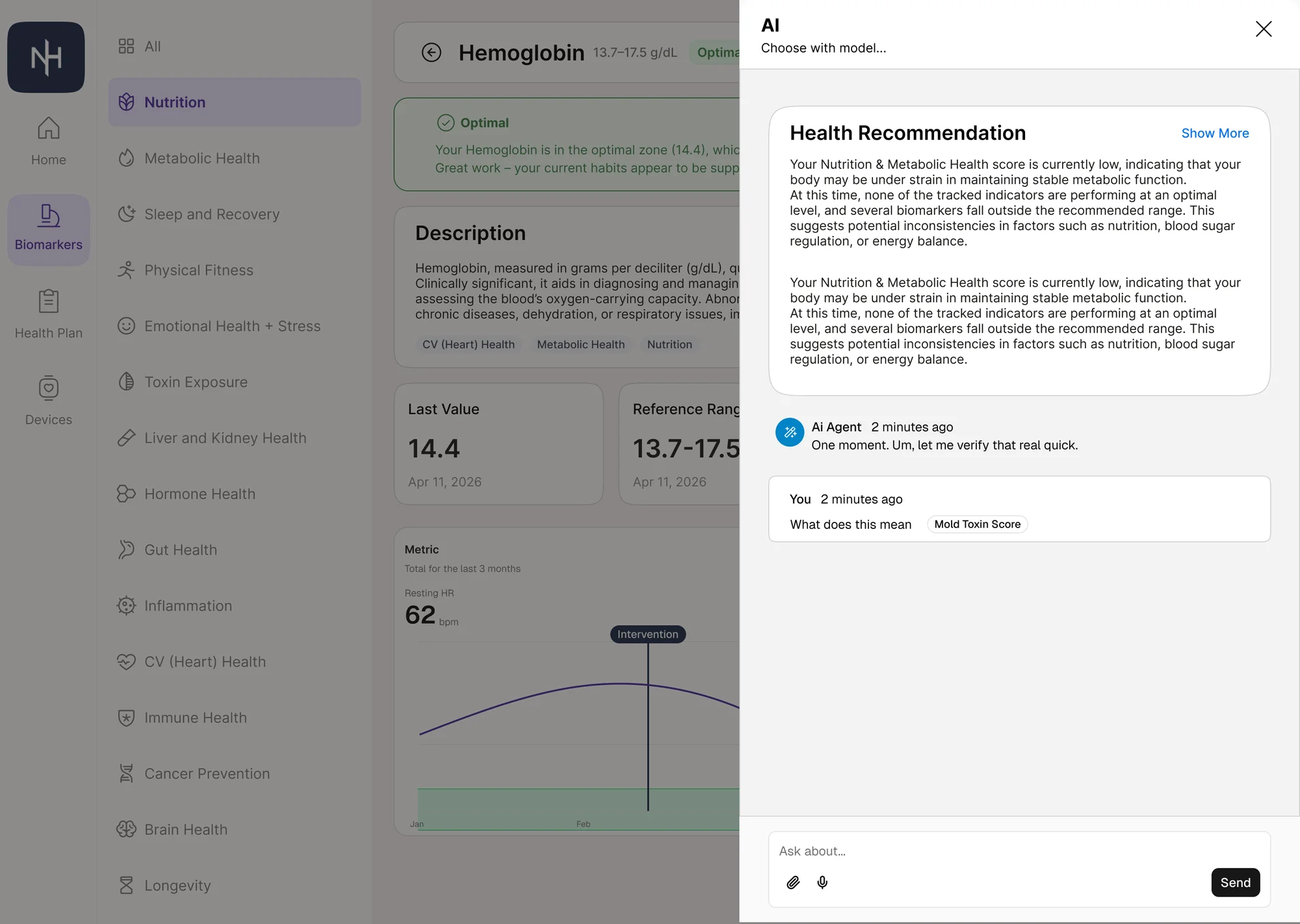
Assistant as a drawer
The AI assistant lives as a slide-in drawer so questions are answered in context. The chart, the lab values, and the conversation stay on screen together — no tab switching, no losing your place.
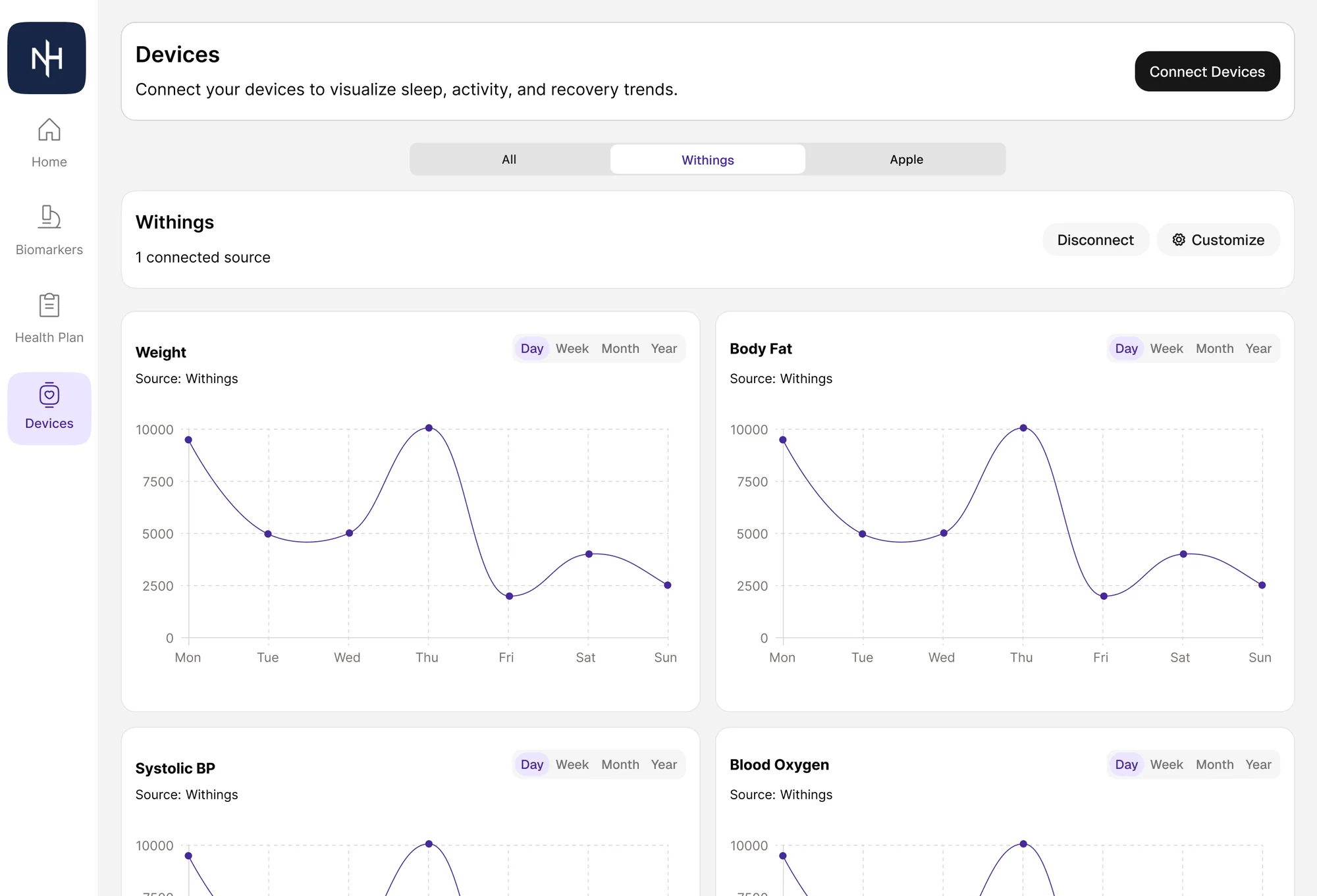
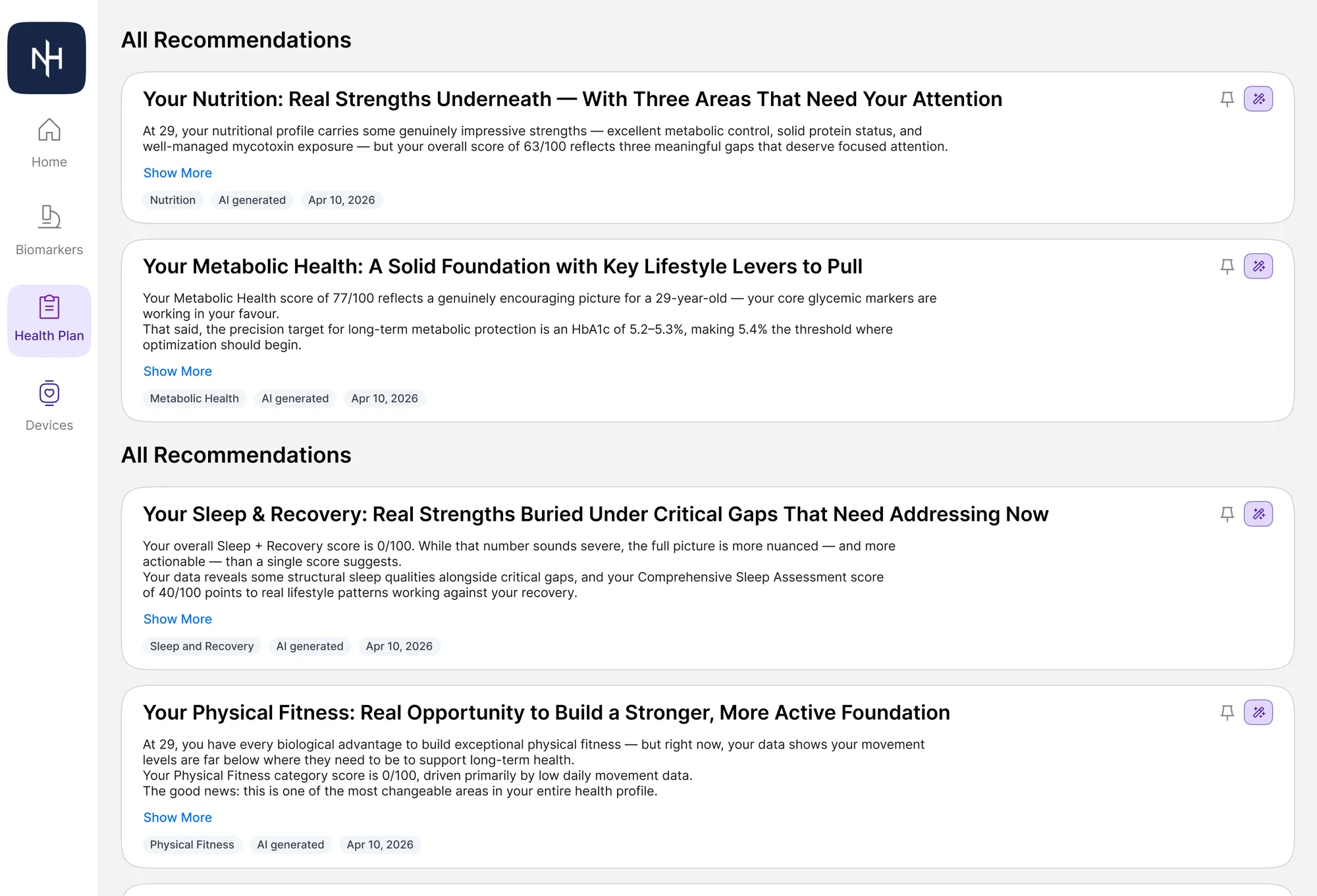
Recommendations as a feed
Long-form advice becomes a prioritized feed of cards, each tagged by category and leading with the action. The same intelligence is reshaped into something scannable.
Devices and personalization
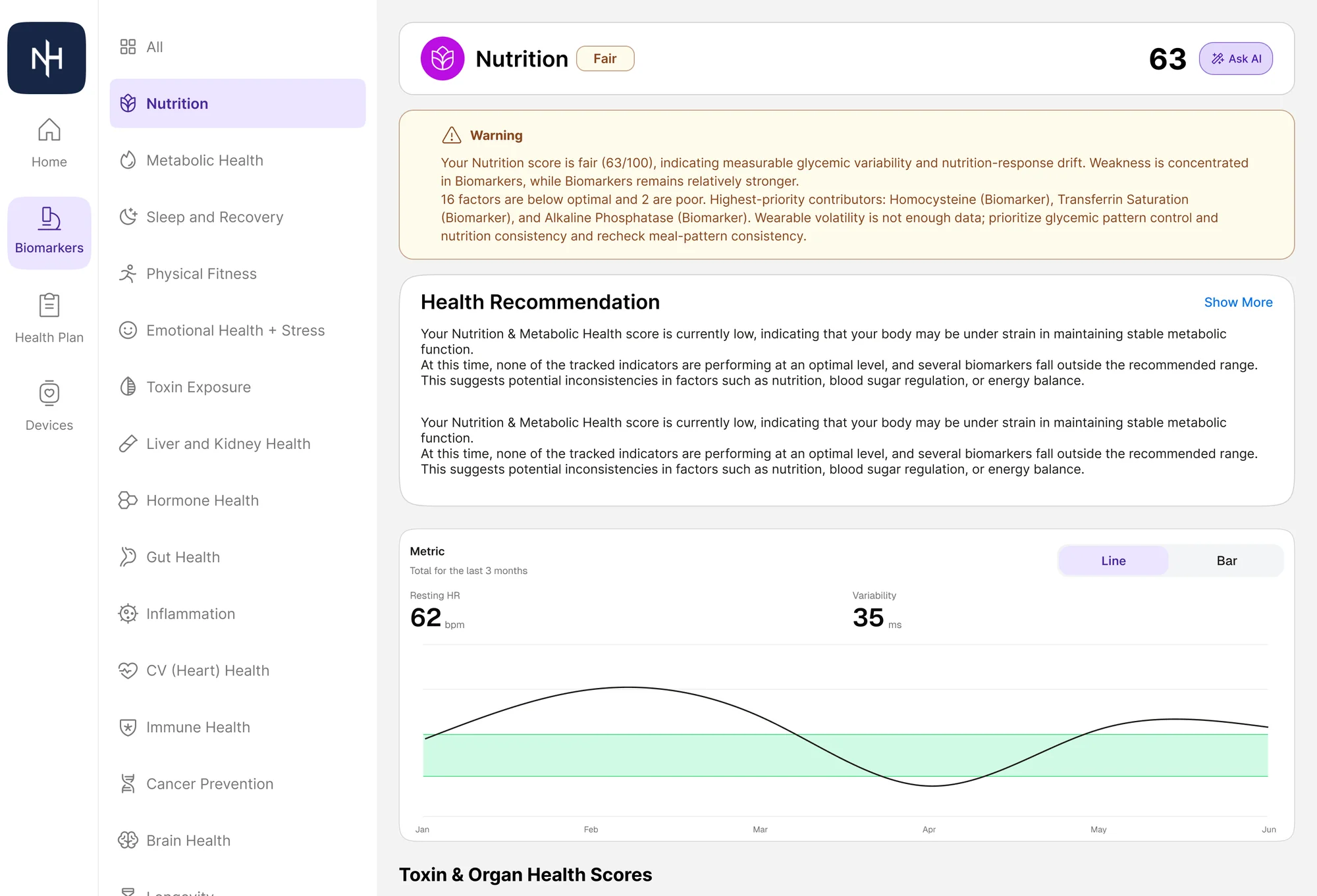
Devices in the same model
Wearable and device data flows into the same biomarker statuses, colour system, and drill-downs as the lab work. There's no separate device dashboard — there's just more data, expressed in the same language.
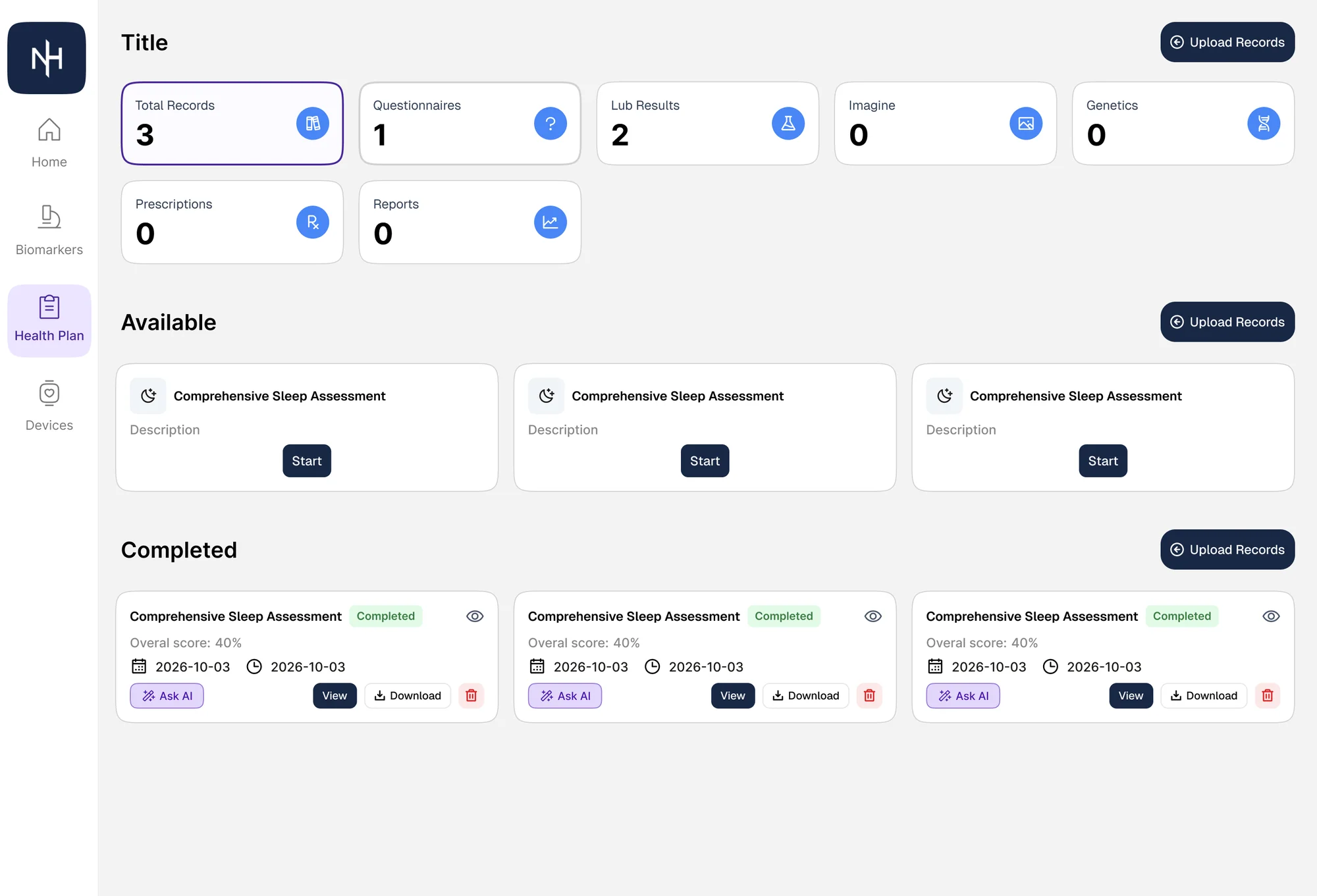
Opinionated by default, editable on demand
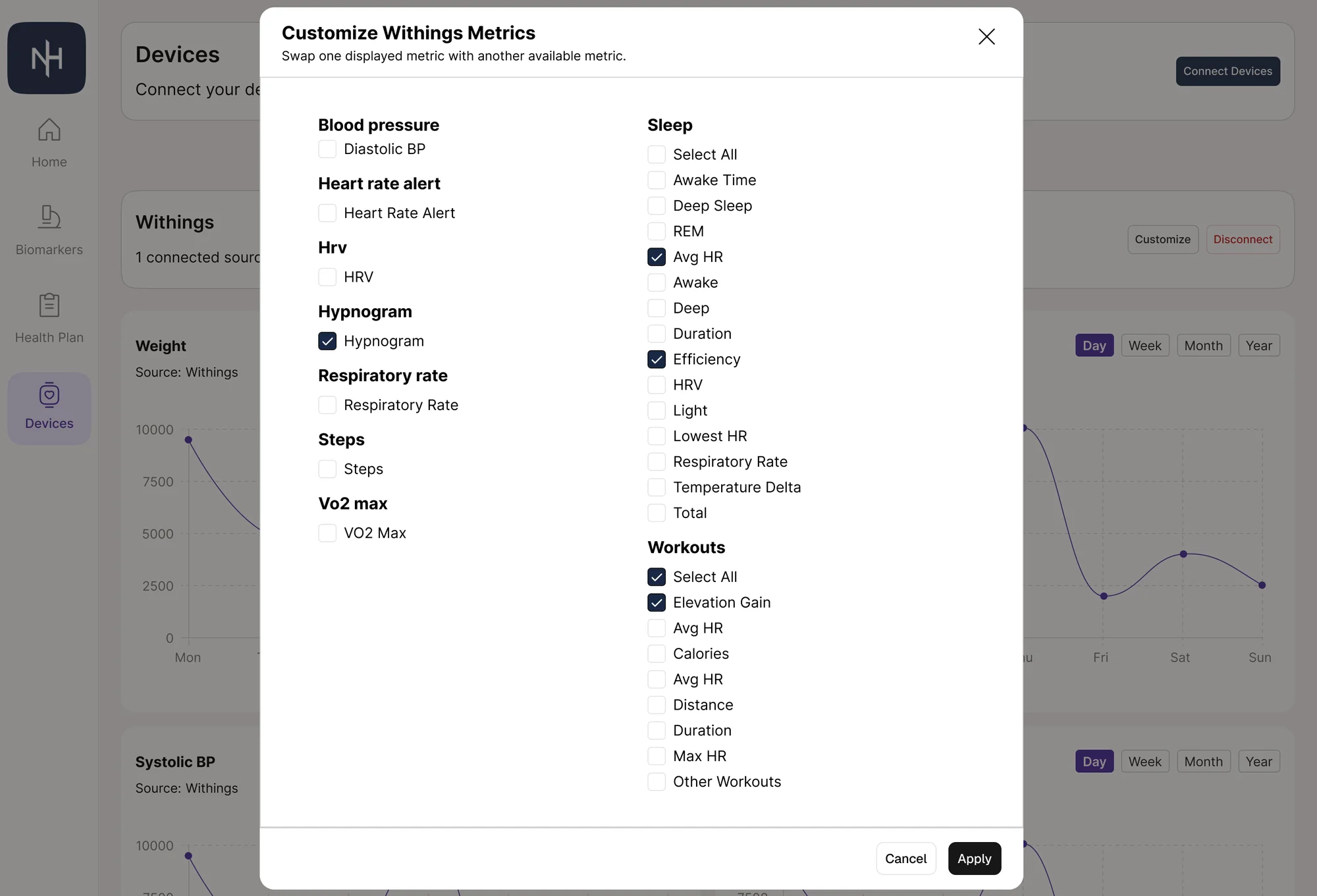
A customization modal lets members pin the widgets that matter to them, but the default arrangement is intentional. Personalization is a refinement layer, not a setup task.
Outcome
The redesigned NextHealth experience turns a thoughtful but illegible product into one that members can actually navigate. Recommendations are scannable, biomarkers are interpretable at a glance, and the AI assistant is wired directly into the data it's reasoning about.
What this work proved out
- Status semantics — colour, label, trend — make dense health data scannable
- A three-stage chart progression lets one screen serve both casual members and clinicians
- AI is most useful when it sits next to the data, not in a separate surface
- Opinionated defaults plus light personalization beats fully configurable dashboards