Marquis
Enterprise healthcare platform. B2B, responsive — clinical workflows.
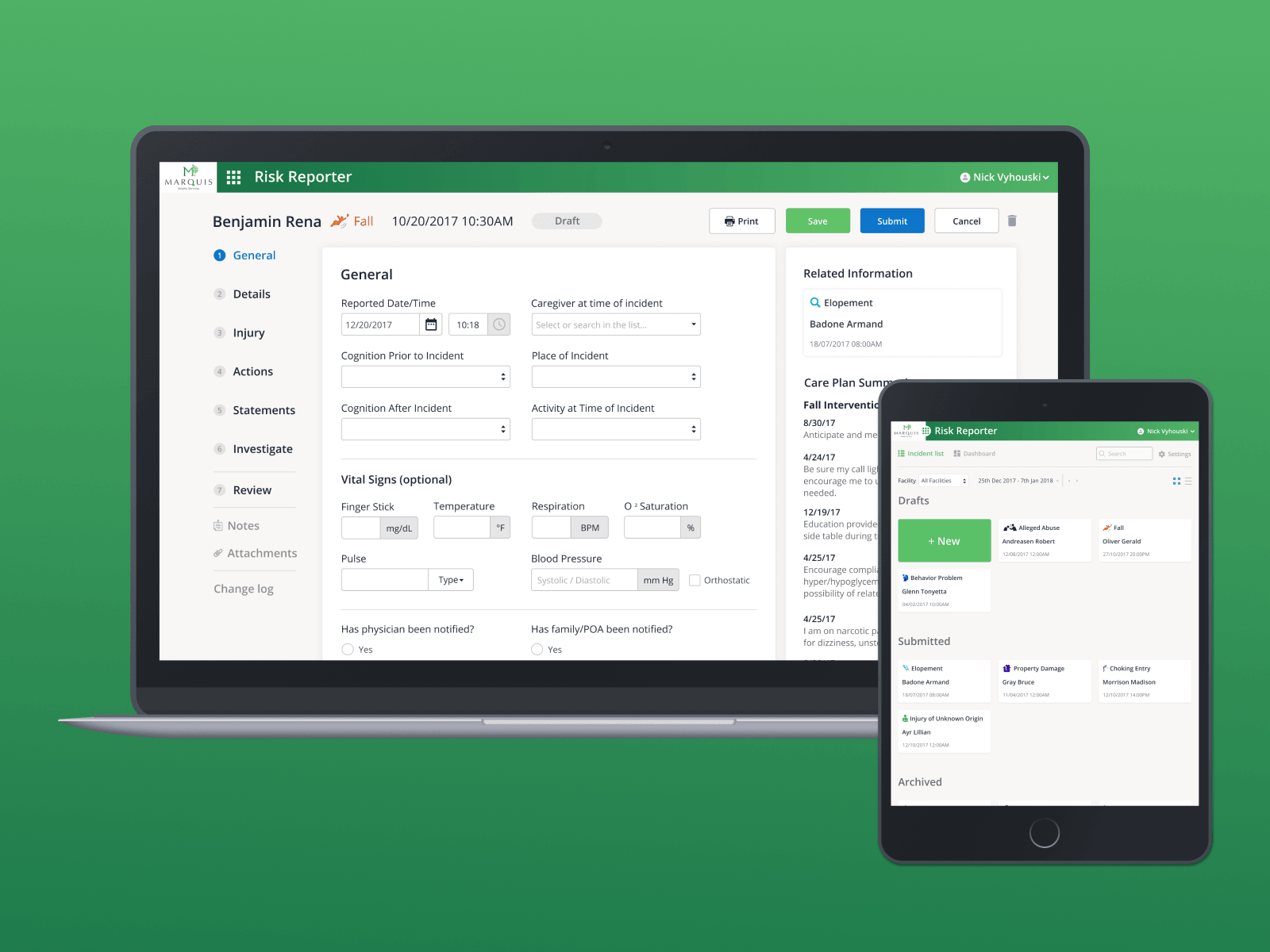
Marquis is an enterprise B2B healthcare platform — clinical workflows designed end-to-end across a fully responsive web application.
- 2019
- Senior Product Designer
Problem
Marquis is an enterprise healthcare platform serving clinical teams with a suite of operational modules — incident reporting, progress notes, and the workflows around them. The work shown here covers Risk Reporter, the named incident-reporting module, and the design-system foundation that made the broader platform possible. Senior Product Designer, 2019.
Sketching before screens
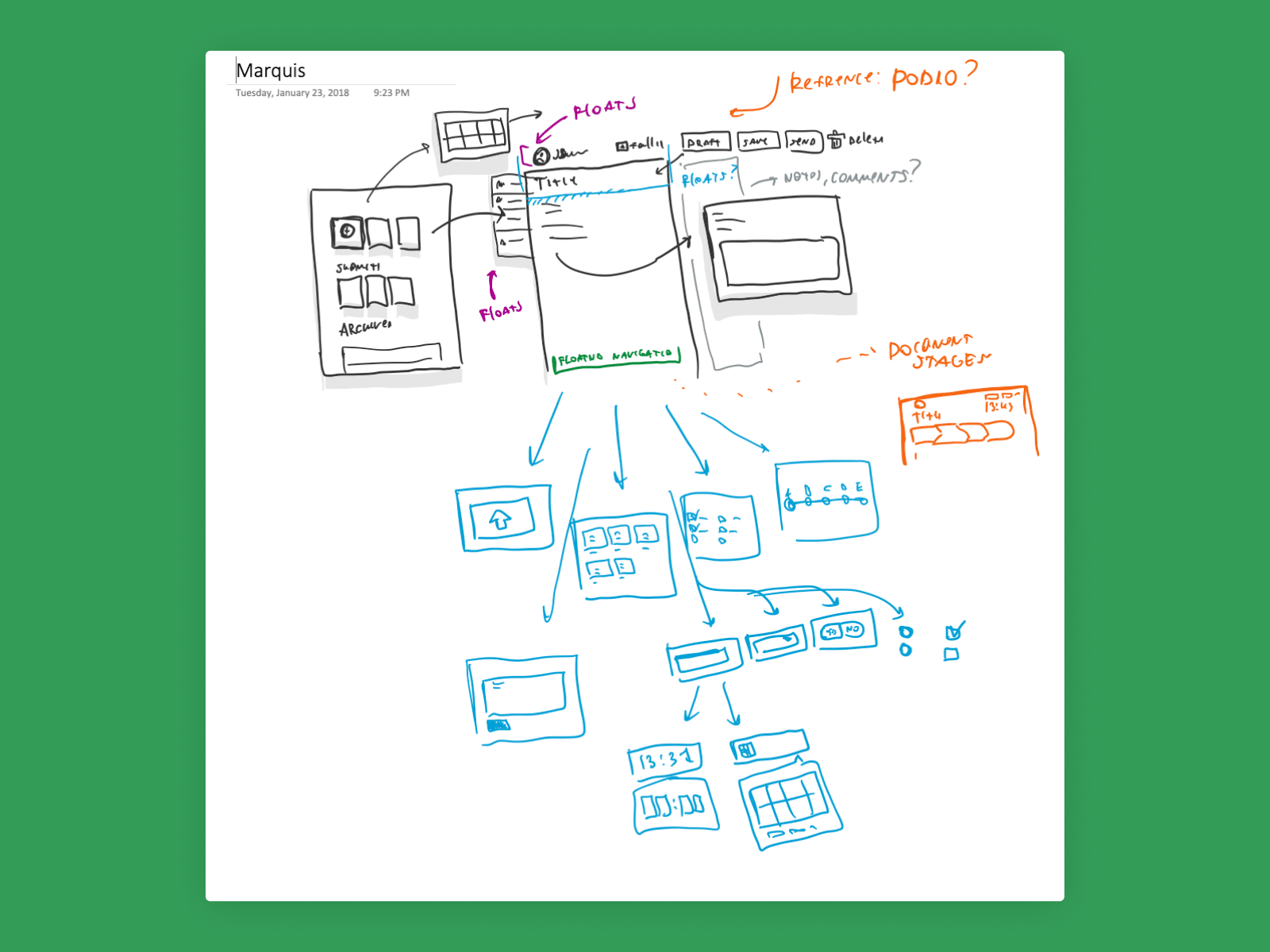
January 2018 whiteboard session. Three concept directions across the top, eight wireframe variations below. Clinical workflows have edge cases that only surface when you draw them — sketching forced the team to argue about the model before committing it to a tool.
First impression
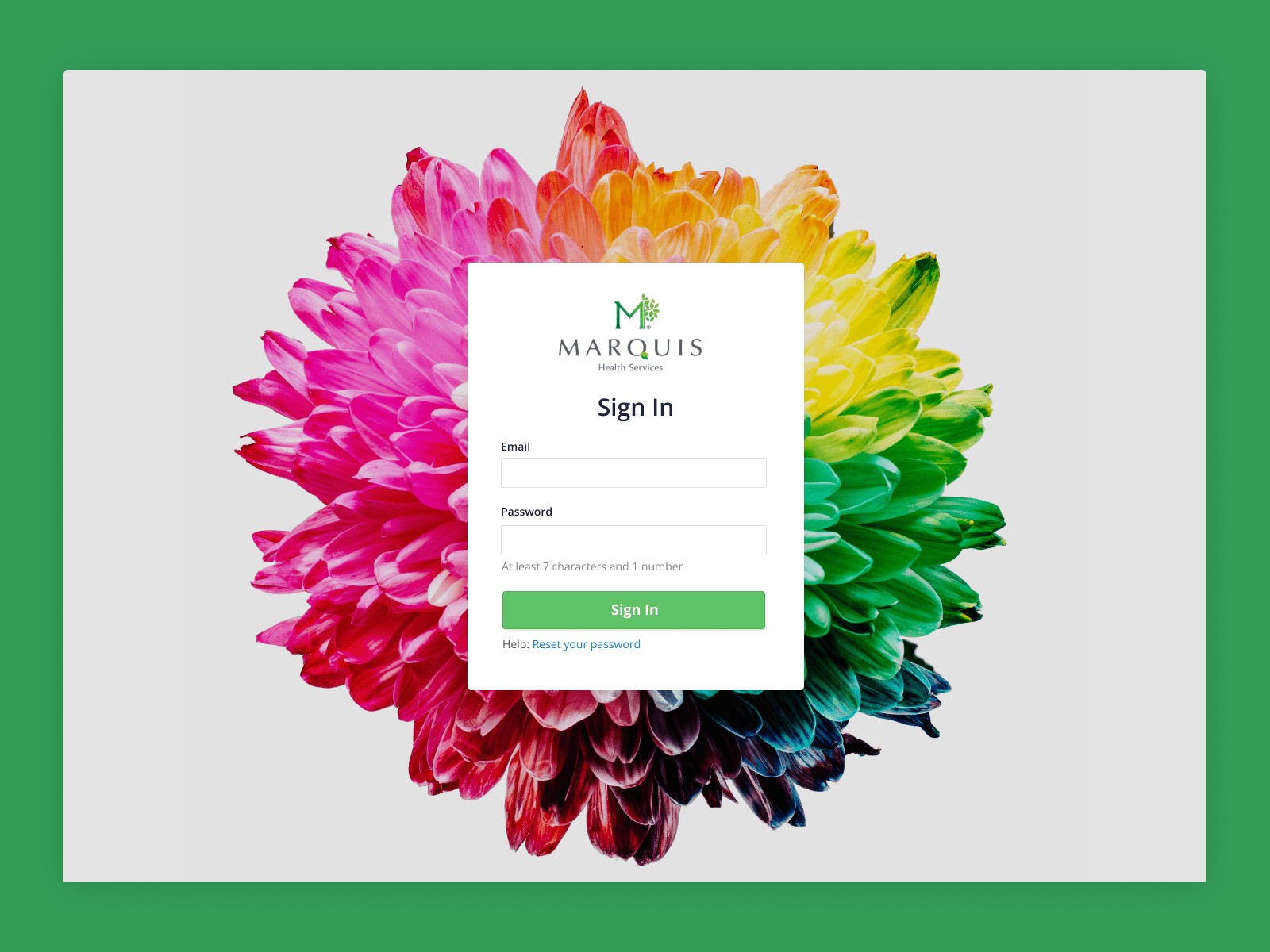
The sign-in is the first screen a clinician sees. A calm, branded entry point set the tone for what the rest of the platform would feel like — measured, considered, not noisy.
Approach
Risk Reporter, desktop
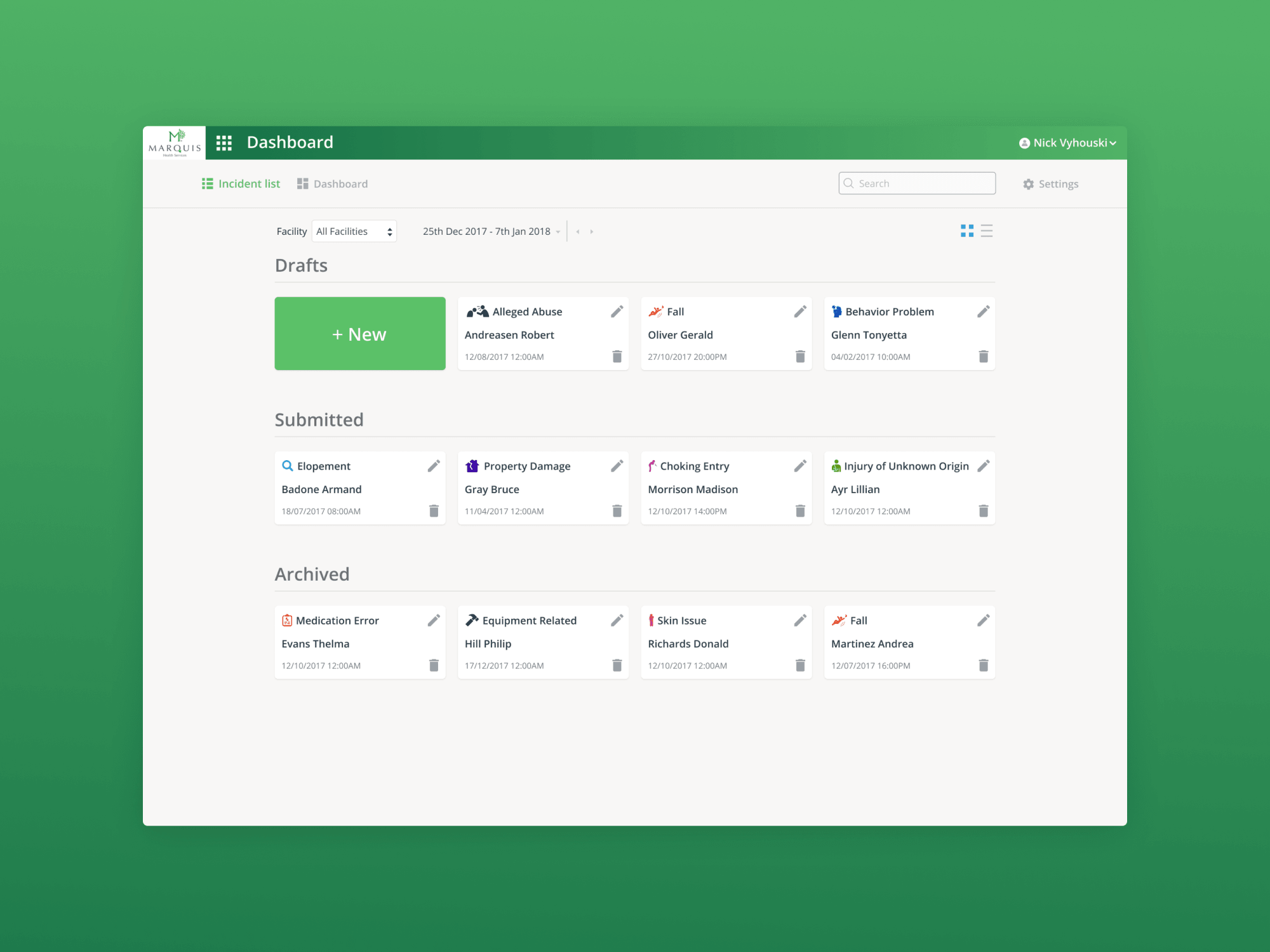
The incident list is the home base for Risk Reporter. Status, severity, dates, and assigned staff are visible at a glance so leadership can triage without drilling in. Density was tuned for clinical use — enough rows to be useful, not so dense that it became a spreadsheet.
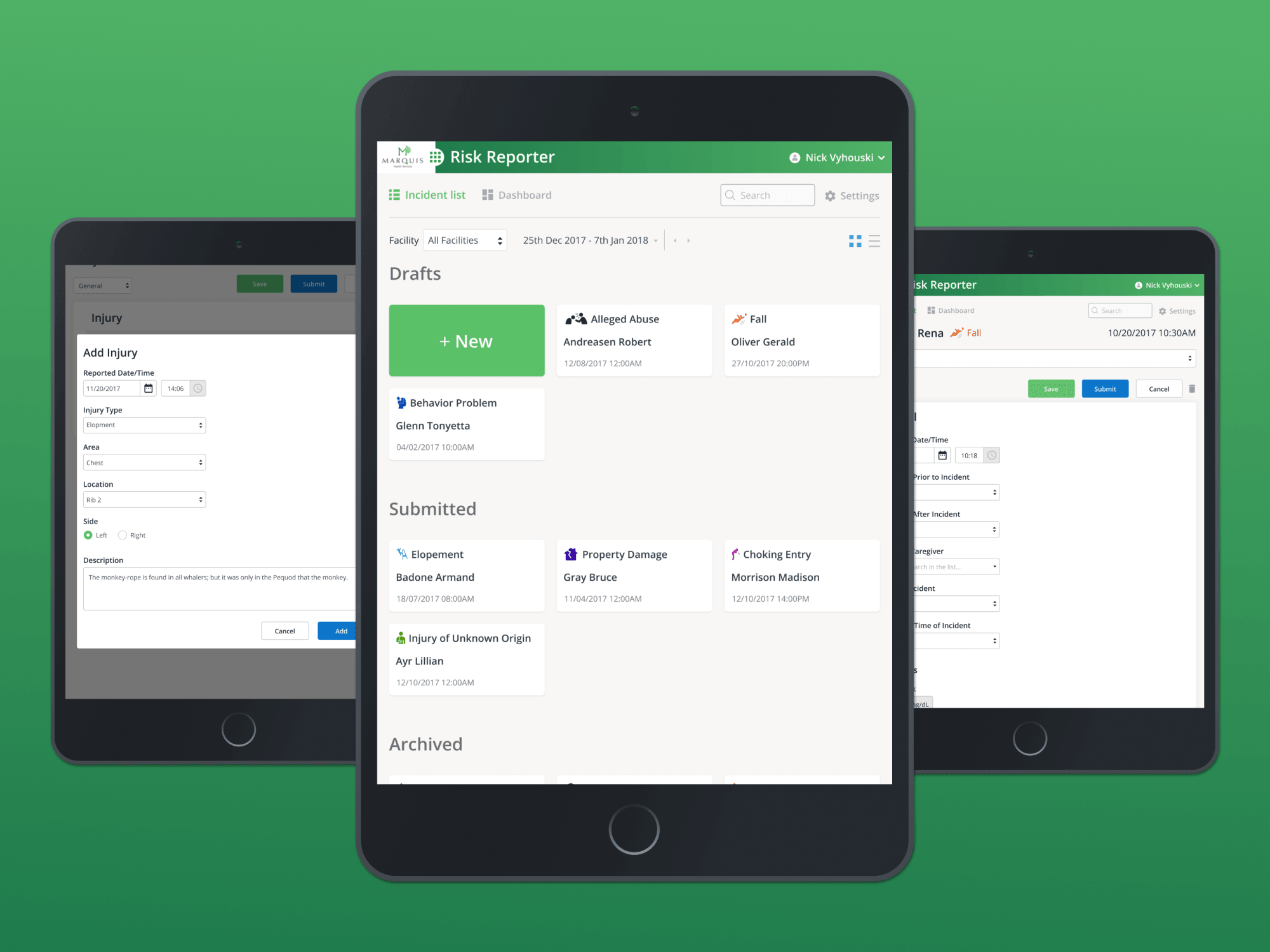
Risk Reporter, iPad
Clinical work happens on the floor, not always at a desk. The iPad layout kept the same hierarchy and the same patterns, reflowed for tablet ergonomics so a charge nurse could review or file an incident wherever they actually were.
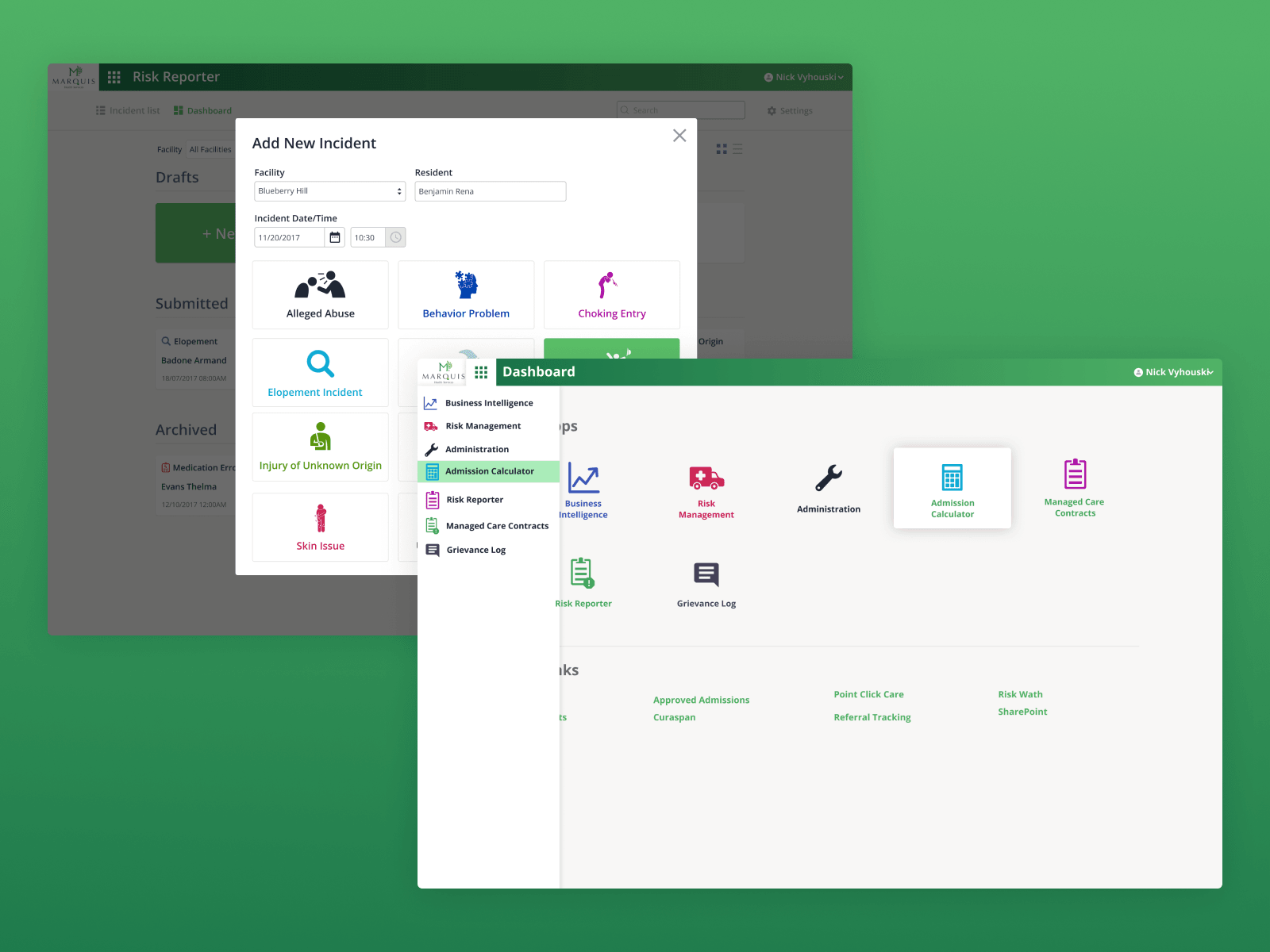
Entering the flow
Add New Incident is the entry point — a modal because reporting an incident is an interruption to the rest of the day, and the UI shouldn't pretend otherwise. The same screen surfaces the module launcher, making clear that Risk Reporter is one of several tools in the broader Marquis platform.
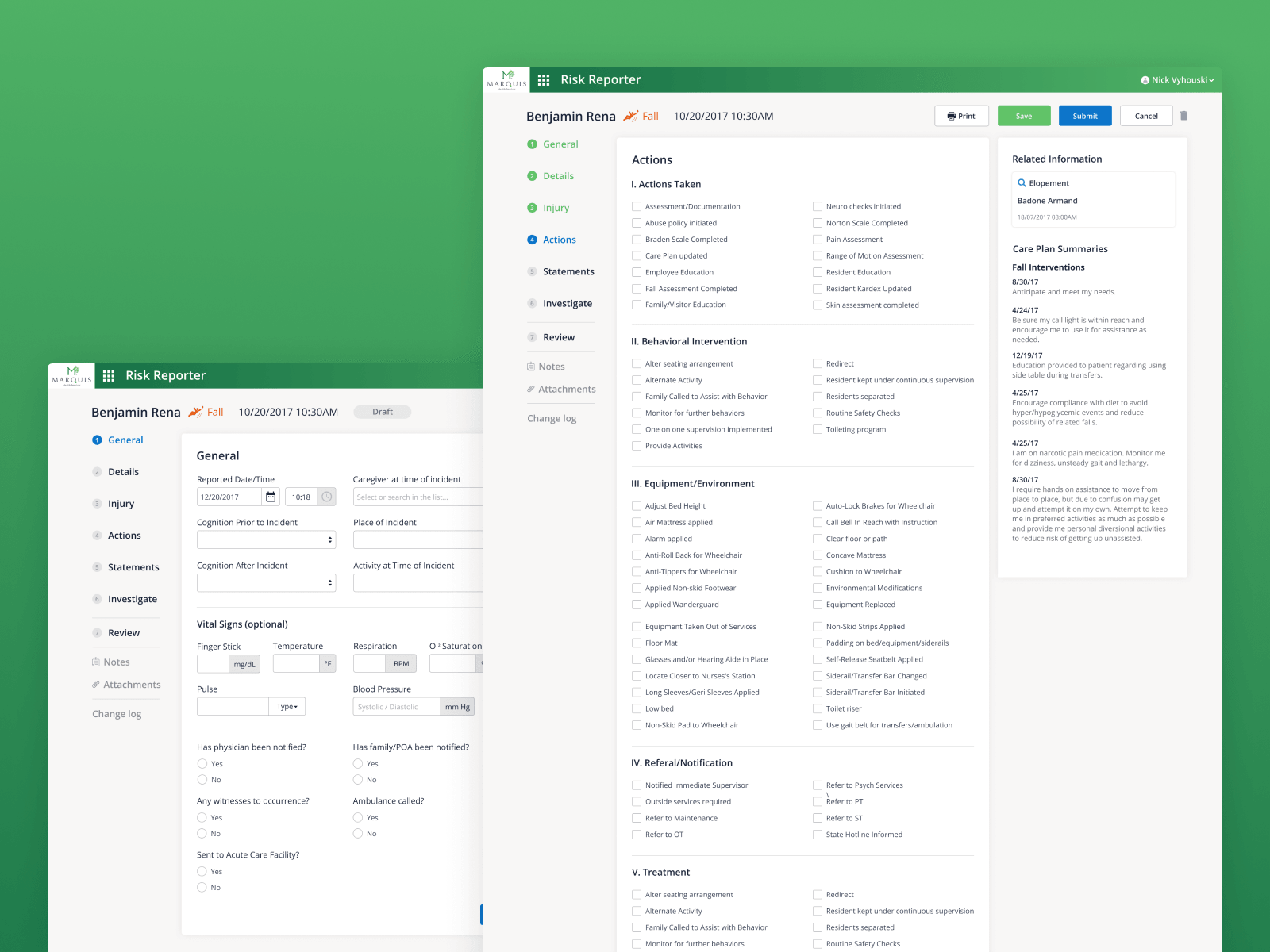
Depth without overwhelm
An incident has layers — General details, Actions taken, follow-ups, supporting evidence. Tabs split the depth so the page never became a mile-long form, and so each role could go straight to the section they're responsible for.
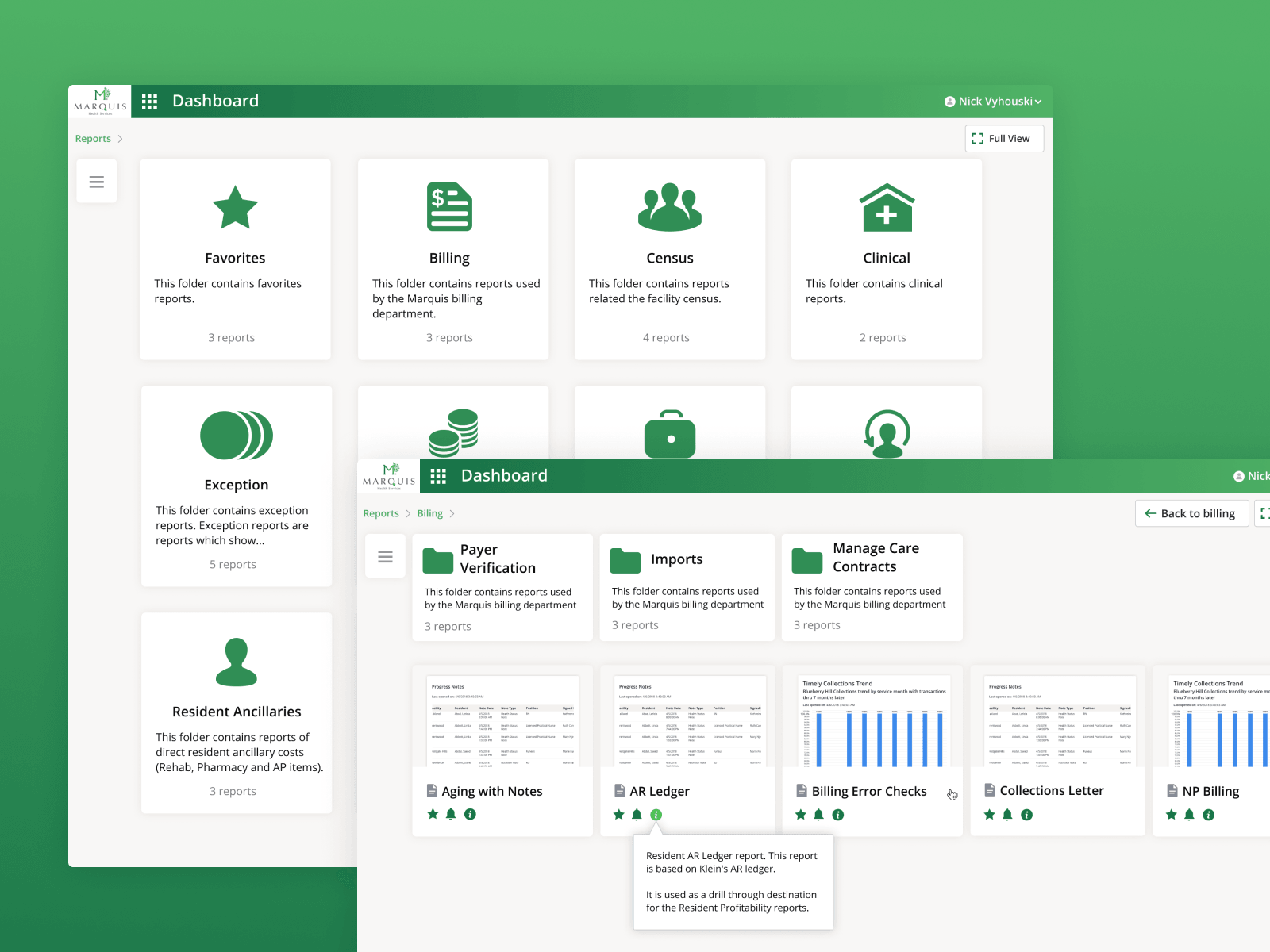
Where reports live
After capture, leadership needs to find things. The Reports library uses a folder model that mirrors how clinical teams already organize work — by unit, by shift, by reporting period — instead of imposing a new mental model on top of an existing one.
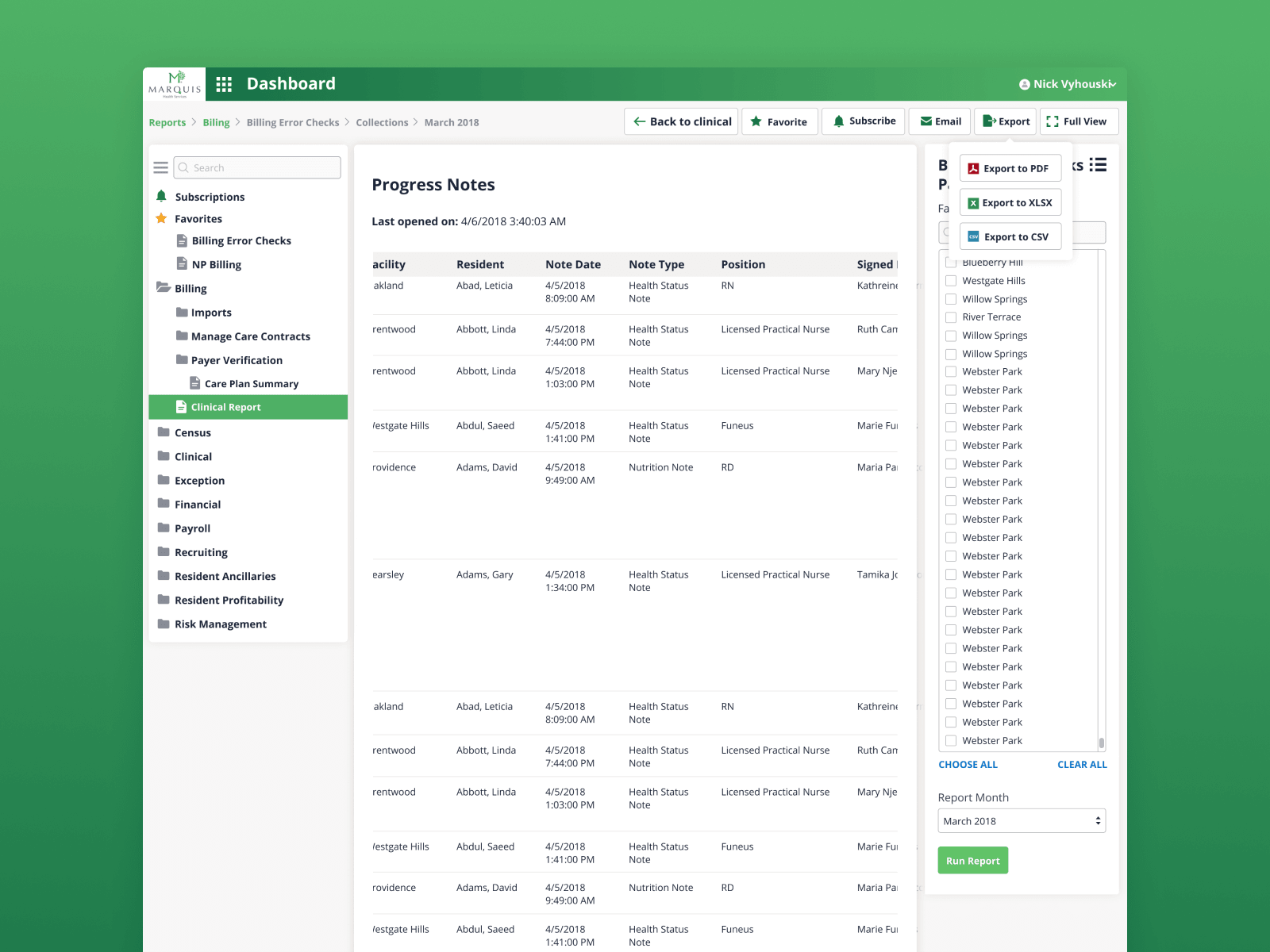
What the data becomes
Progress Notes is one of the outputs the upstream forms feed. Designing the report alongside the form kept the input fields honest — every field had to earn its place by showing up somewhere useful downstream.
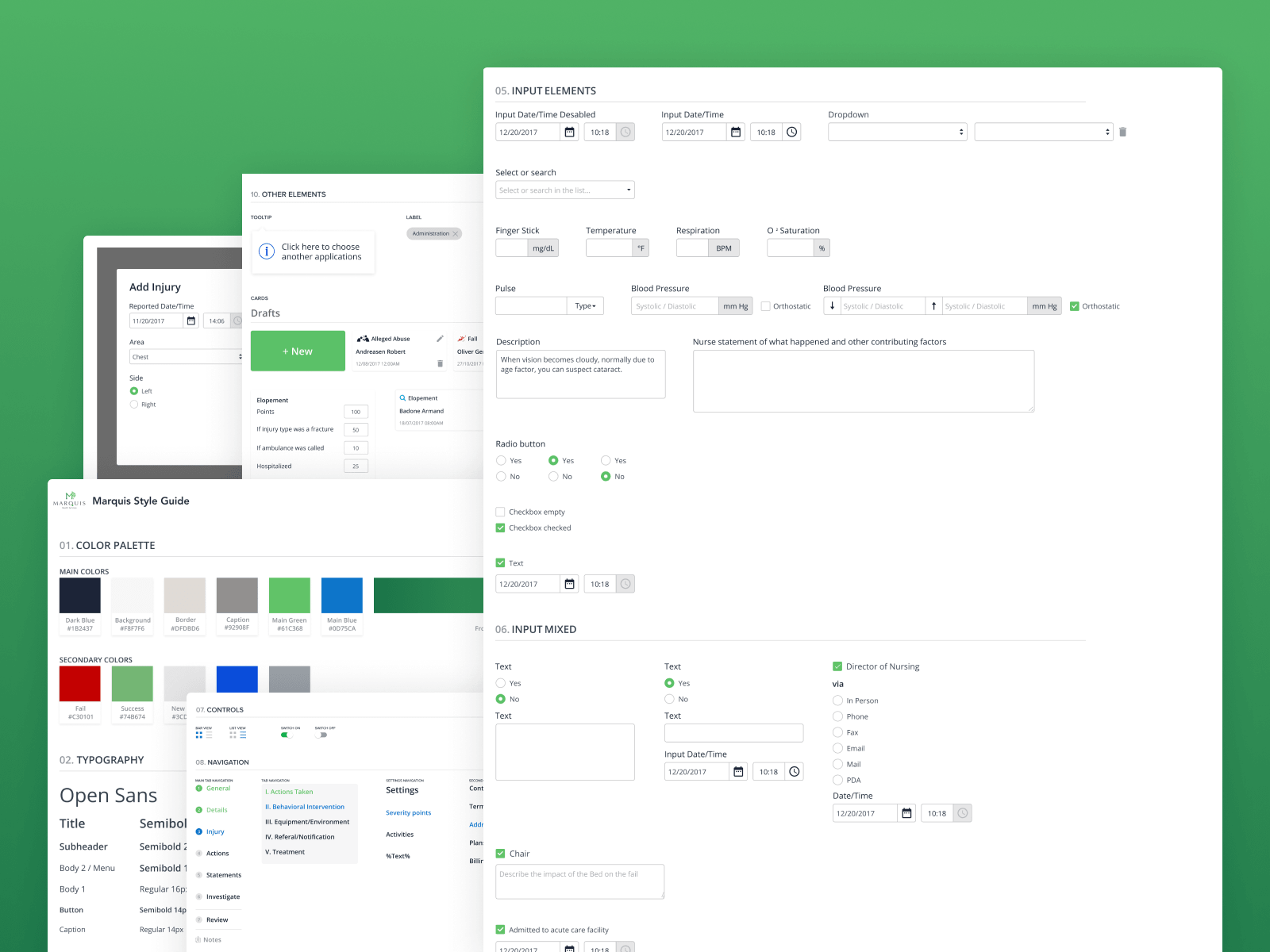
The style guide
Type ramp, color, spacing, elevation, iconography — documented so the product could grow without drifting. With multiple modules in flight, this was the artifact that kept the work coherent across teams and releases.
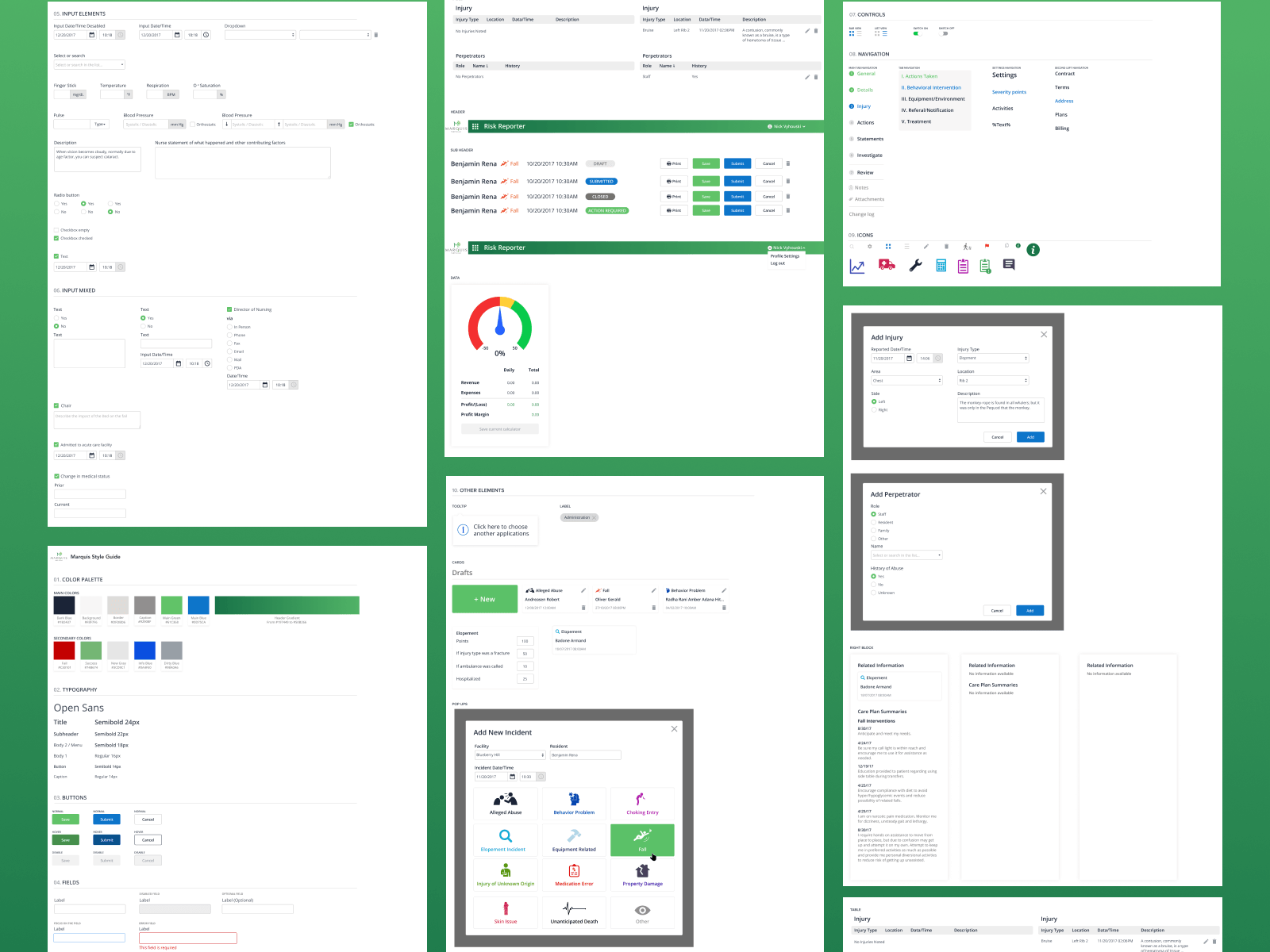
The component library
Form fields, buttons, tabs, modals, table rows — packaged so engineering could build new screens without re-deriving patterns. The same rigor that produced Risk Reporter became the substrate every next module was built on.