TaxAct
B2C tax software. Built the design system foundation and the WYSIWYG editor.
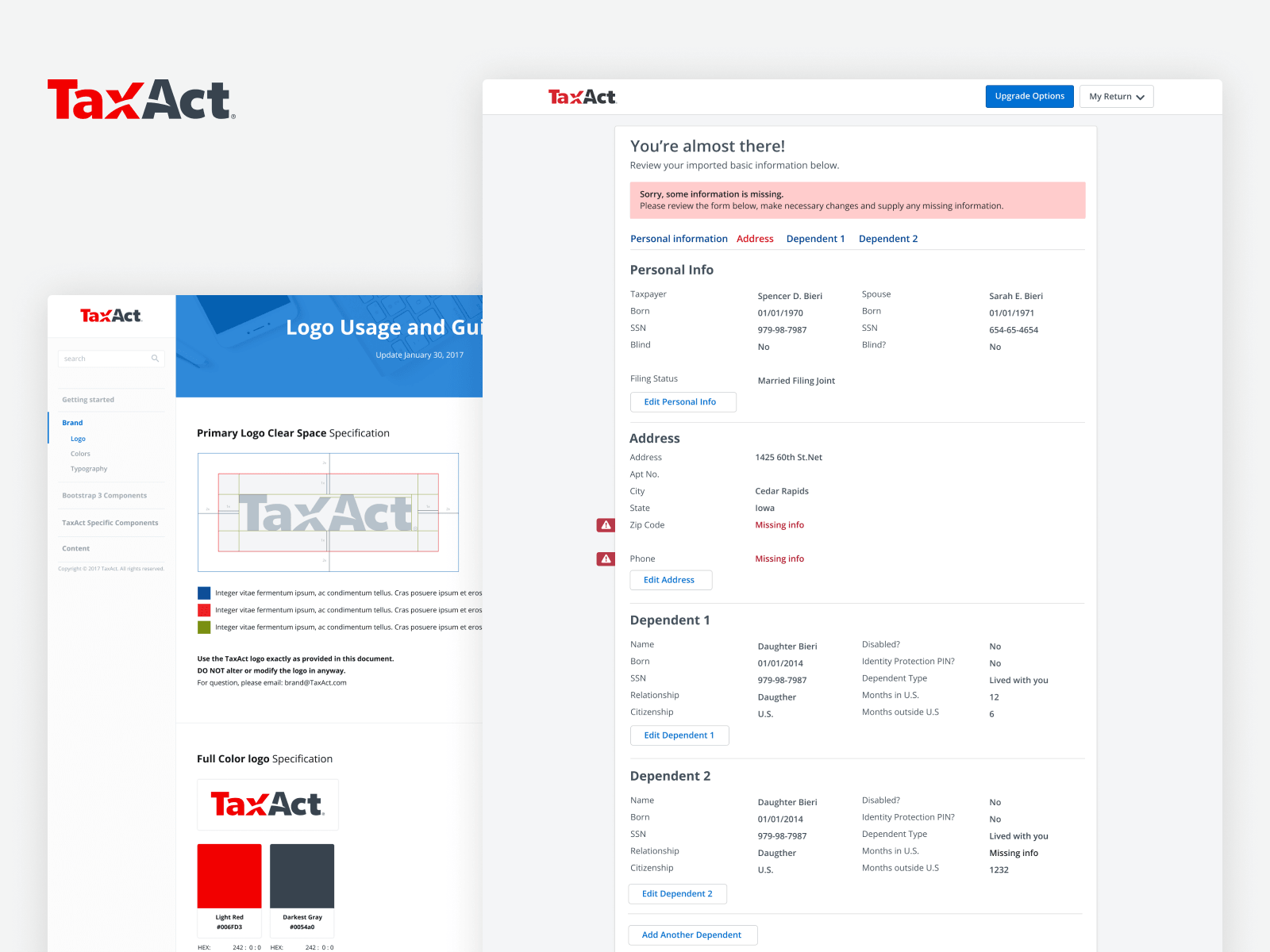
TaxAct helps individuals and businesses prepare and file taxes. I built the design system foundation and designed the WYSIWYG editor for their consumer and business products.
- 2017–2018
- Senior Product Designer
- TaxAct
Two foundations, one role
TaxAct hired me to do two jobs in parallel: stand up a real design system for a sprawling B2C tax product, and design the WYSIWYG editor the content team would use to author tax questions inside it. The system gave the product a coherent surface. The editor let non-designers extend it without breaking it.
Framing on paper first
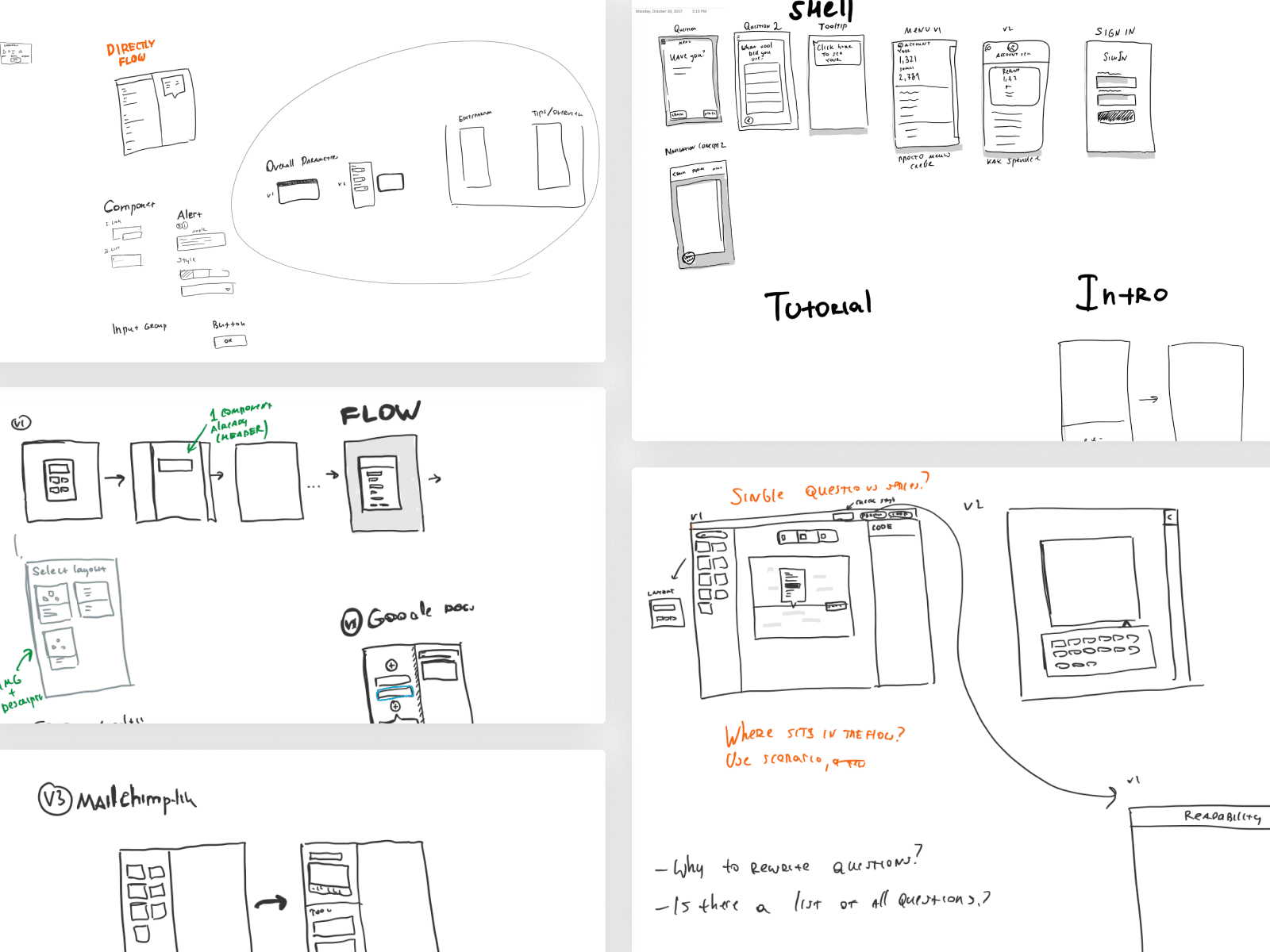
Before anything entered Sketch, the problem got pinned to a wall: SHELL, TUTORIAL/INTRO, FLOW, and Single Question. Working through it in pen kept the conversation about structure — what a tax interview actually is — instead of pixels.
Mapping who walks in the door
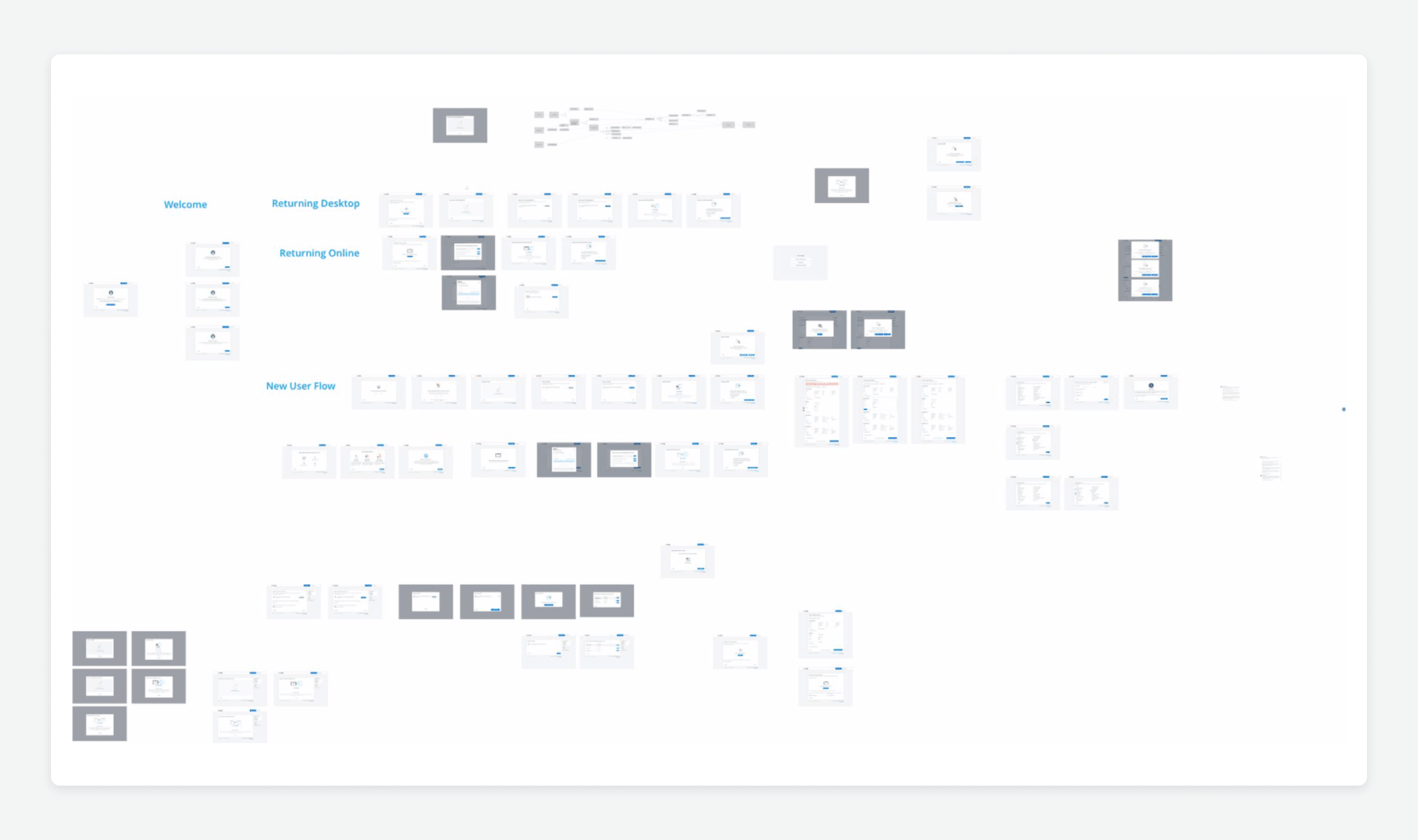
Returning desktop, returning online, and brand-new filers don't experience the same product. The flow map separated those journeys so the system and the editor could account for each entry point instead of pretending one welcome screen served everyone.
Setting the visual floor
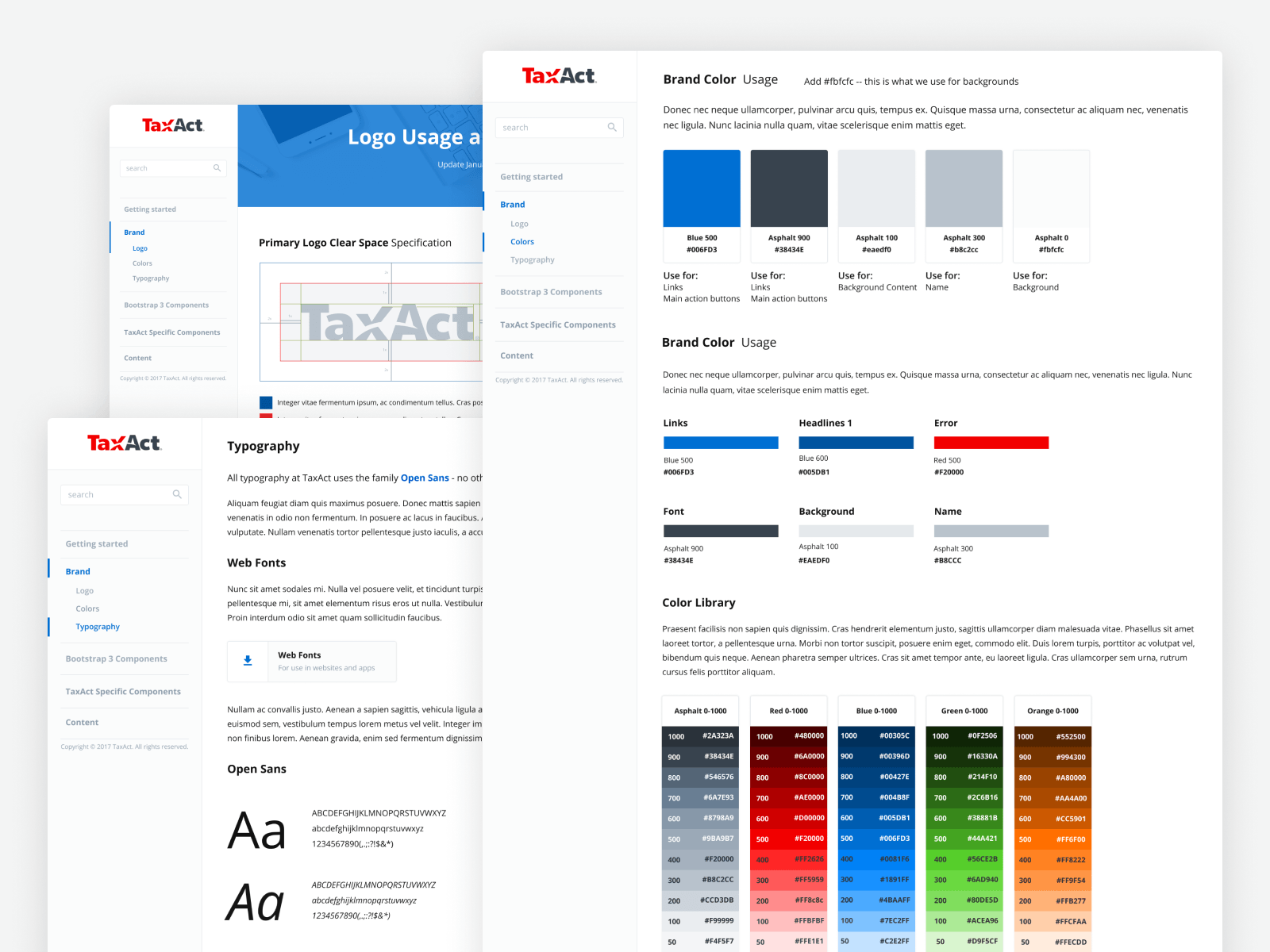
Logo, color, and type came first because every downstream decision rides on them. A constrained palette and a clear type ramp gave engineering and content teams a small set of rules they could actually hold in their heads.
Components, specified
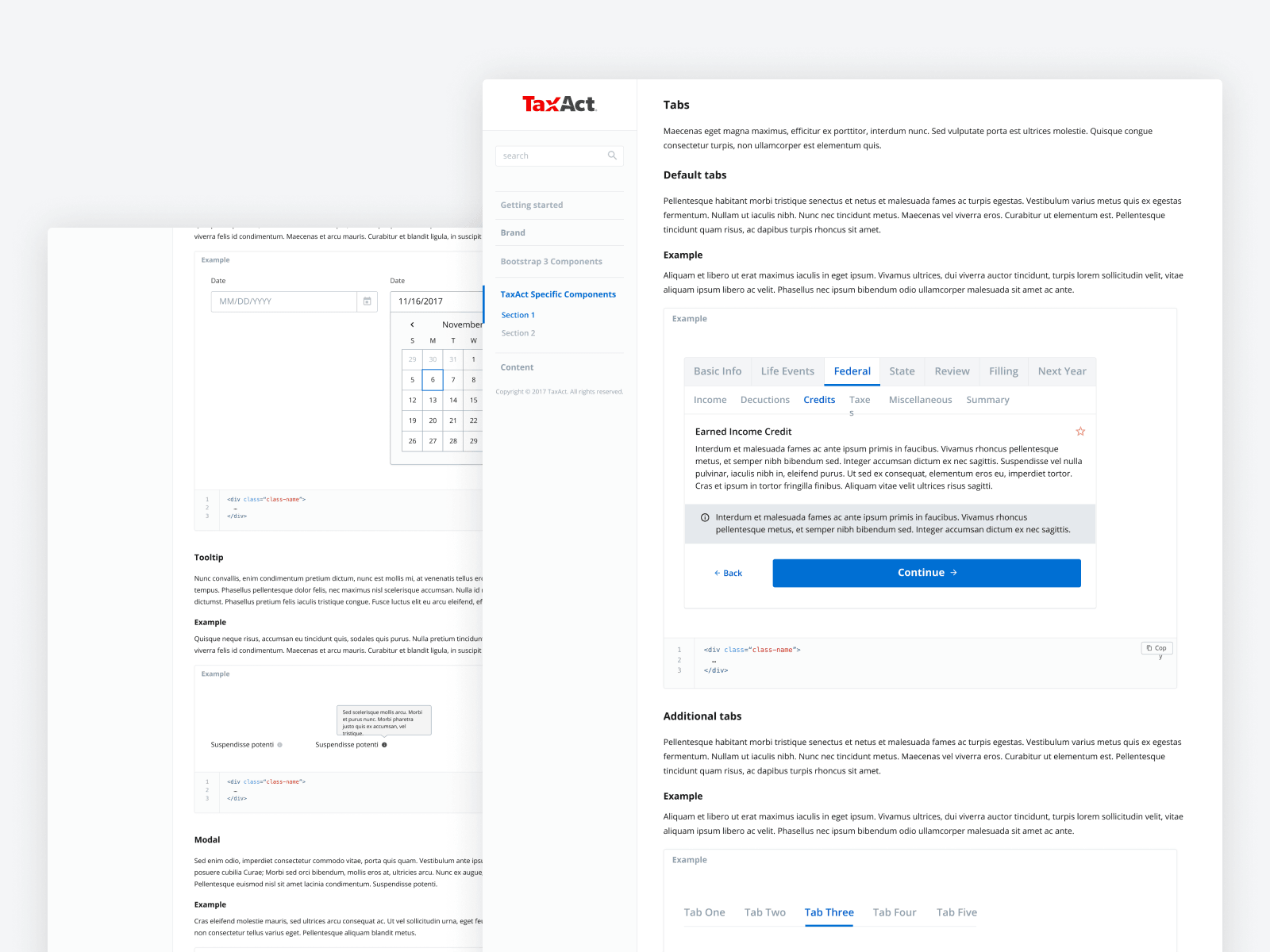
Tabs, tooltips, date pickers — each one shipped with states, anatomy, and spacing called out. The specs were written for the engineers building the system and the content designers using the editor, so both sides spoke the same vocabulary.
Import and onboarding
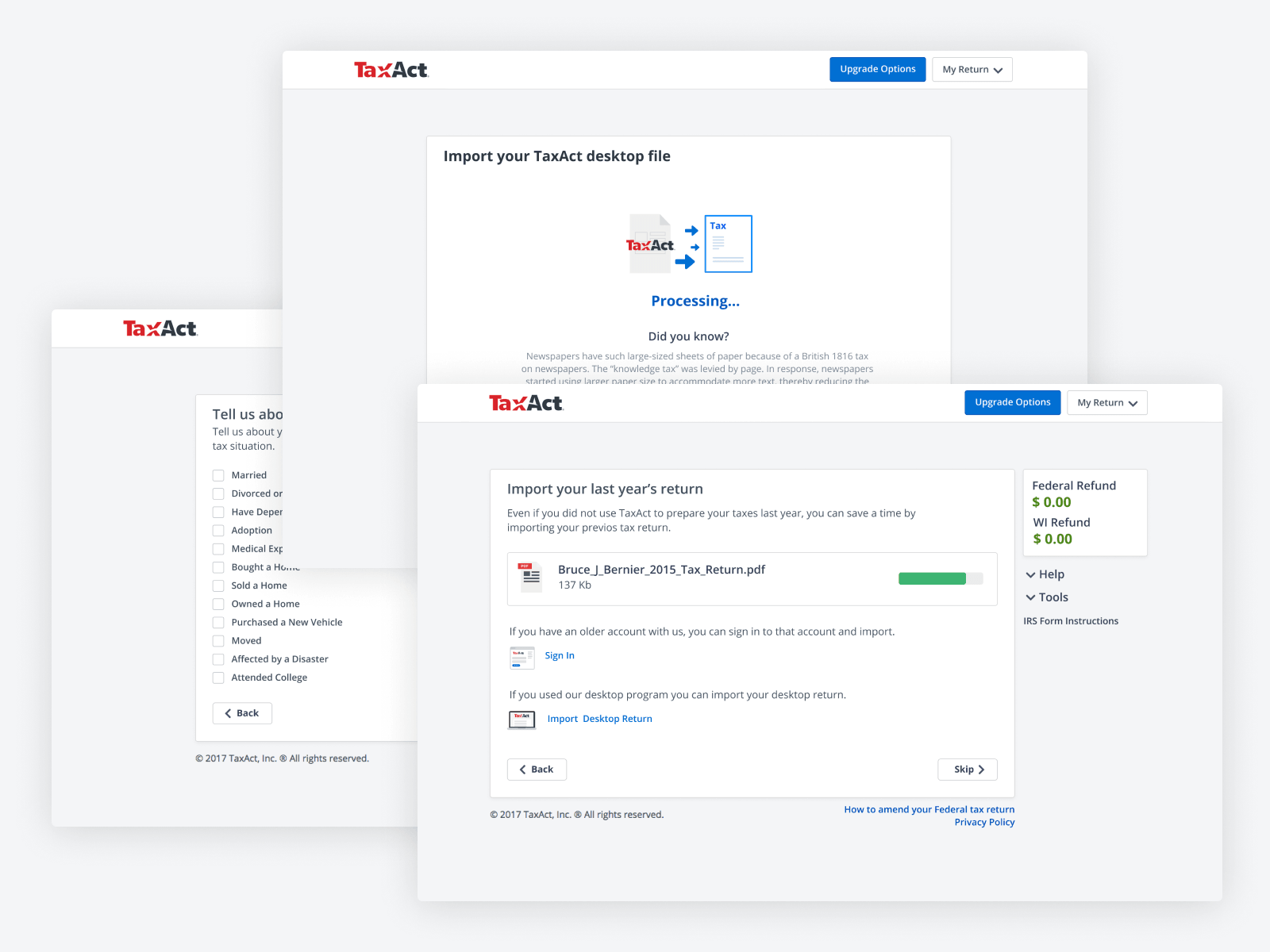
Layering the import screens surfaced the moments where filers drop off — confirming prior-year data, choosing what to bring forward, picking a starting point. Treating it as a flow rather than a single screen kept those decisions small.
The review screen earns its keep
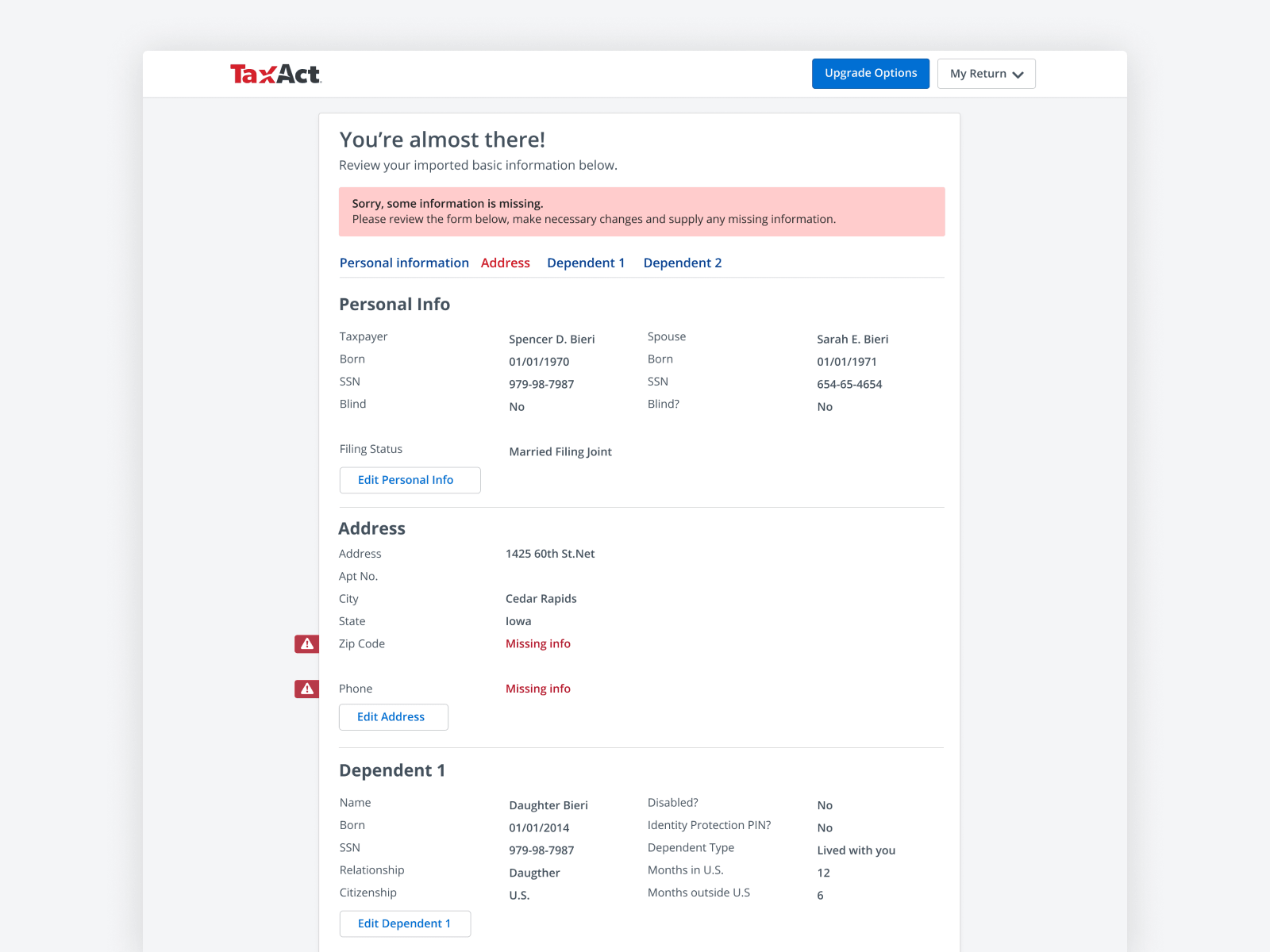
This is the product-thinking moment of the project. Tax software lives or dies at review: errors and missing info had to be readable at a glance, prioritized, and fixable inline. The screen treats every flag as a job-to-be-done rather than a red badge, which is what separates a return that gets filed from one that gets abandoned.
The editor's palette
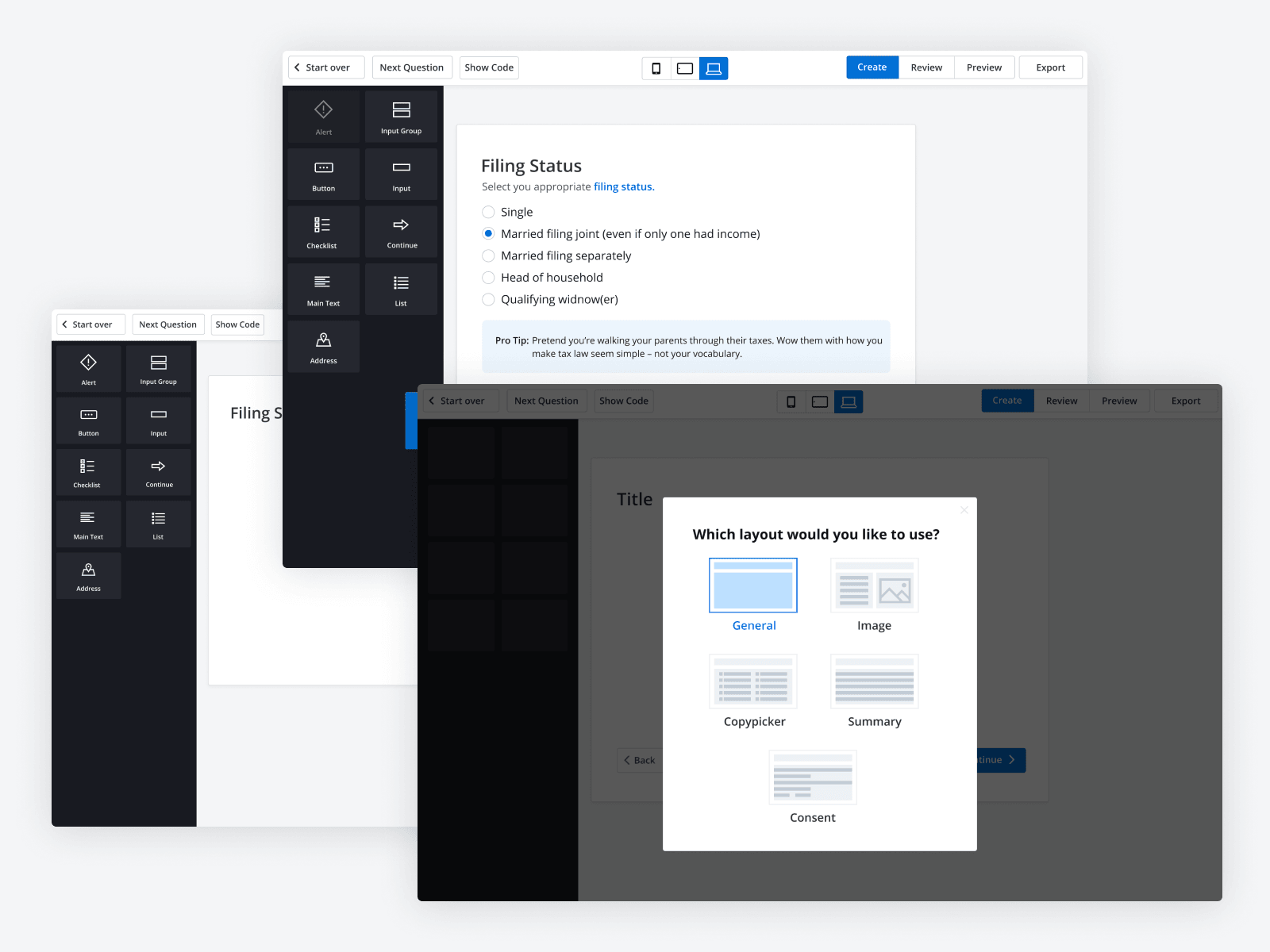
The editor needed to feel like a real authoring tool, not a CMS form. A component palette and a 'Which layout?' picker meant content designers could compose a tax question from system pieces — and the result was guaranteed to use the same components engineering had already shipped.
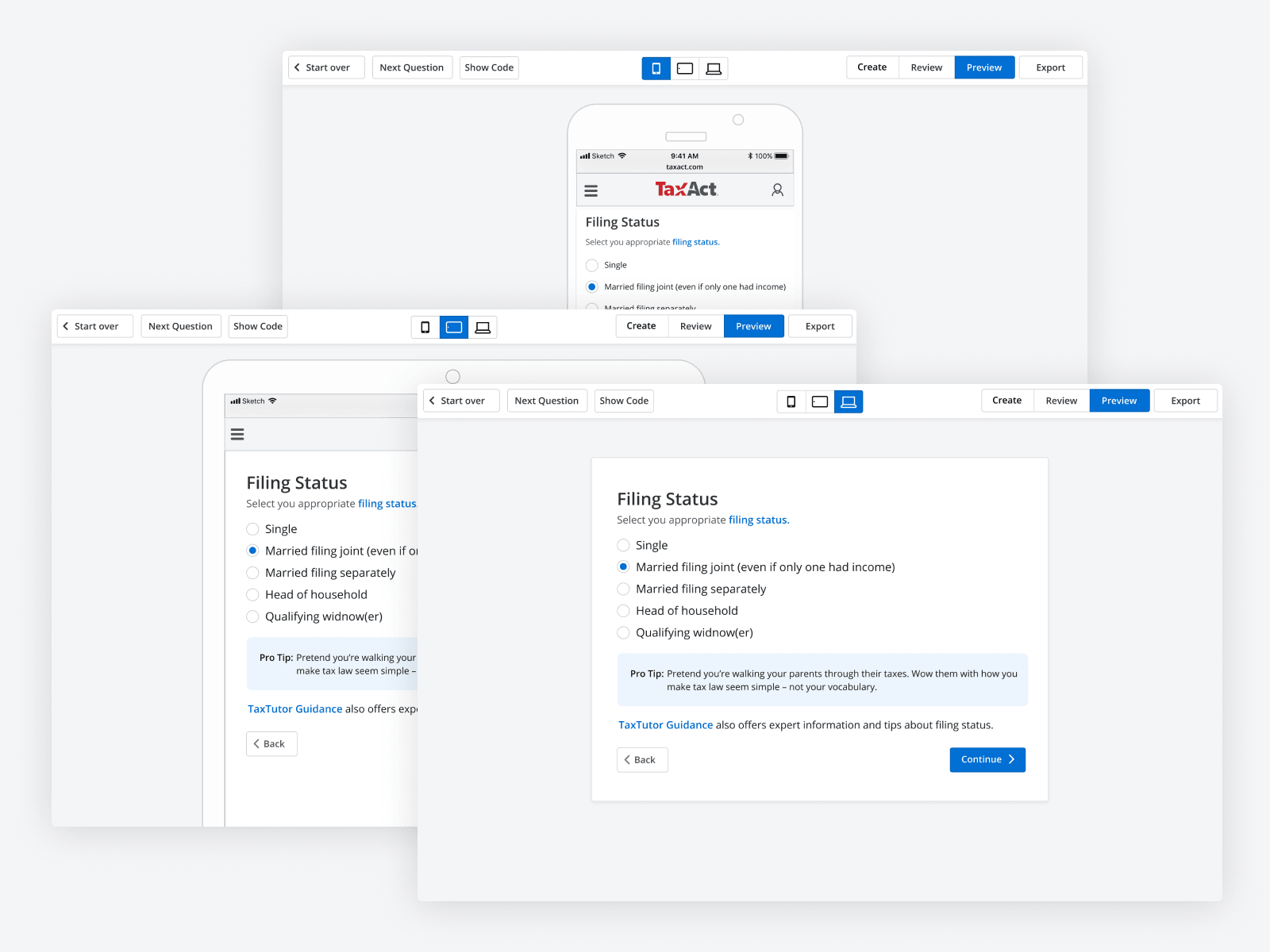
Preview across breakpoints
Authoring once and previewing at mobile, tablet, and desktop closed the gap between writing a question and seeing how a filer would actually meet it. It also killed an entire class of 'looks fine on my laptop' bugs before they reached QA.
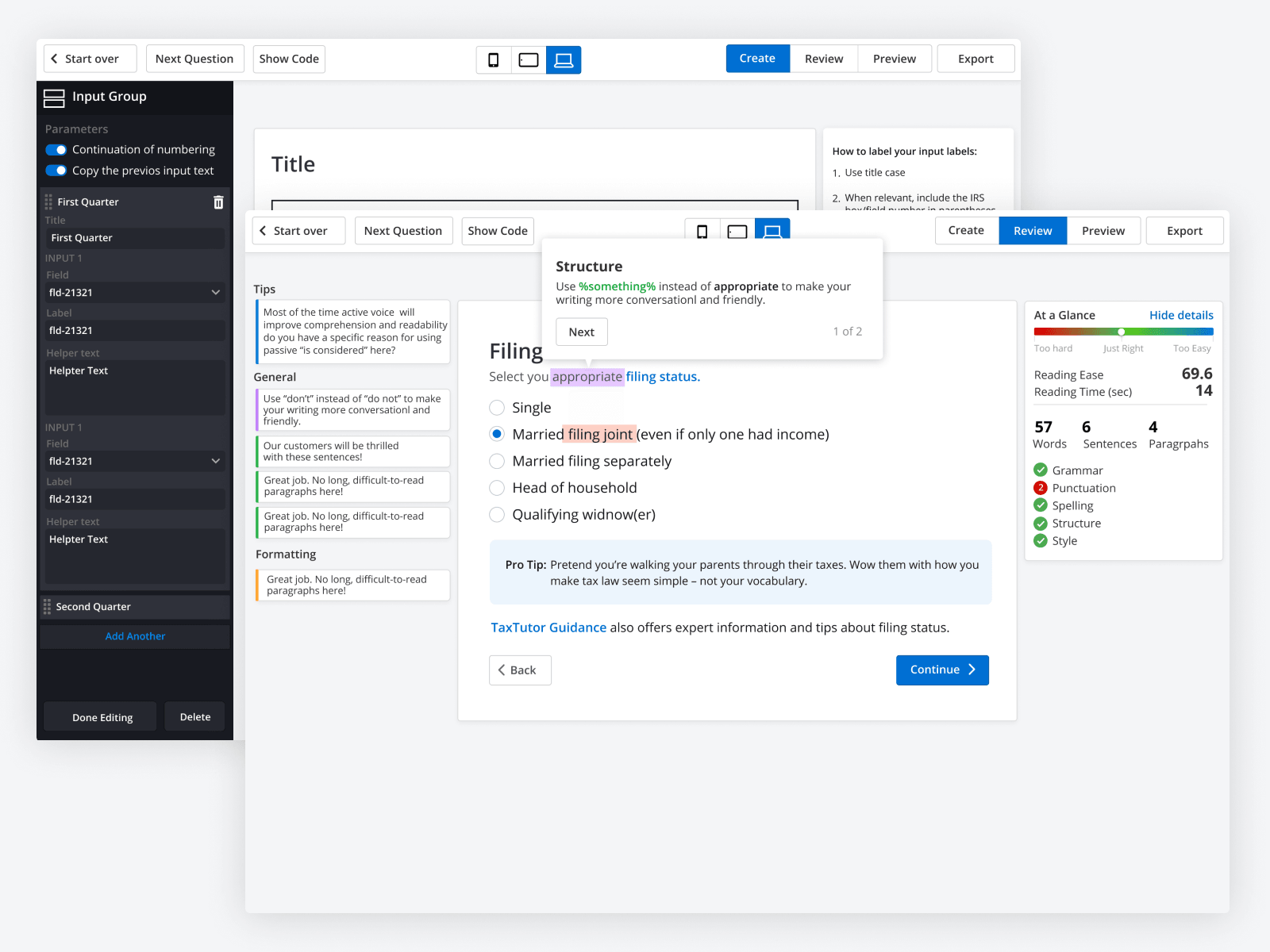
Grammar and readability, in the editor
An At a Glance panel — 57 words, 4 sentences, 69.6 reading ease — sat next to the Input Group settings. Tax language drifts toward jargon by default. Putting readability scoring inside the editor made plain language a default behavior, not a style guide nobody reads.