Fulfill.com
B2B marketplace connecting brands with fulfillment partners.
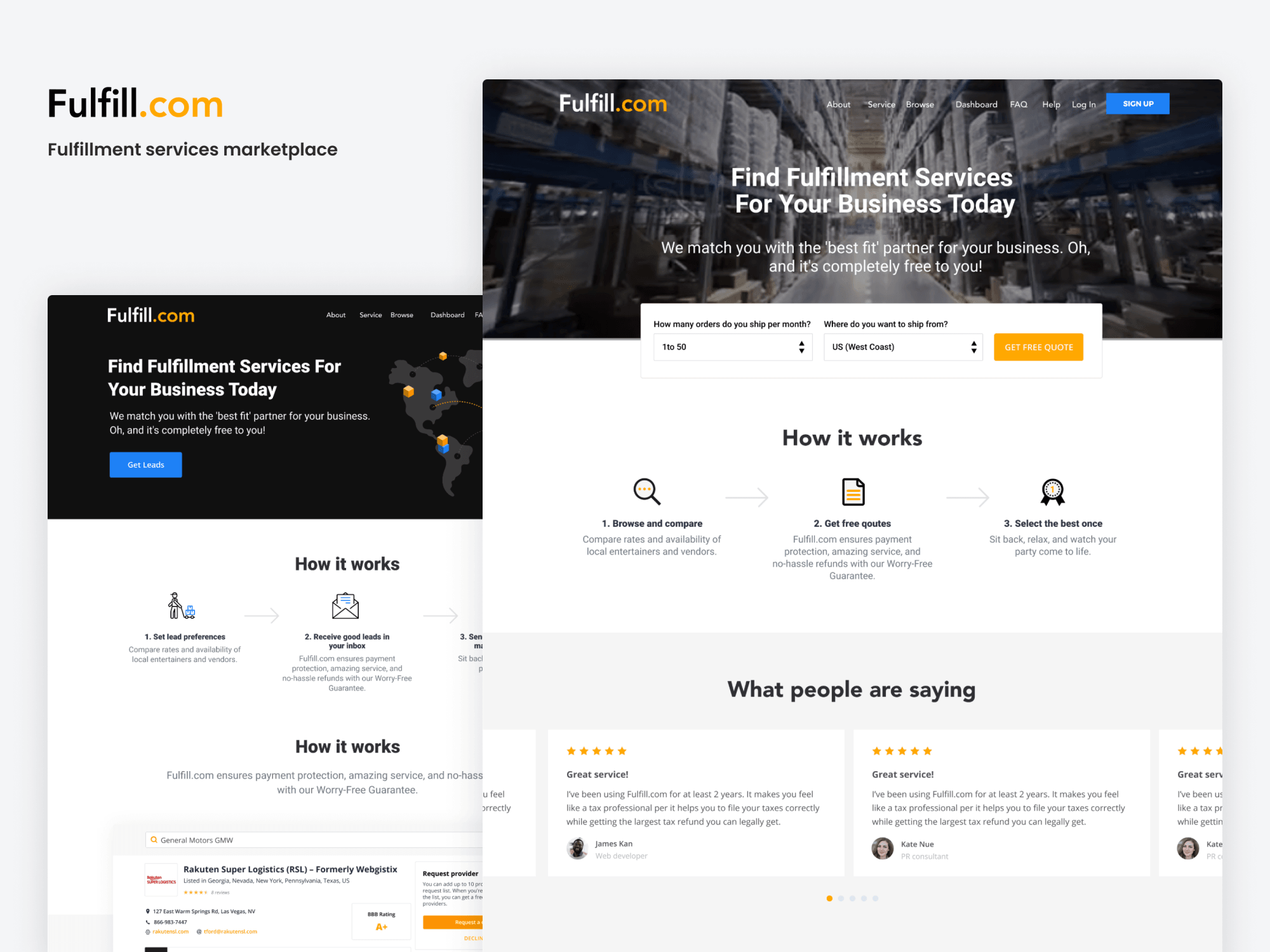
Fulfill.com is a B2B marketplace connecting eCommerce brands with third-party fulfillment partners — streamlining the search, vetting, and engagement process.
- 2020
- Product Designer
- Fulfill.com
Problem
Fulfill.com set out to be the marketplace where direct-to-consumer brands meet vetted third-party logistics partners. The 3PL category is fragmented: every provider prices, scopes, and specializes differently, and brands shopping for one usually run a manual gauntlet of intro calls before they can even compare options. The opportunity was a structured two-sided product that made discovery, qualification, and match feel less like cold-calling and more like software.
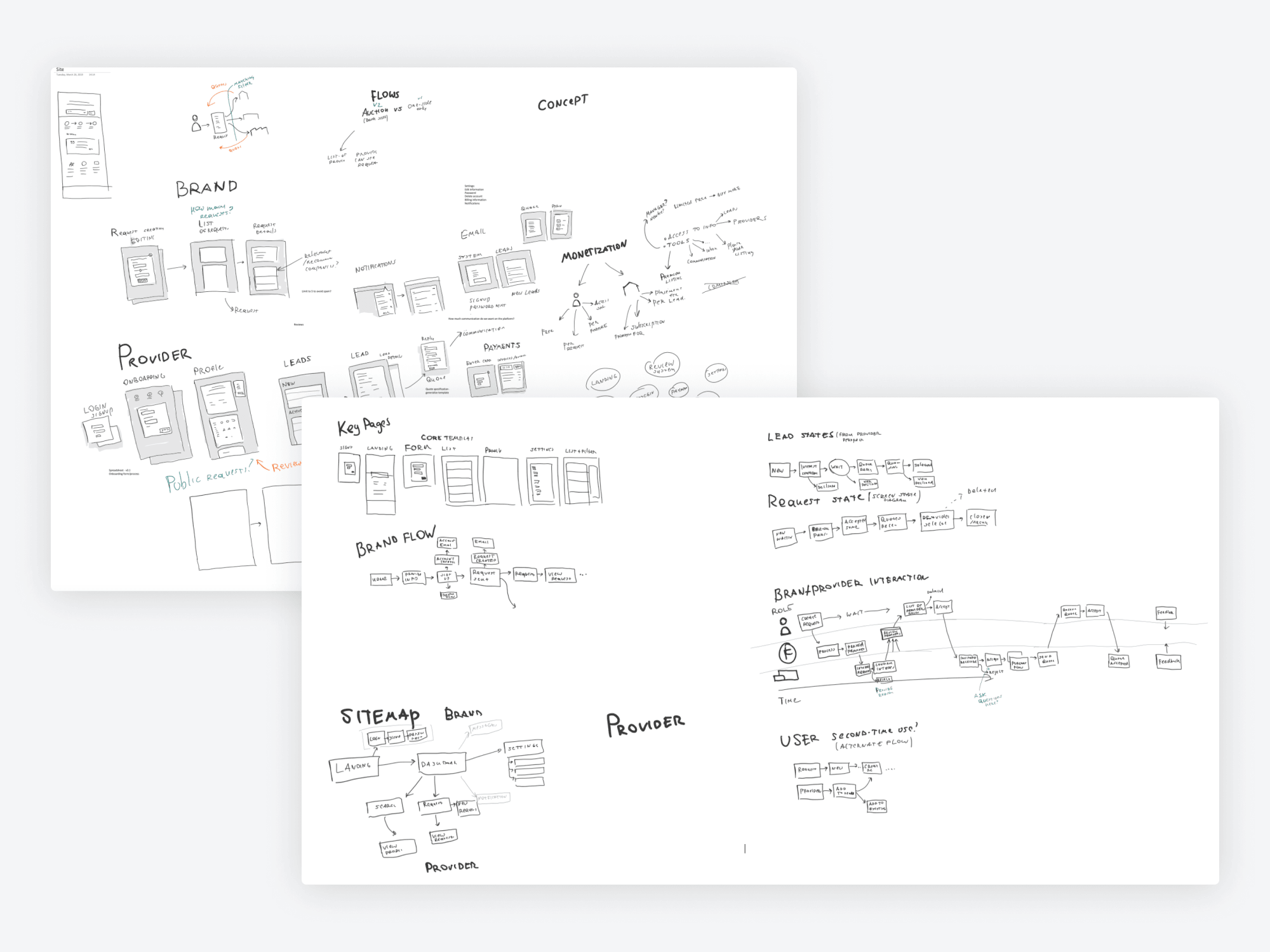
I started on paper. Before any UI, I mapped the actors and the loops between them — discovery, qualification, match, conversation, deal — and used that scaffold to figure out which surfaces needed to exist and how they had to talk to each other.
Approach
A two-sided marketplace only works if both sides have a real reason to show up. I owned the brand-facing experience, the provider workspace, internal admin tooling, and the community surface — and held the whole thing together with a shared design system.
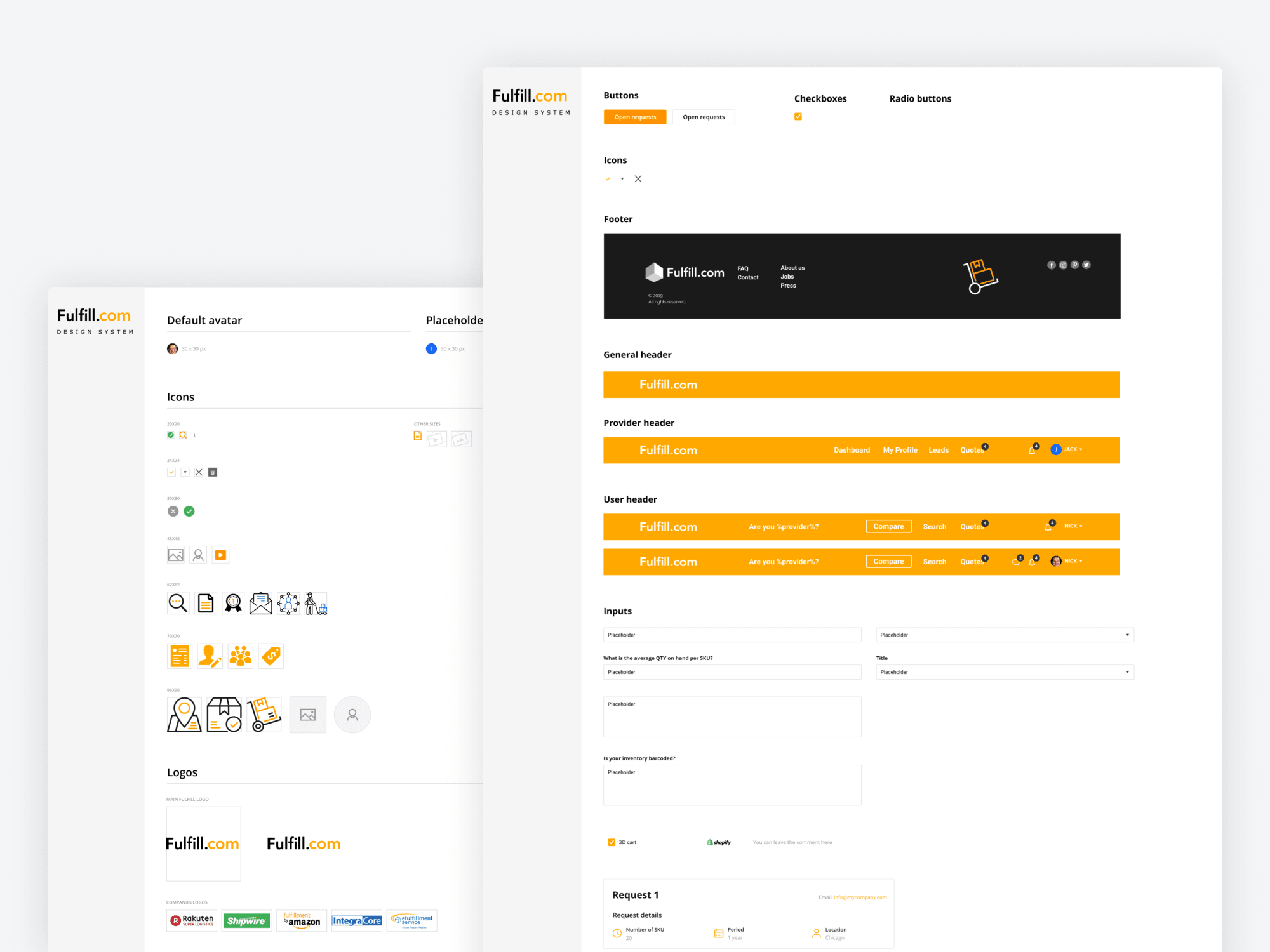
The system was built lightweight on purpose. Color, type, spacing, and a core component library let the marketplace, the provider workspace, and admin views feel like one product instead of three — and let me move fast as scope expanded.
Provider onboarding
Providers don't fill out long forms — or, more accurately, they don't finish them. I broke a heavy intake into a wizard with clear steps, and used the same flow to capture the structured data the matching engine needed.
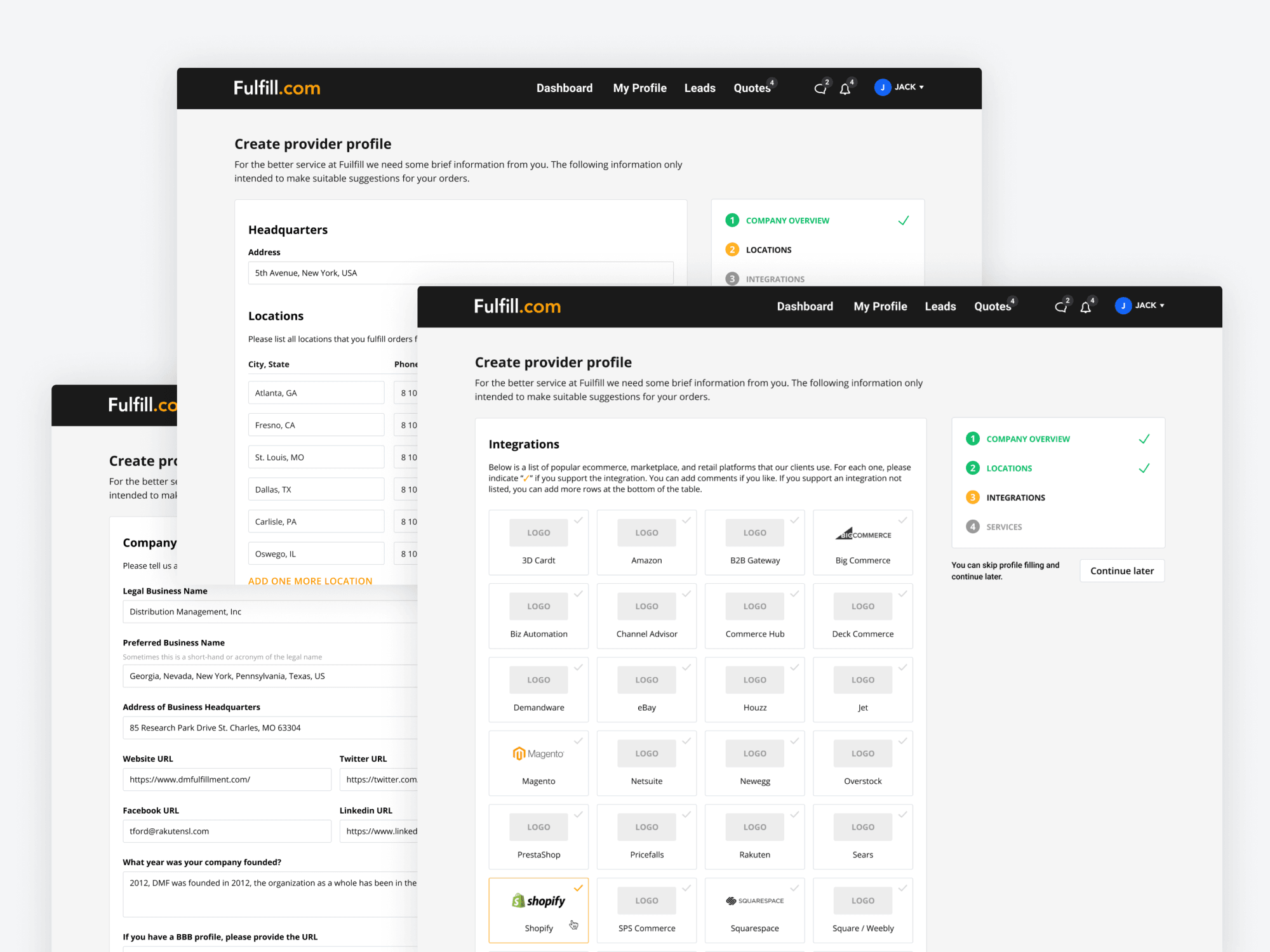
The wizard sequenced services, geographies, capabilities, and pricing posture into focused decisions, with progress and review built in so providers could pause and come back.
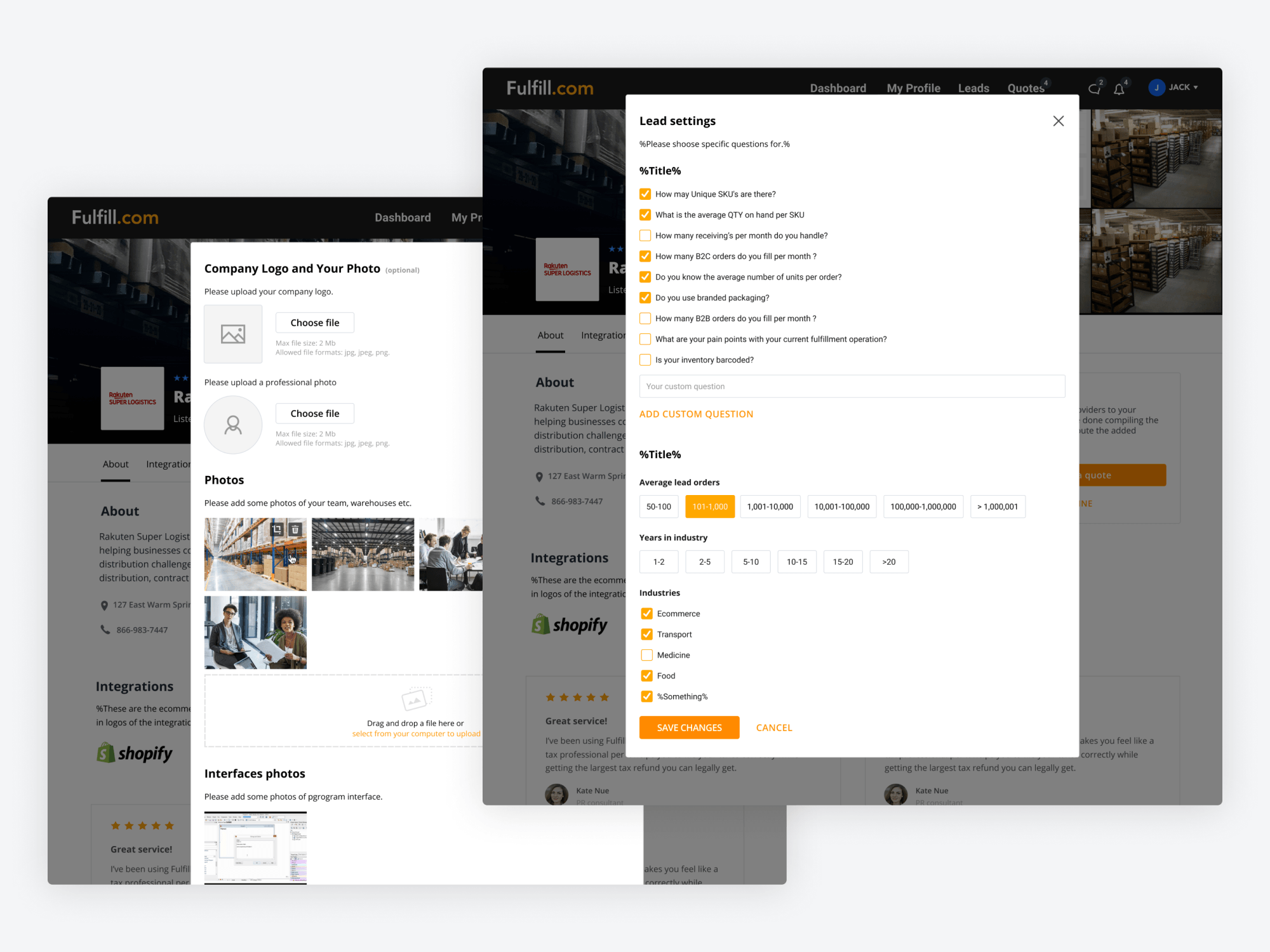
Profiles let providers show their warehouse, team, and certifications. A lead-settings modal let them tune the kinds of brand requests they wanted — the lever providers actually cared about was lead quality, not volume.
Brand discovery and decision
On the brand side, the job was to compress weeks of intro calls into a shortlist a founder could actually make. That meant search that respected operational nuance, and detail pages structured around the questions brands really ask.
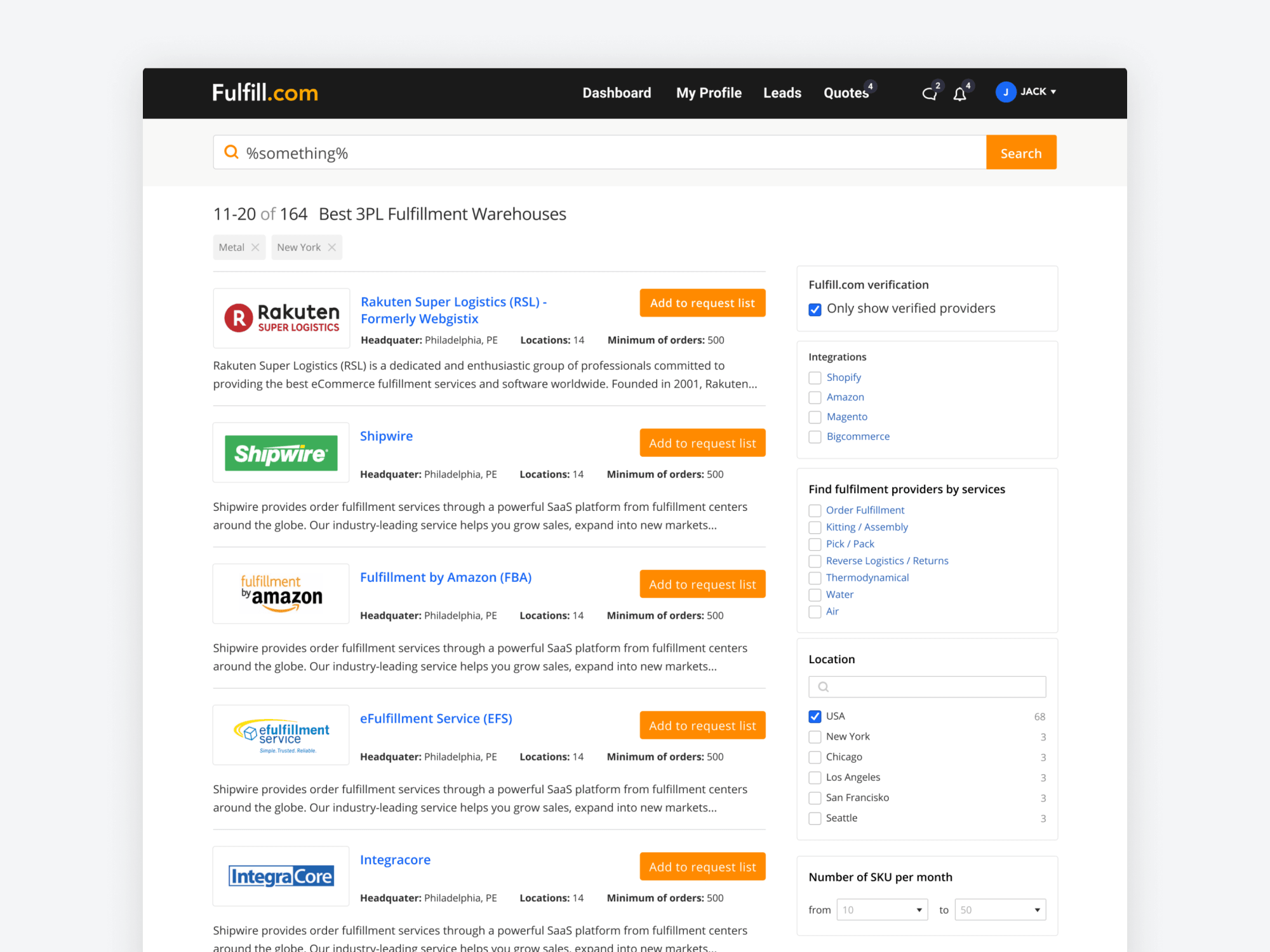
Filters covered region, services, integrations, and the operational details that matter when you're moving real inventory — not generic facets, but the ones a logistics buyer actually thinks in.
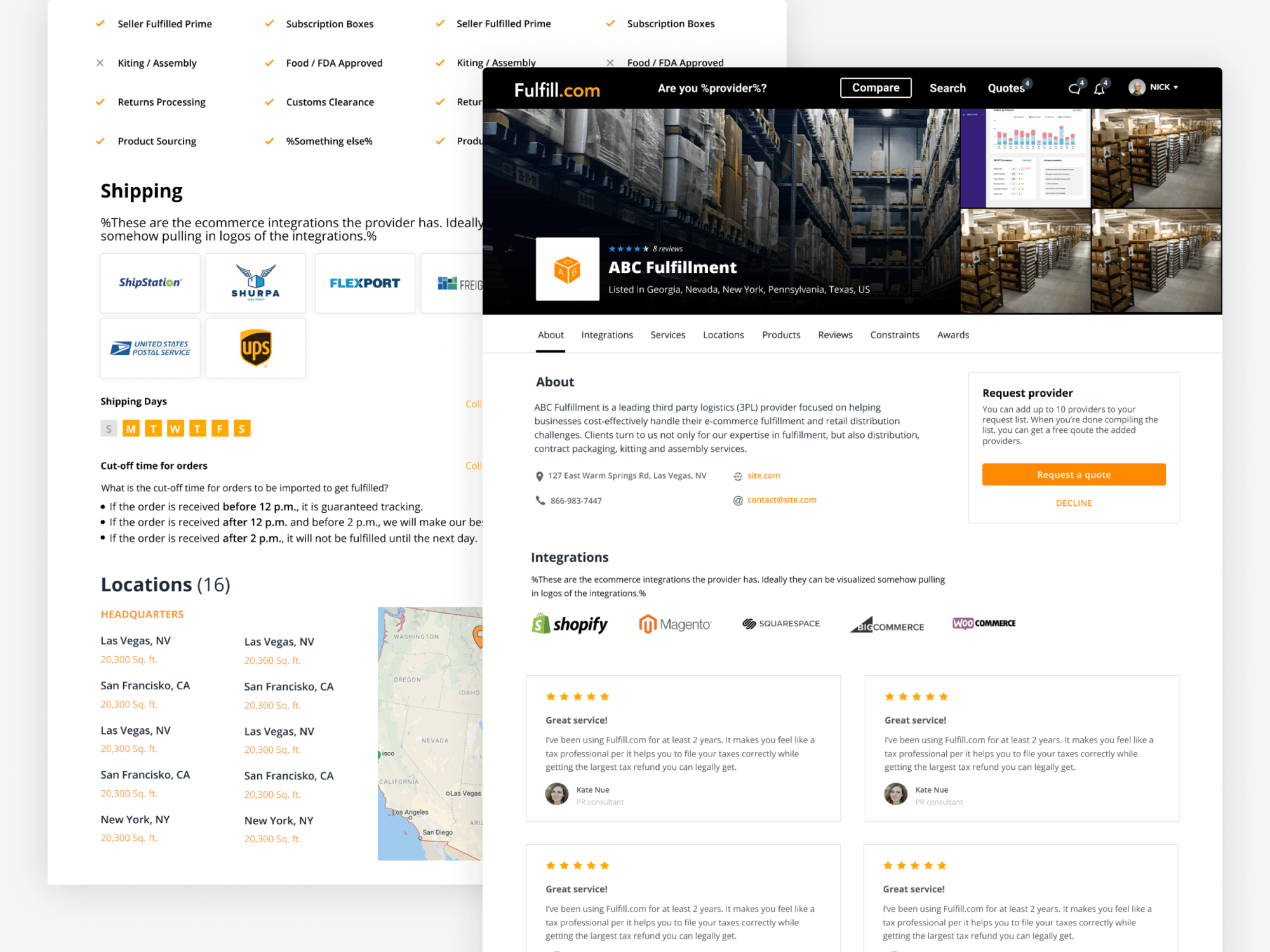
Detail pages were structured around buying questions — services, locations, integrations, specialties — so a brand could build a shortlist without a single intro call.
Two-sided value
The marketplace had to make sense from both sides simultaneously: a provider checking leads in the morning, a brand comparing options in the afternoon. The compare/match view and the provider dashboard were the two surfaces where each side felt the product working.
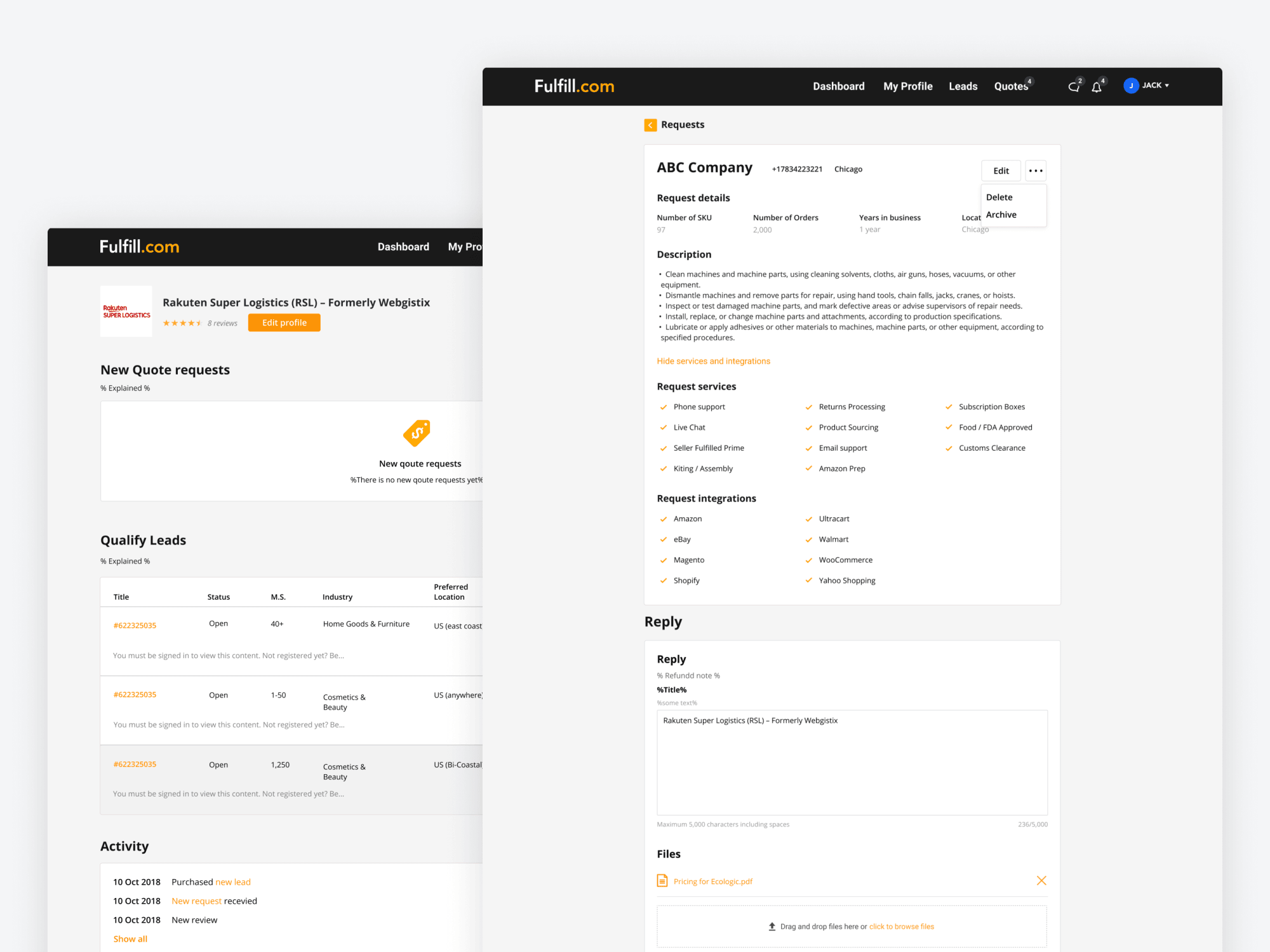
Providers got a dashboard that treated the marketplace like a real channel — incoming leads, statuses, profile health, and the actions that move a conversation forward. It was the surface that turned the platform from directory into pipeline.
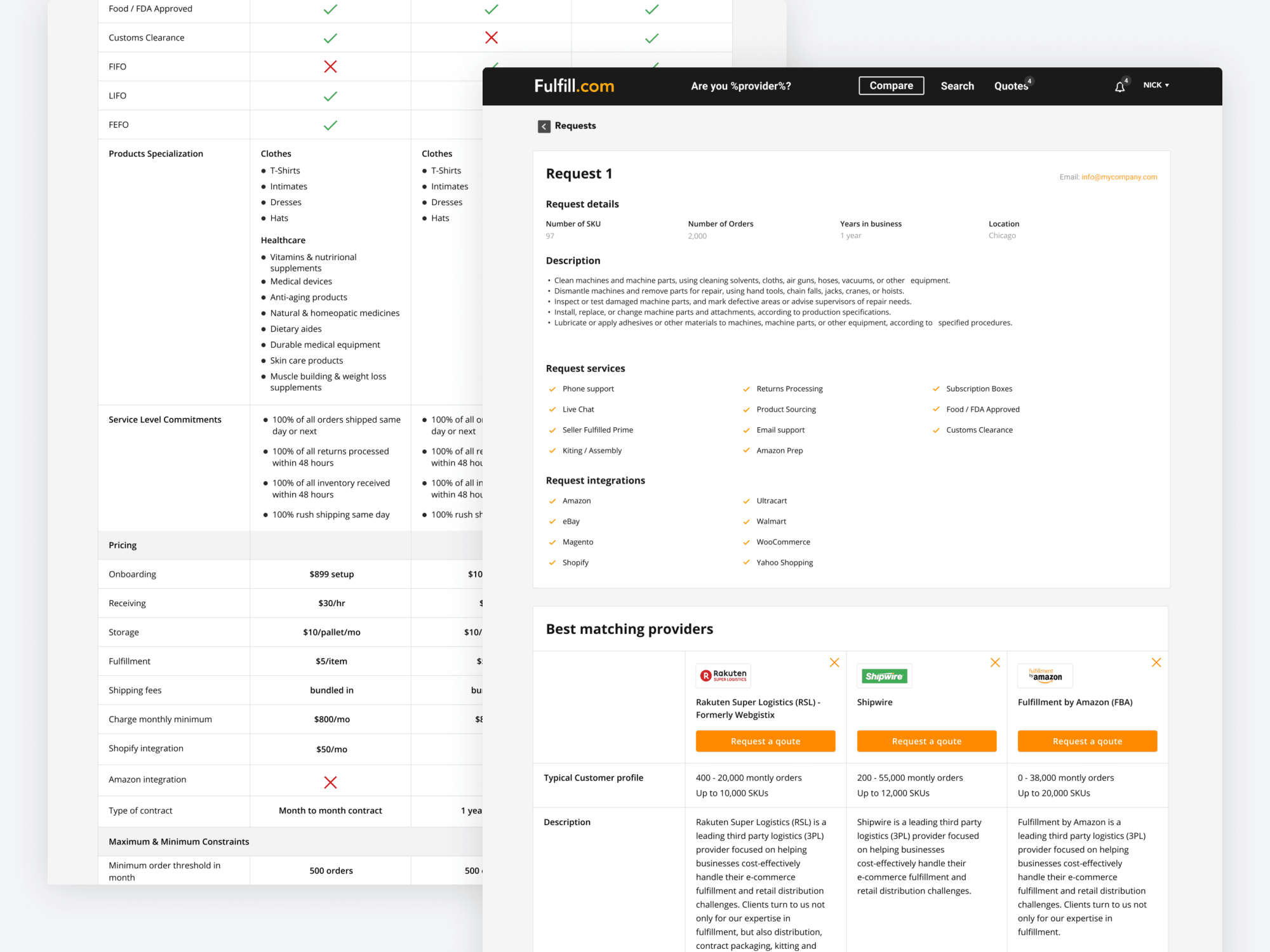
Compare and match was the heart of the brand experience: side-by-side providers against a brand's stated needs, with the matching logic surfaced rather than hidden in a black box. Brands could see why a fit was a fit.
Community and system touchpoints
The product didn't end at the app. A community surface gave the category somewhere to talk, and transactional comms carried the same design language out into inboxes and notifications.
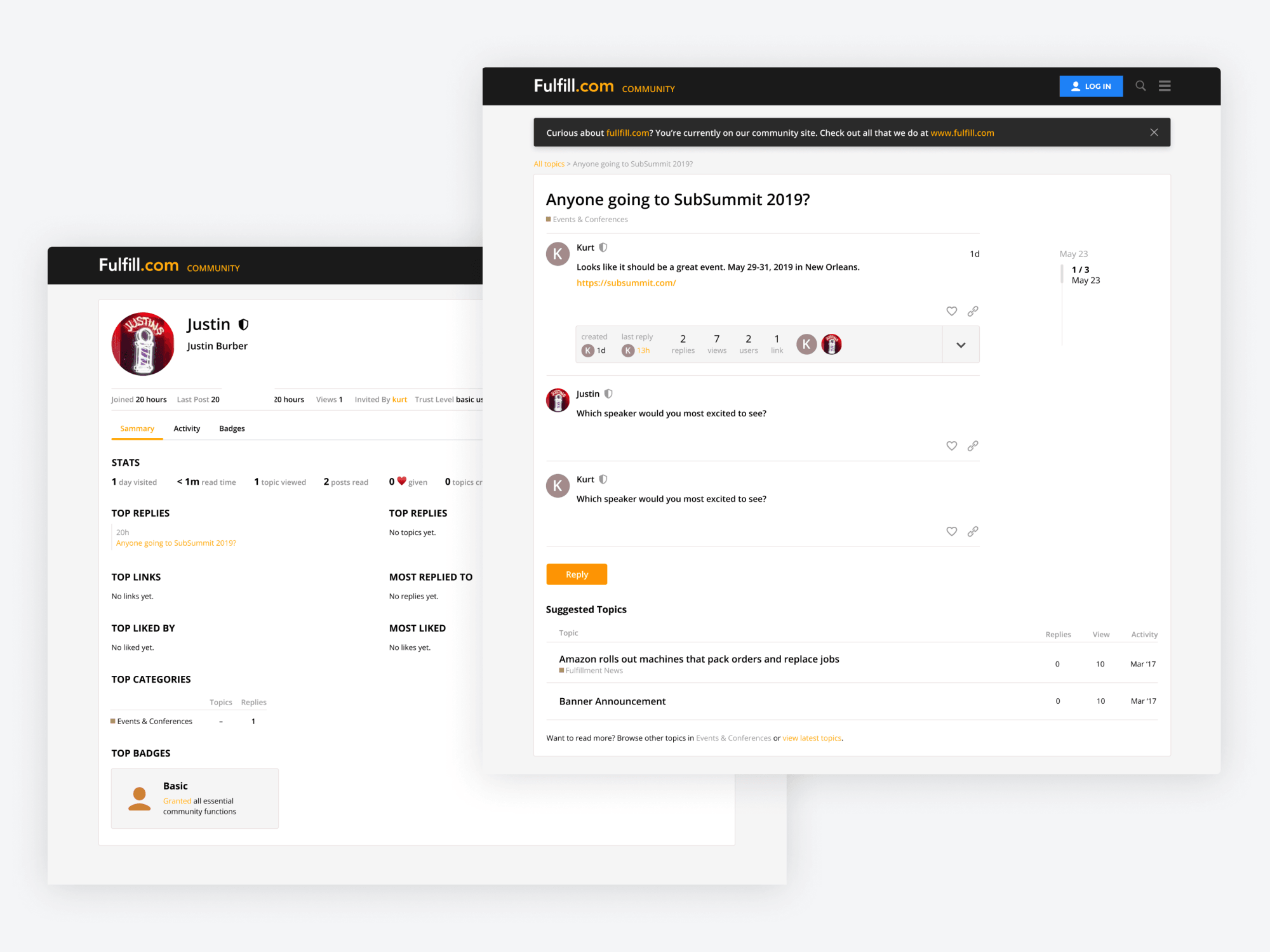
A community forum gave operators a place to swap playbooks and ask questions, which doubled as top-of-funnel for the marketplace and a signal of category authority.
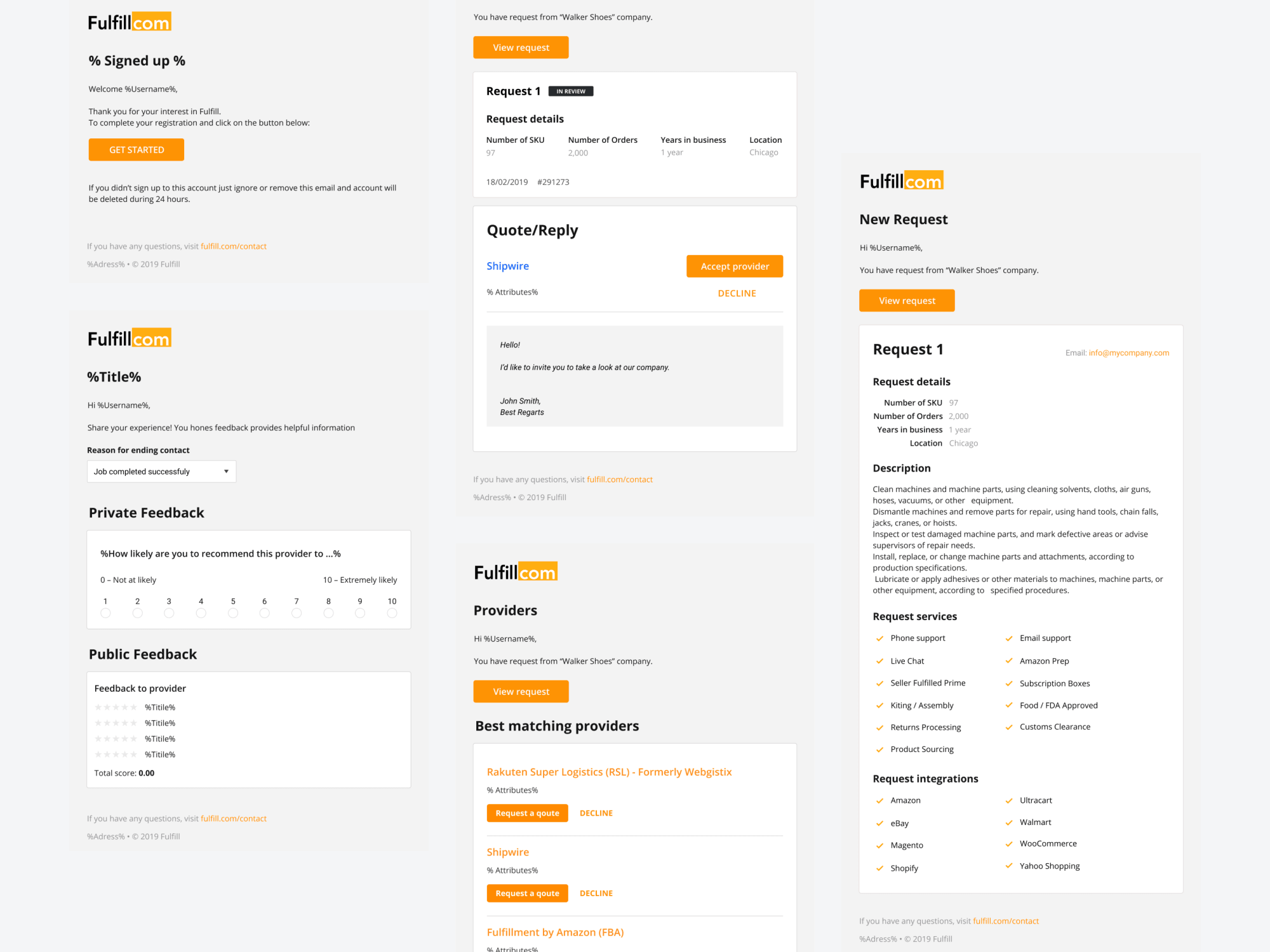
Transactional emails, confirmations, and system notifications were treated with the same rigor as the in-product UI, so the experience held together when users weren't actively in the app.
Outcome
End to end: research, IA, two sides of product, admin, community, design system, and GTM surface — all carried by a single design language.