VR Museum
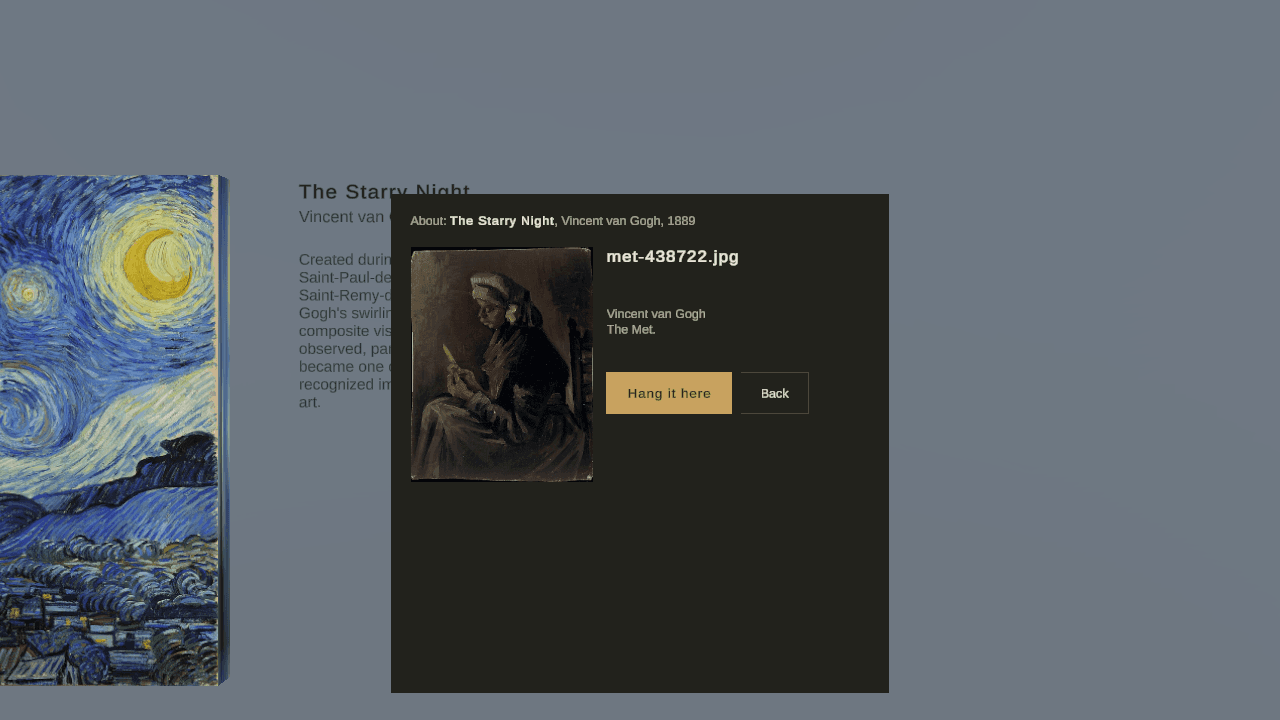
A Meta Quest app that turns a two-room scanned apartment into a ten-room art museum, with a map and a guide that only shows real works.
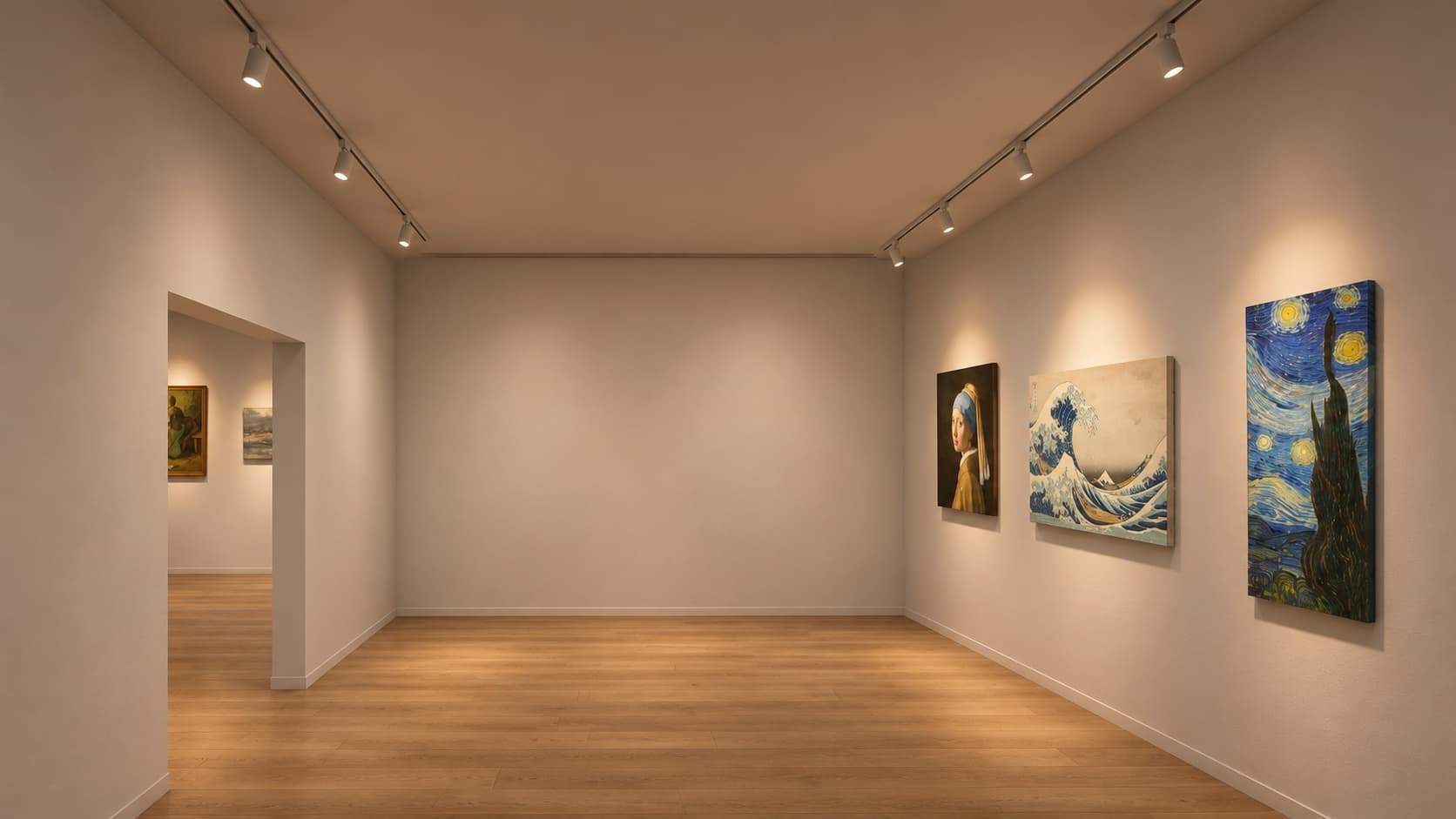
- Runs in the Unity editor on real room geometry; the headset pass is next
- Unity 6, URP, OpenXR, Meta MRUK, The Met Open Access API, Gemma 4 on llama-server
My apartment has two rooms, so I made each doorway a page turn. Walk through it and the room you enter becomes the next of ten museum rooms. A map shows where you are, wall text names each room, and a guide answers questions about the painting in front of you using a model on my own PC, with no API key.
The problem
A museum needs rooms you walk between, and a home has a few. The first version hung one fixed gallery across both of my rooms, so walking around showed the same walls every time. I also wanted something to ask while standing in front of a painting, without an API key inside the headset app and without a guide that invents art.
A real room is a stage
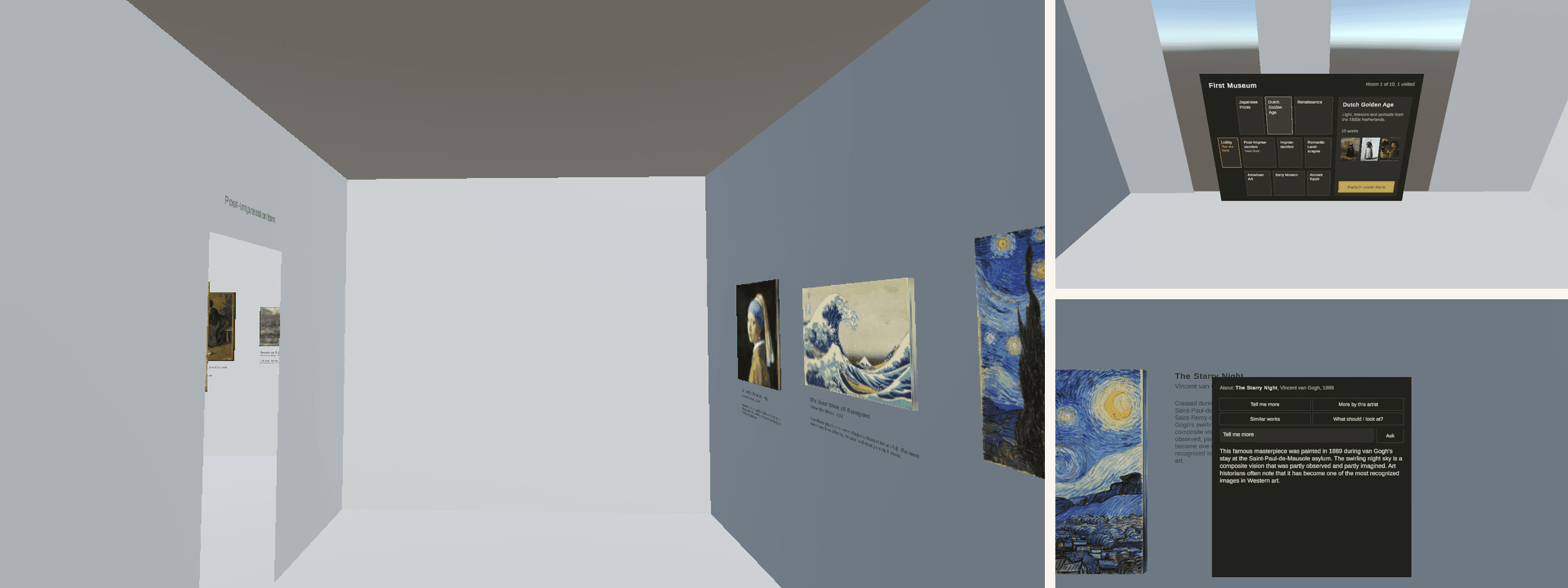
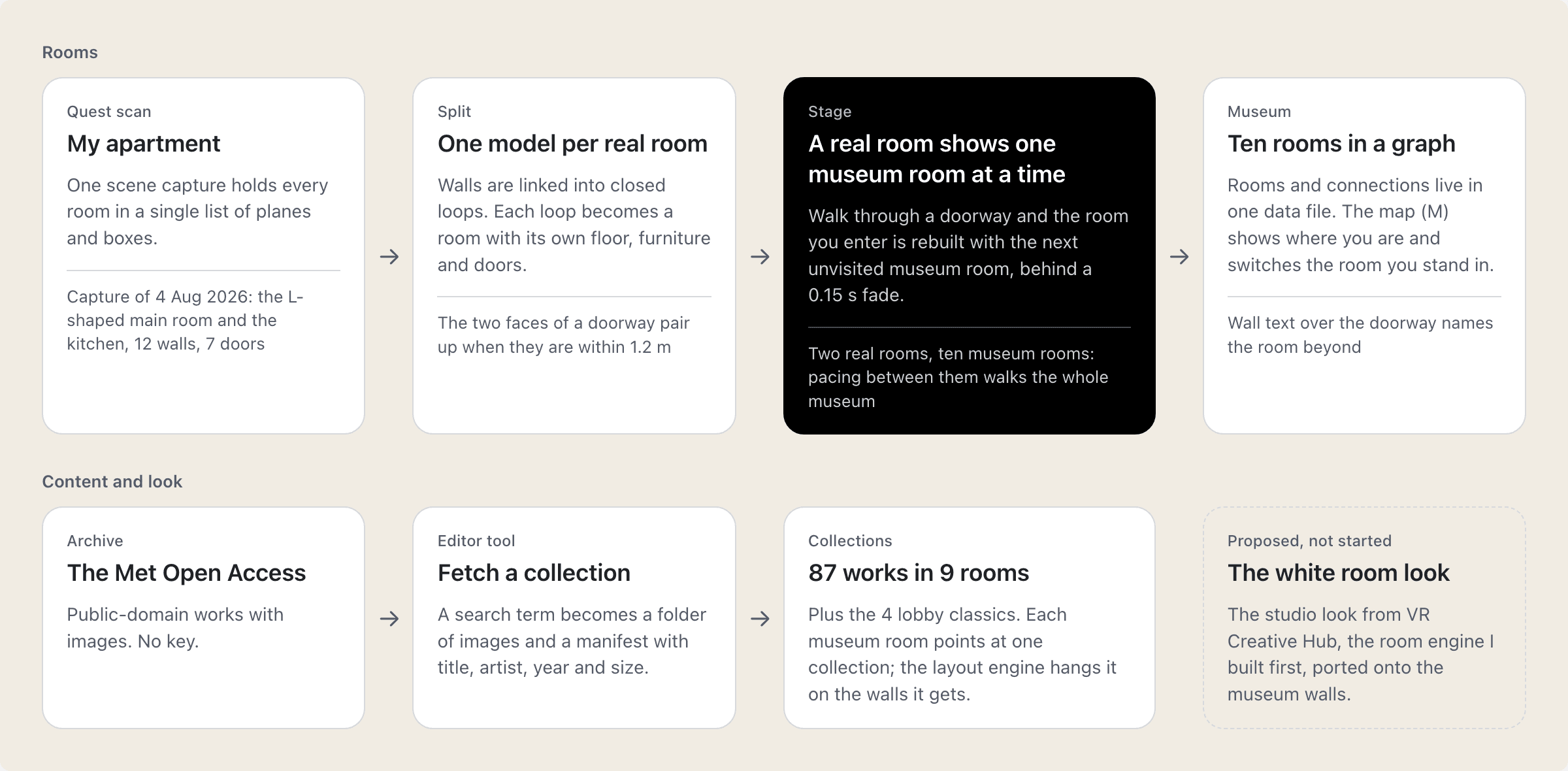
The scan is split into one model per real room by linking walls into closed loops. Each real room shows one museum room at a time. Walk into a room and it gets the next unvisited room in the museum's graph, behind a short fade. Walking back brings a new room too, so pacing between two real rooms walks you through all ten.
Where am I
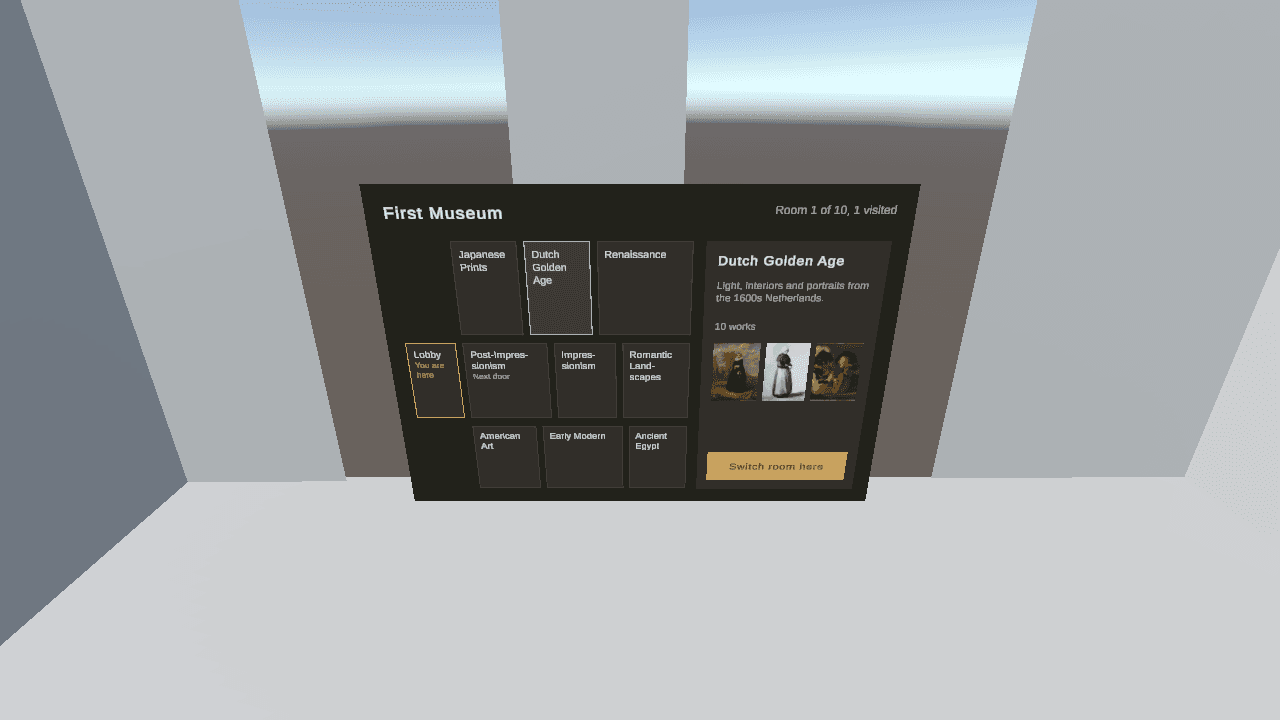
A map shows the ten rooms, where you are, the rooms you have visited and a preview card with three thumbnails and Switch room here. Wall text over each doorway names the room beyond.
Content from one open archive
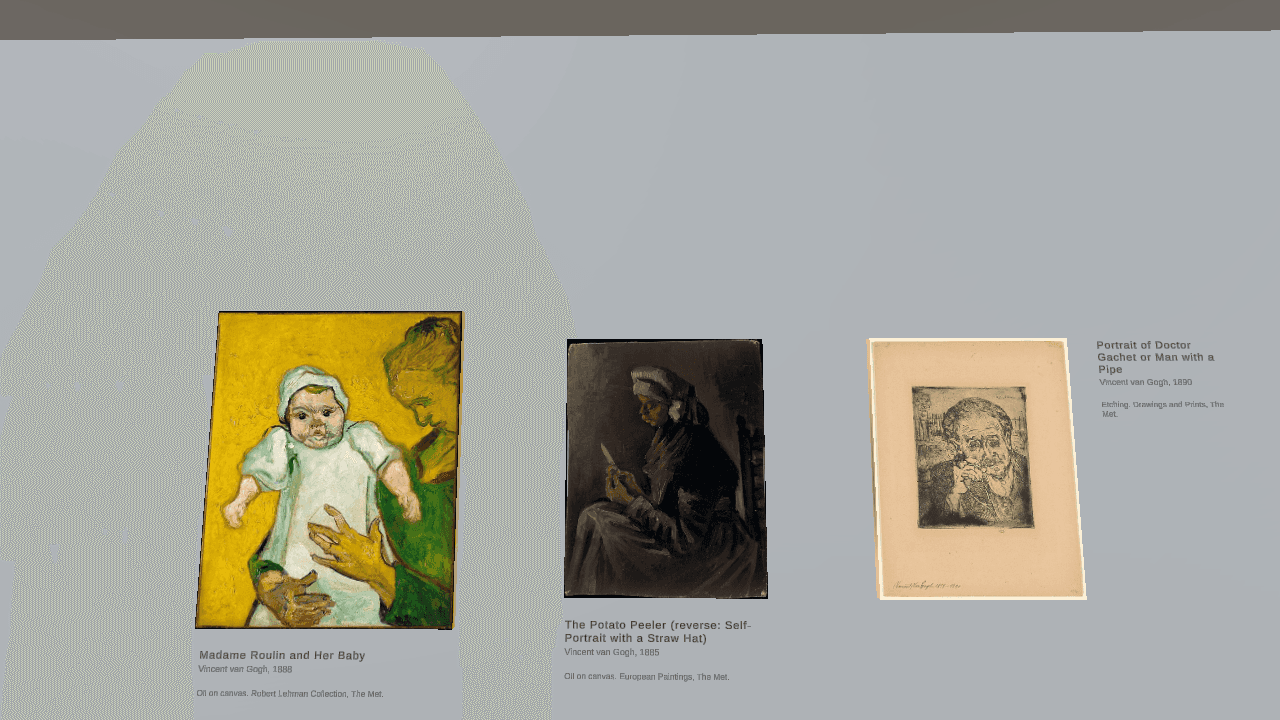
The rooms are art only, all from the archive the guide searches: 87 public-domain works from The Met in nine rooms, plus four classics in the lobby. The Art Institute of Chicago was the first choice, but its API refuses scripts.
A guide with no key
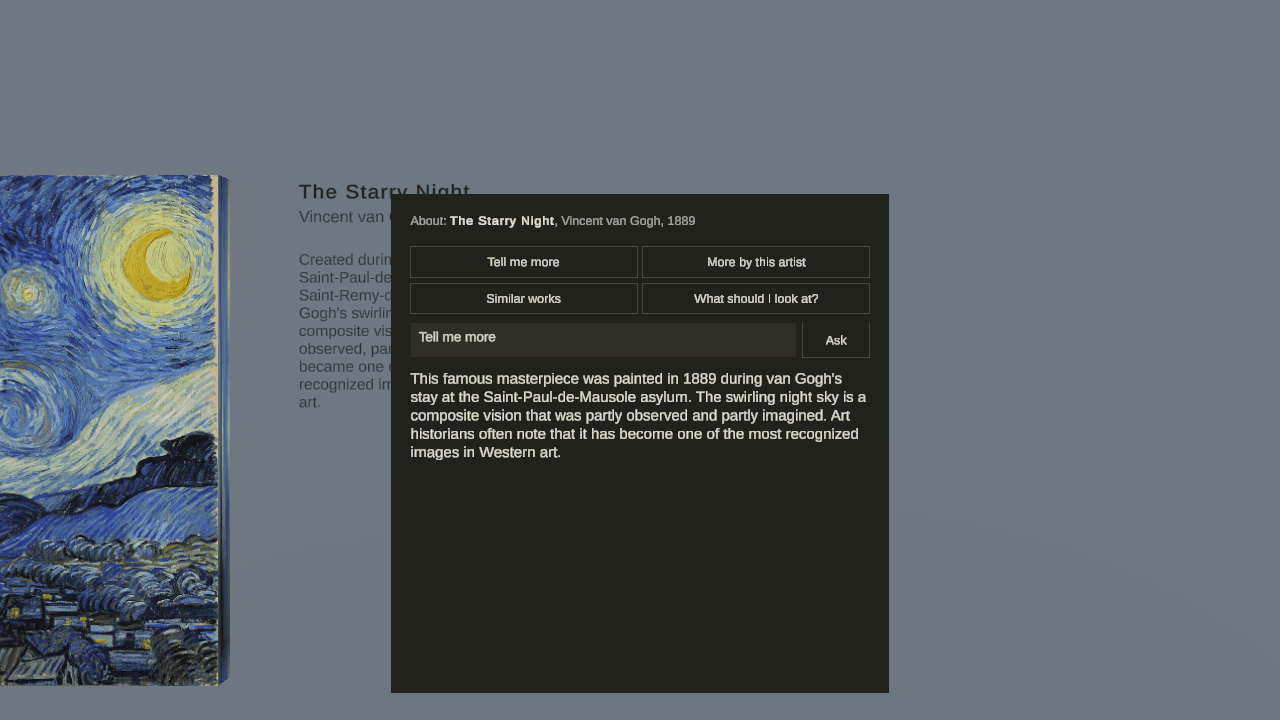
The default model is Gemma 4 on my desktop's GPU over home Wi-Fi; if that machine is off, a scripted guide answers the quick asks from the placards. Every backend gets one tool, search_artworks, which the app runs against The Met. The model names the ids it wants to show and the panel looks them up in the search result, so the image strip can only contain works that exist.
Decisions
A full re-skin, not decals
You stand in a gallery while walls and furniture stay where they really are. Doors stay open to passthrough.
Walking back brings a new room
Matching a real building would ping-pong between the same pair. With two rooms, every doorway moves you on, and the map takes you back to a room you liked.
Never show an invented artwork
The rule lives in code: the panel only shows ids the search returned, which is easier to trust than a line in a prompt.
A local model by default
A cloud model would mean a key on the headset. It stays an option behind the same interface.
Hang it here
The guide can re-lay out the room with a work it found, so a question can change the wall.