Data Plus Math
Cross-channel ad-measurement analytics. Dark-UI dashboard for ad-tech.
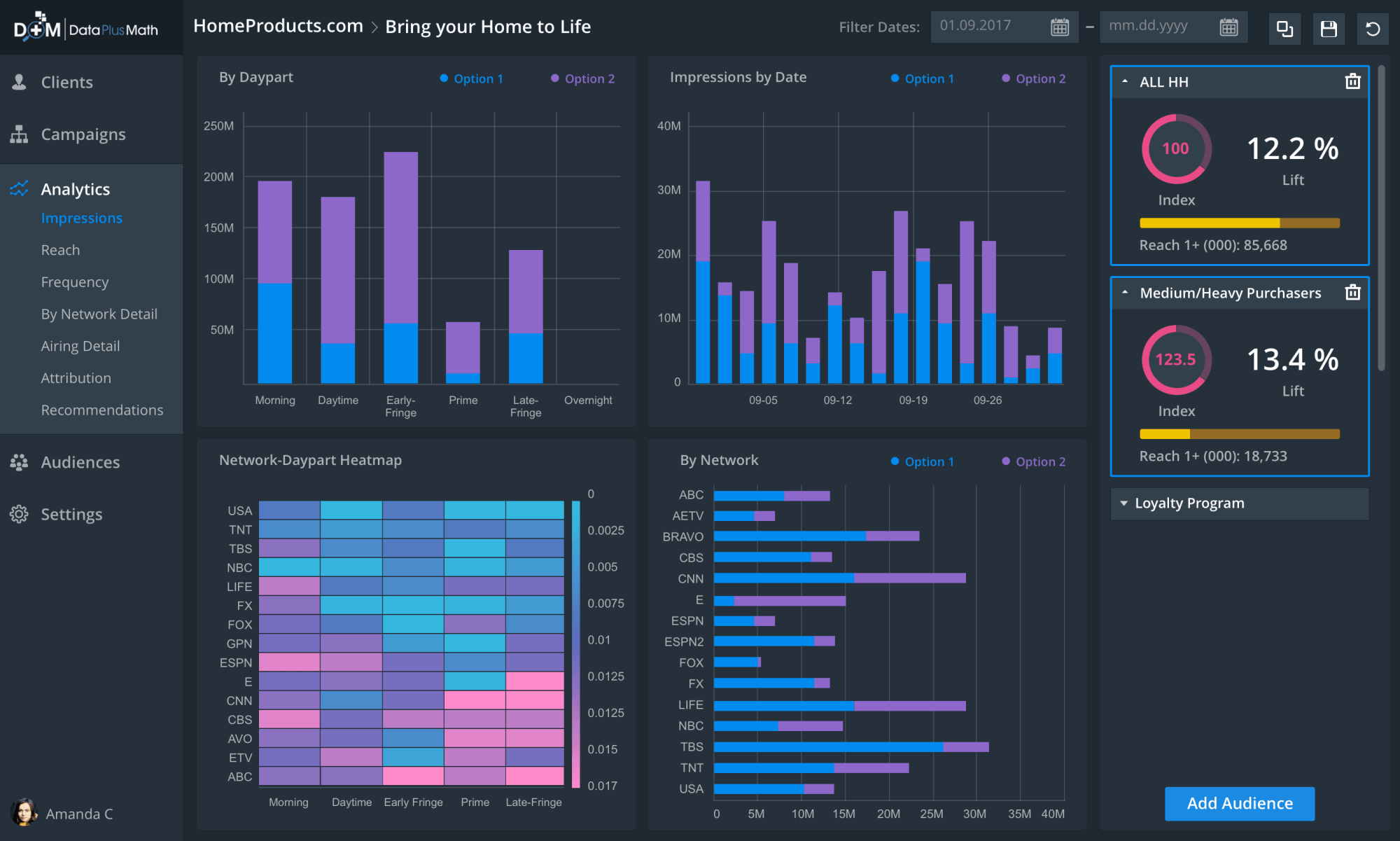
Data Plus Math helps advertisers link exposure to real-world results across a fragmented video landscape — dark-UI dashboard for cross-channel ad measurement.
- 2018
- Senior Product Designer
- Data Plus Math (acq. by LiveRamp)
Problem
Cross-channel ad measurement at Data Plus Math sat across linear TV, digital, and audience data — but the analytical surfaces were fragmented. Planners, buyers, and analysts moved between disconnected reports to answer questions about what to buy, who to target, and how the campaign performed. The brief was to design a single dark-UI BI environment where recommendations, planning, audience-building, and reporting all behaved like one product.
I led the design for the senior product designer role through 2018, working with engineering and analytics leads to ship the workspace before the LiveRamp acquisition. The work supported LiveRamp's measurement product line after the deal closed.
Approach
Recommendations paired with action
The core analytical surface had to let an analyst move from a broad pattern to a specific decision without leaving the screen. I paired a recommendations view that surfaced ranking, daypart patterns, and cost efficiency in one frame with an in-line modal for taking the next action — adding an audience to the campaign being analyzed.
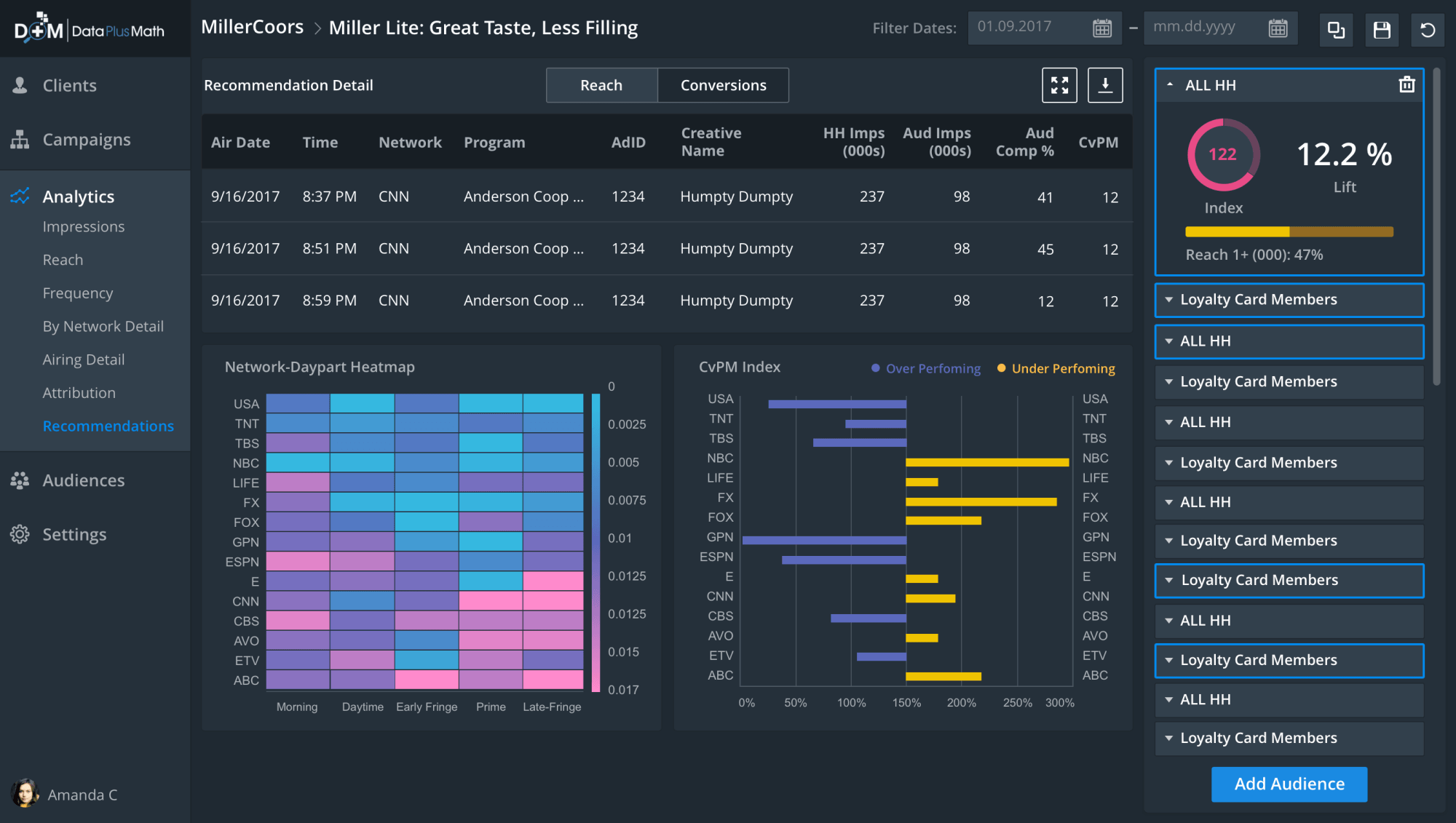
Three views answer one question. A detail table ranks recommendations by network and daypart, the heatmap reveals where the audience actually lives across the schedule, and the CvPM index bars show relative cost efficiency. Stacking them lets analysts triangulate without exporting to a second tool.
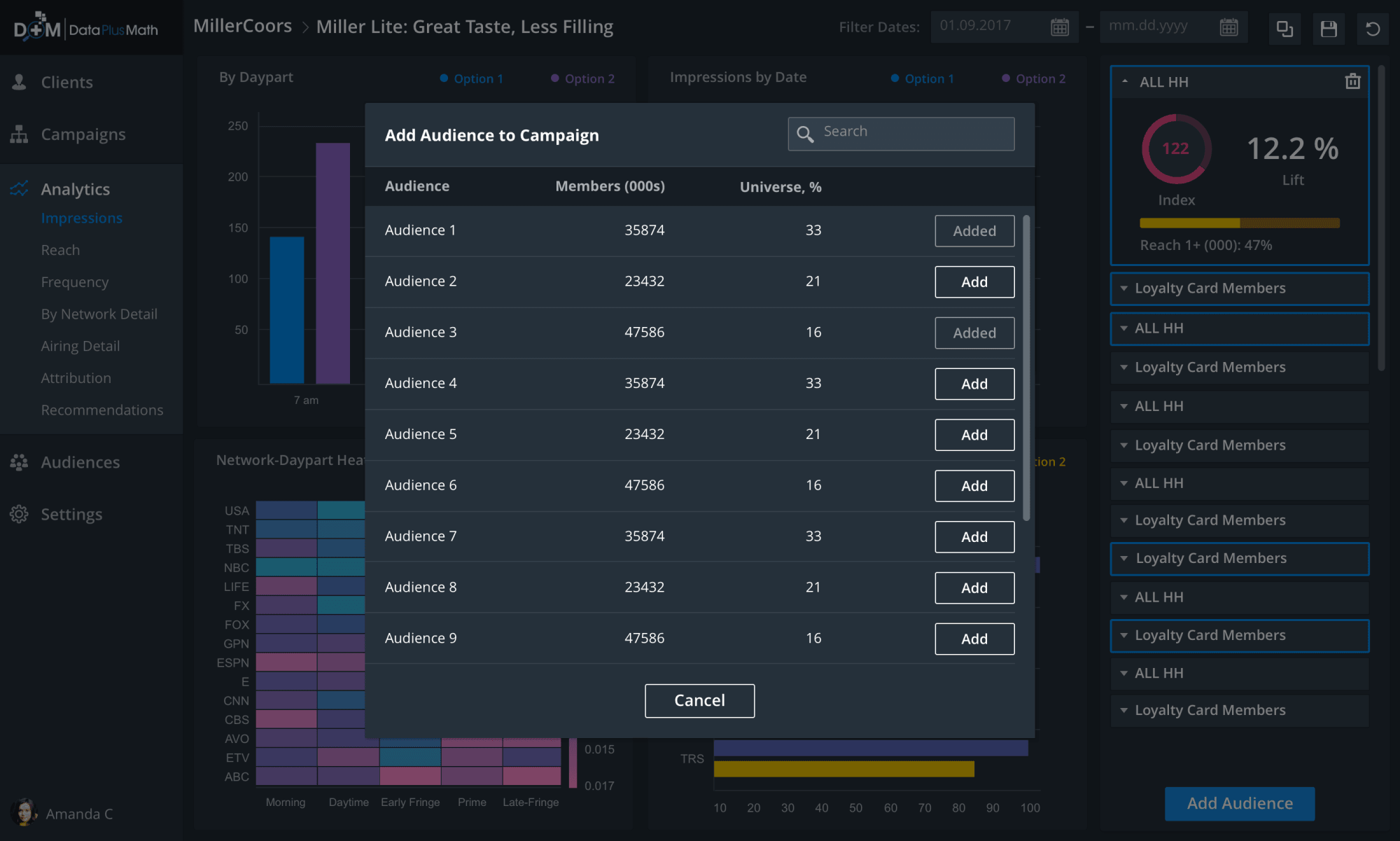
Action lives next to insight. The Add Audience modal opens directly from the campaign workspace, with a searchable table showing Members count and Universe percentage so analysts can size before committing. The modal pattern preserves the surrounding context instead of routing through a separate audience tool.
Planning and audiences as one vocabulary
Once recommendations and reporting shared a model, planning and audience-building had to as well. The planning view reuses the same campaign-and-audience primitives across seasonal lanes and ranked scenarios, while the audience rule-builder gives analysts the precision to define those audiences in the first place. Same objects, different lens.
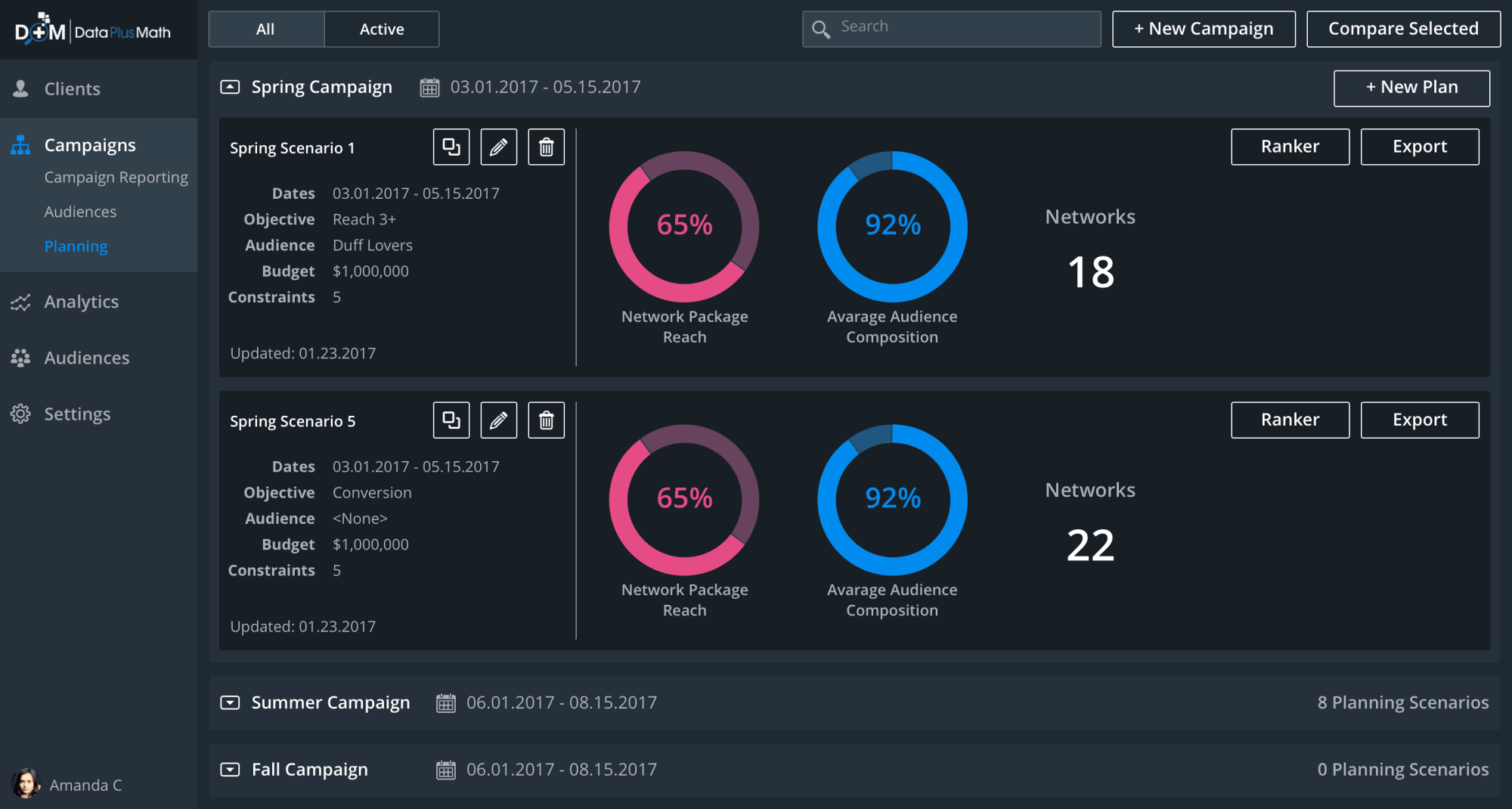
Planning reframes the same components around time. Spring/Summer/Fall lanes hold proposed campaigns and a scenario ranker lets teams stack alternates side by side, so a planner can compare a heavier Q3 against a flatter year before any budget moves.
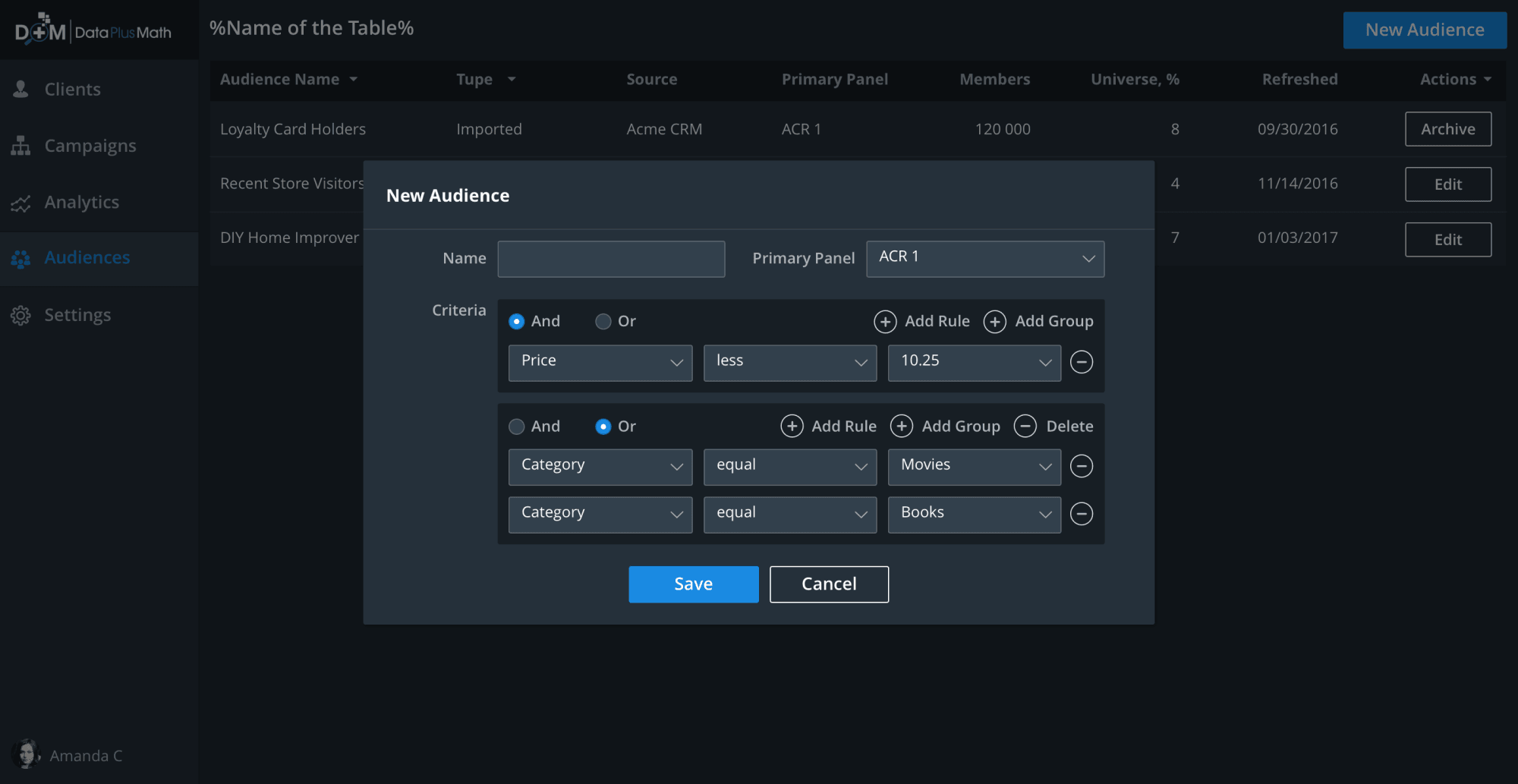
The rule-builder composes audiences from attributes with And/Or operators between rows. Toggling logic at the row level kept complex segment definitions readable as they grew, and matched the SQL-style mental model analysts already used.
Outcome
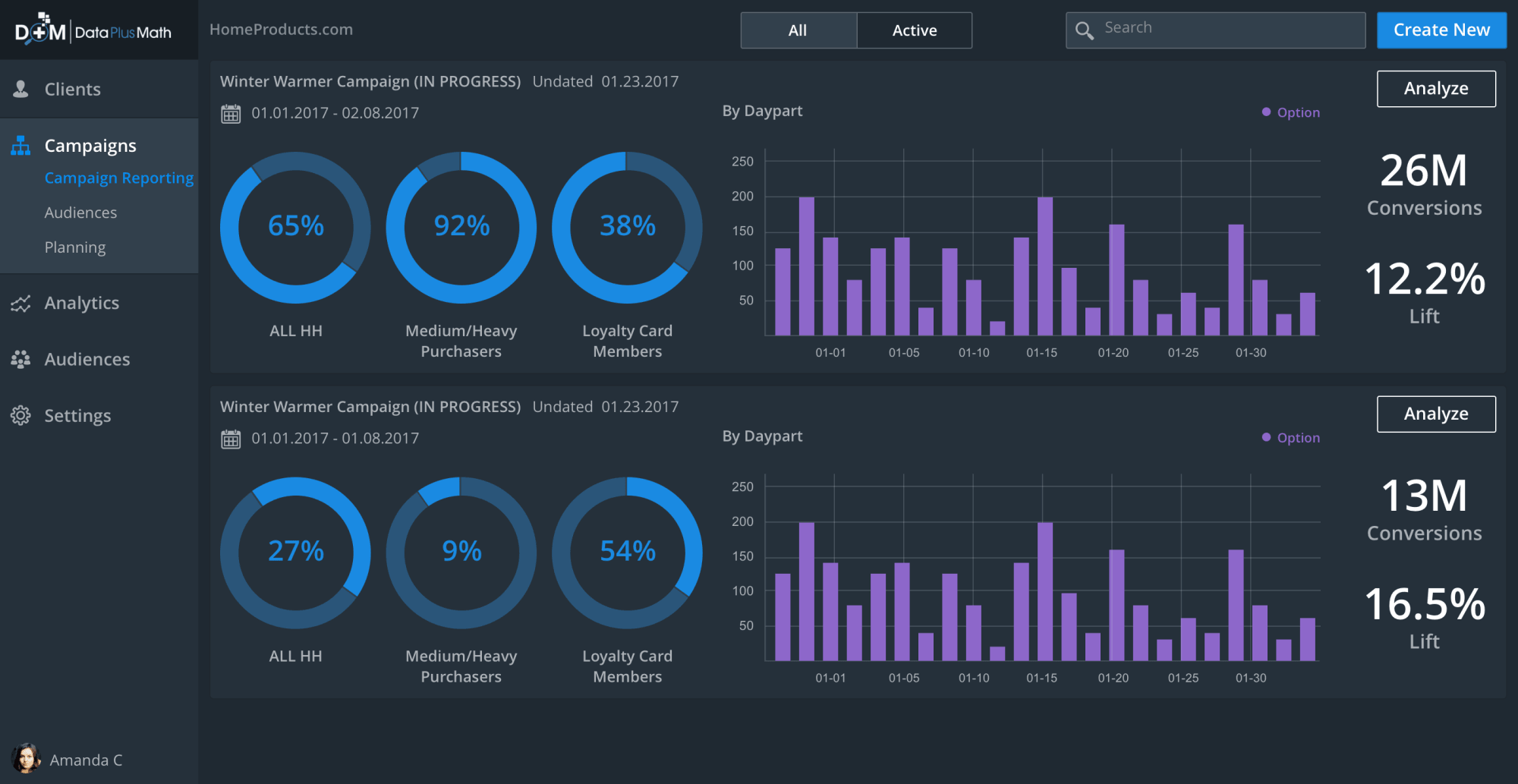
Reporting closes the loop. Three donut dials per campaign — All Households, Medium-Heavy Purchasers, and Loyalty Card Members — sit next to Conversions and Lift KPIs, so analysts can read performance against the same audience cuts they used to plan and target. The reporting layer reuses the audience definitions built upstream, which kept the story consistent from recommendation through results.
Shipped in 2018 before Data Plus Math was acquired by LiveRamp. The unified dark-UI workspace — recommendations, planning, audience-building, and reporting under one system — carried into LiveRamp's measurement product line after the acquisition.